 Easy BeezyApp StoreGoogle PlayRuStoreInstall
Cash desk and visits
How to complete a visit
Completing a visit records which services were provided, for how much, and how the client paid. After that, the visit goes into finances, analytics, and the client's card.
Step by step
- 01
Open the visit
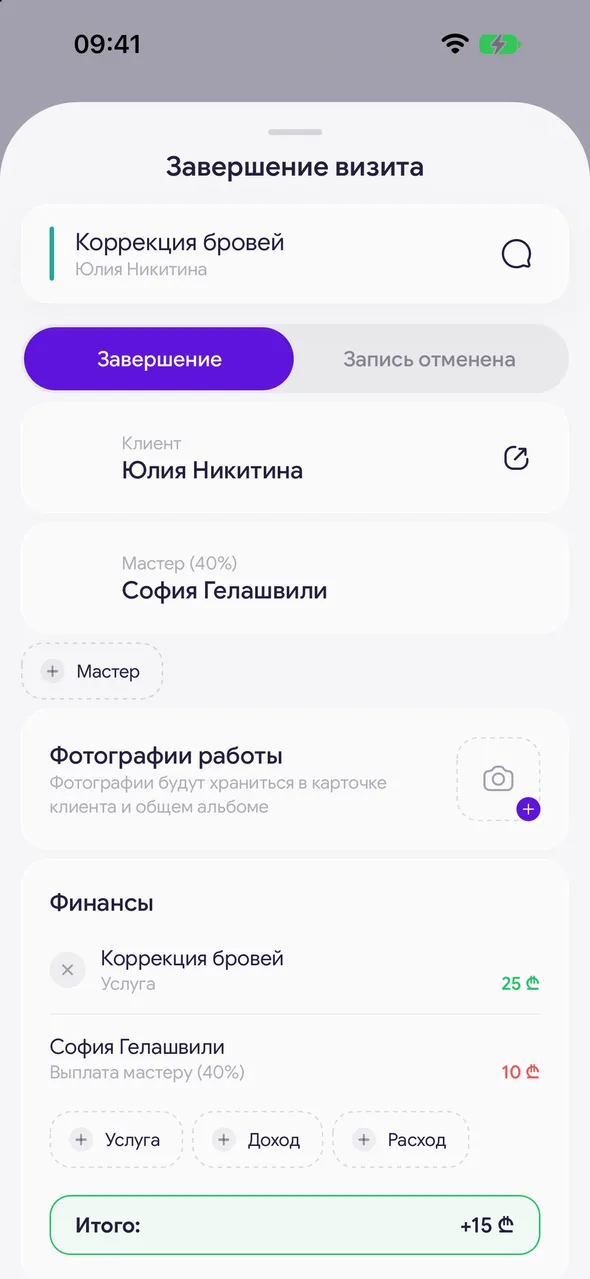
In the calendar, tap the «Awaiting completion» badge on the appointment card or select «Complete visit» from the «⋯» menu (the same menu opens with a long press). You can also do this from the cash desk: go to the «Not closed» tab and tap the visit.
- 02
Check «Finances»
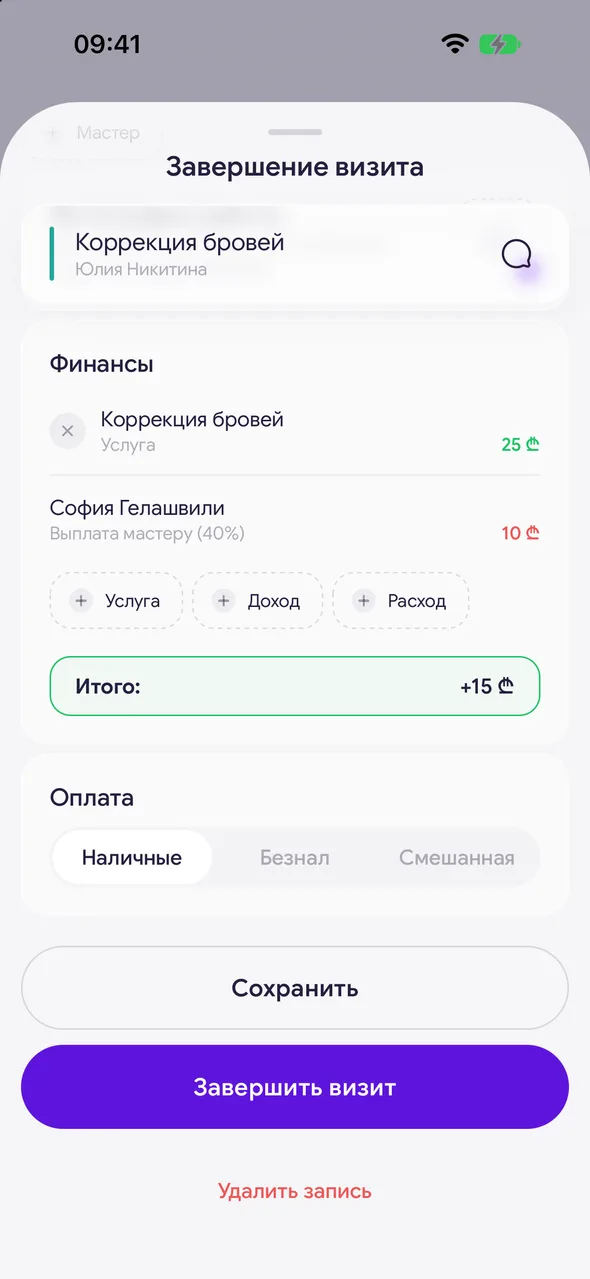
In the «Finances» block, the visit's services with prices, the master's payout, and expenses are listed. Here you also have the buttons «Service», «Income», and «Out» to add a sale, tip, or consumable. At the bottom of the block is «Total:», the net profit of the visit.
- 03
Select «Payment»
«Cash», «Card», or «Mixed». This determines the revenue breakdown in analytics.
- 04
Add a photo of the work
In the «Work photos» block, you can attach up to 6 photos. Photos are saved to the client card and the shared album.
- 05
Tap «Complete visit»
The visit will become «Completed». If it is closed by an employed master in a salon on the TEAM plan, the visit will go to the owner for review and receive the status «Awaiting confirmation».
Good to know
A visit cannot be completed without a service: the «Service» button is highlighted in red, and at the bottom, instead of «Complete visit», it says «Add a service».
The client's discount from their card is automatically applied to service prices.
A master who does not manage the salon sees their own «My payout» block instead of the salon's profit - showing how much this visit will pay them.
For salons, there is an additional feature - selecting the date of the next visit right at closing, so the client immediately appears in «Time to book» - available upon request to support.
Questions and answers
FAQ
Why is there no «Complete visit» button?
Only a visit that has started can be completed, and only on the PRO or TEAM plan. A master in a salon also needs the permission «Closes own visits in the till» - the owner enables it in the employee's card.
Do I need to close each visit manually?
No, you can enable «Auto-close visits» in the cash desk's «⋯» menu - visits will close automatically after the service ends.
See also
Free for a solo master
Try Easy Beezy
Calendar, clients, services and an online booking page - with no time limit. For a salon with a team - 14 days of full access.


