 Easy BeezyApp StoreGoogle PlayRuStoreInstall
Cash desk and visits
How to set the payment method, including mixed
Each visit records how the client paid: cash, card or in parts. This is what the revenue breakdown in analytics is based on.
Step by step
- 01
Choose the method
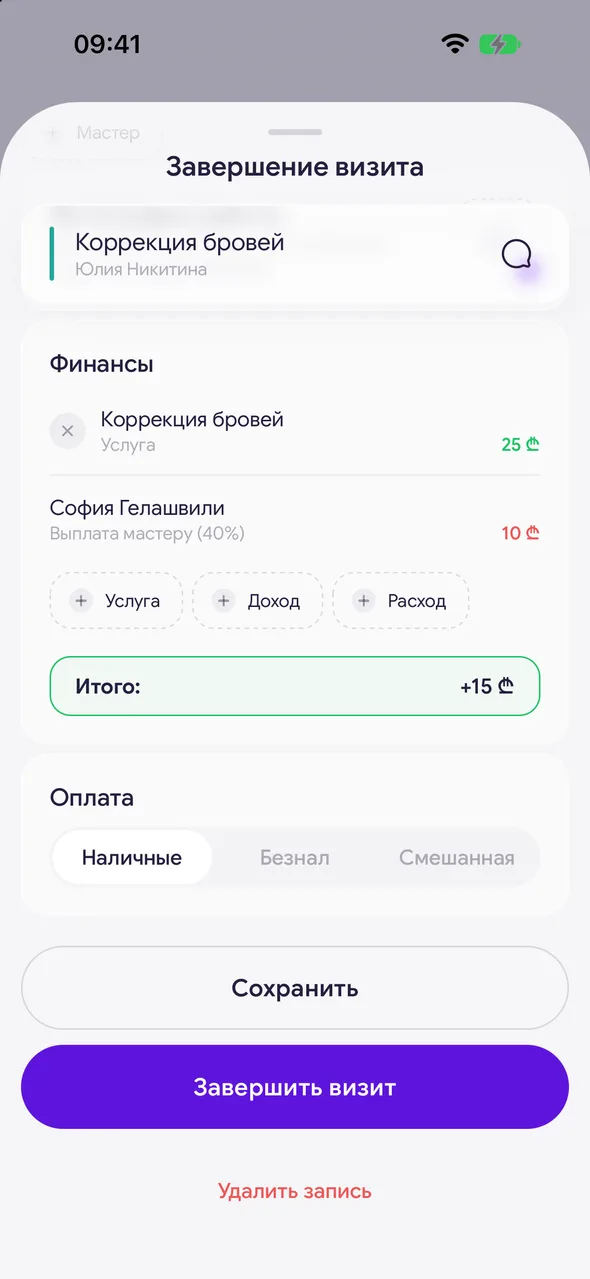
When completing a visit, in the «Payment» block tap «Cash» or «Card».
- 02
Mixed payment
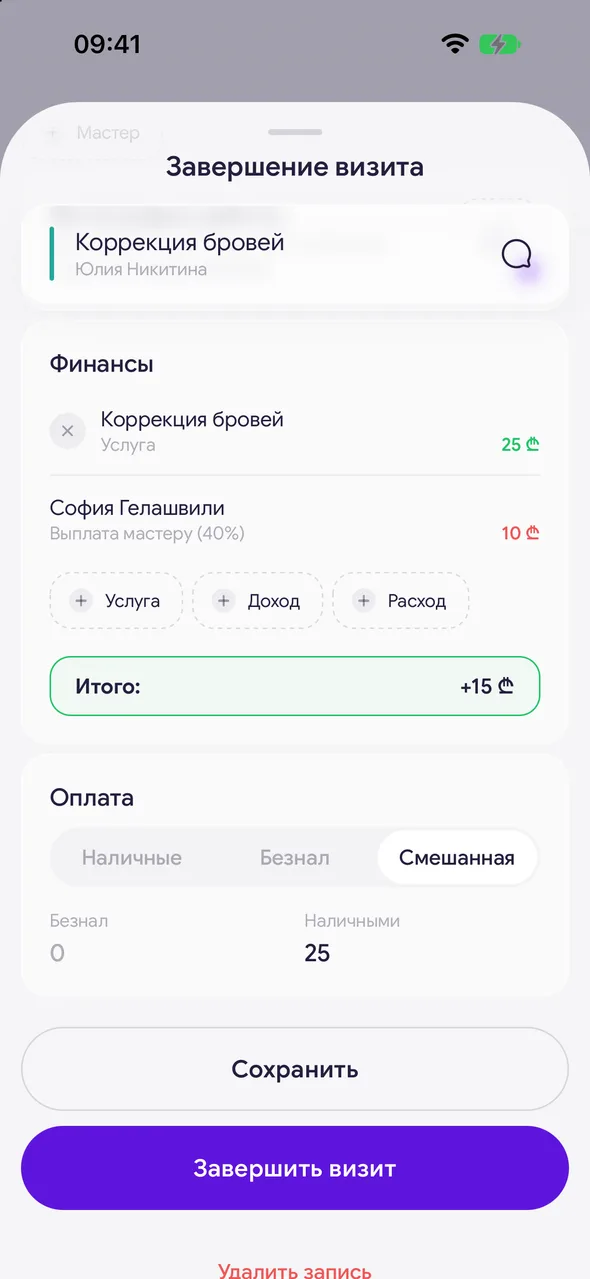
If the client paid partly by card and partly in cash, choose «Mixed». Enter the amount in the «By card» field - the «In cash» field will fill in automatically as the remainder. You can also enter the cash amount - then the card amount will be recalculated.
Good to know
The parts always add up to the visit total - they cannot diverge.
If there was a prepayment, above the payment choice you can see how much was paid in advance and how much is left to pay.
The payment method can also be changed on a completed visit - open it on the «Closed» tab.
Questions and answers
FAQ
The client paid partly by card and partly in cash - how do I record it?
When completing the visit, in «Payment» choose «Mixed» and enter the card amount. The cash amount will be calculated automatically.
See also
Free for a solo master
Try Easy Beezy
Calendar, clients, services and an online booking page - with no time limit. For a salon with a team - 14 days of full access.


