 Easy BeezyApp StoreGoogle PlayRuStoreInstall
Cash desk and visits
How to record tips
Tips are added to the visit as a separate line, with their own payment method and shares for the masters.
Step by step
- 01
Open tips
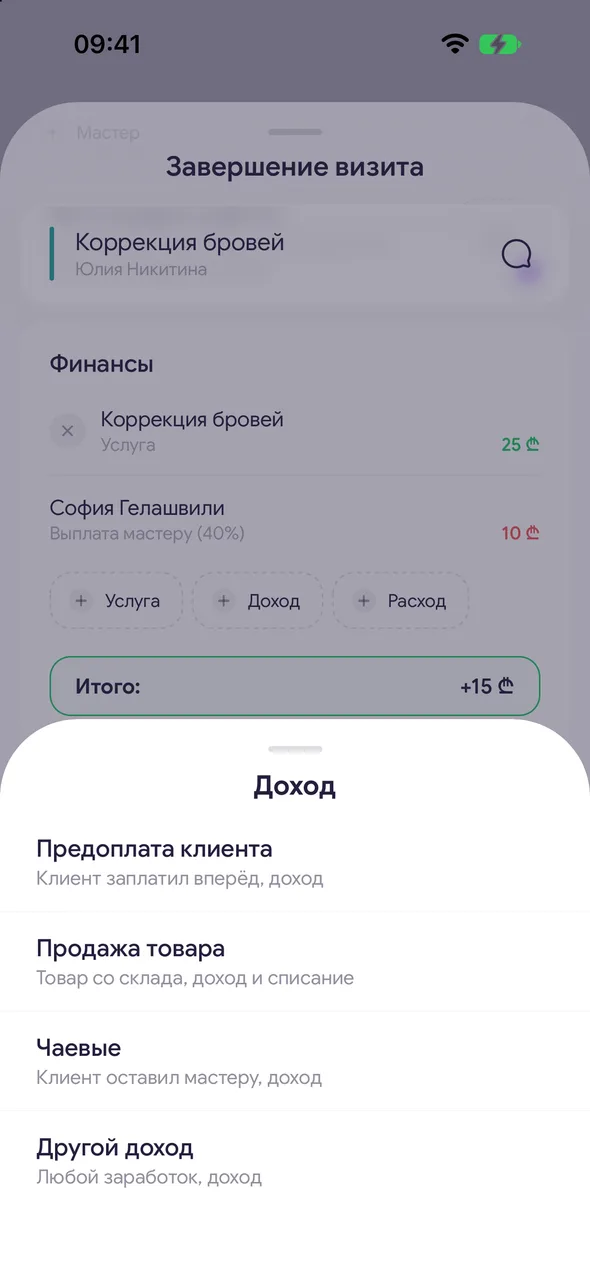
When completing a visit, in the «Finances» block tap «Income» - «Tips».
- 02
Amount and payment method
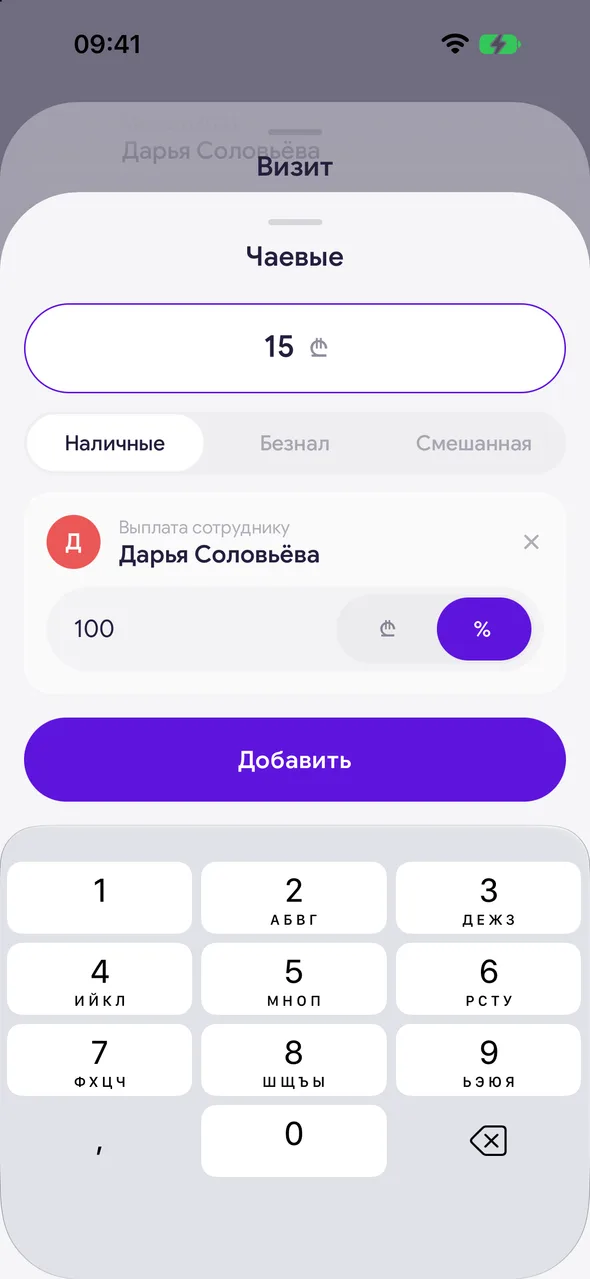
Enter the amount and choose how it was paid: «Cash», «Card» or «Mixed».
- 03
Master shares
If employed masters worked on the visit, the tips are split between them equally in percentages right away. You can change a share - in percent or as an amount - or remove it with the cross. Tap «Add».
Good to know
An owner who works alone splits tips only with themselves - they have no share.
A client who has left tips at least once gets the «Leaves tips» mark in the client list and on the booking.
To change tips, tap their line in the «Finances» block.
Questions and answers
FAQ
Are tips counted as salon revenue?
Yes, they are included in the visit income, and master shares are included in expenses as payouts. In the «Товары» section of analytics, tips are not counted.
See also
Free for a solo master
Try Easy Beezy
Calendar, clients, services and an online booking page - with no time limit. For a salon with a team - 14 days of full access.


