 Easy BeezyApp StoreGoogle PlayRuStoreInstall
Cash desk and visits
How to add a sale, consumable, or other expense to a visit
In addition to services, you can add a sold product, consumables from inventory, a refund to the client, and any other income and expenses to a visit. The visit's profit is recalculated immediately.
Step by step
- 01
Product sale
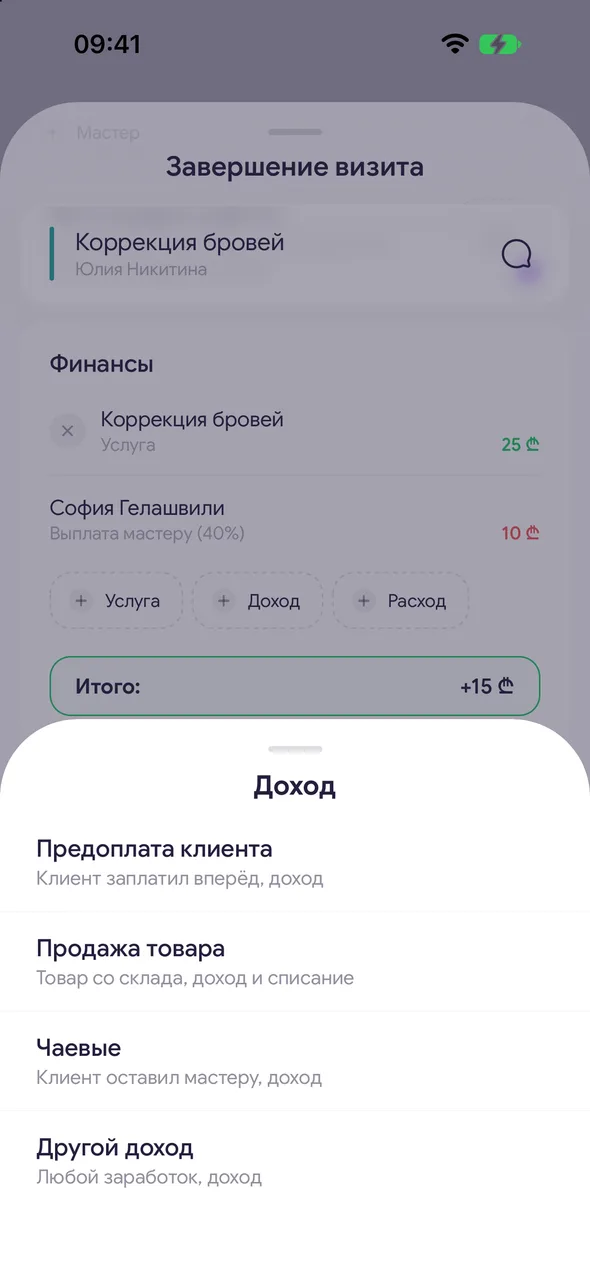
In the «Finances» block, tap «Income» - «Product sale». Select a product from inventory and the quantity. The sale will be added to the visit, and the purchase price will be a separate expense line.
- 02
Employee payout from a sale
In the sale window, tap «Add employee payout», select an employee and the amount or percentage. The button is available when there is more than one employee in the salon.
- 03
Other income
«Income» - «Other income»: any amount not from inventory, with a description.
- 04
Consumable from inventory
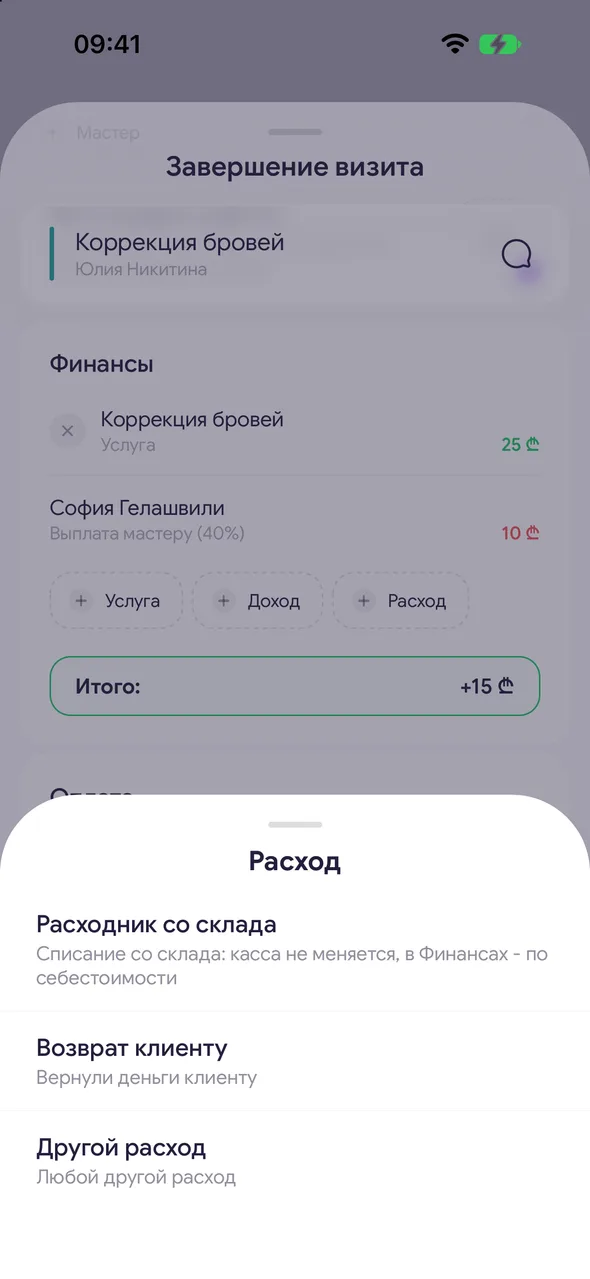
«Out» - «Consumable from stock». Select the material and how much was used. Stock write-off: cash register unchanged, recorded in Finances at cost.
- 05
Refund and other expenses
«Out» - «Client refund» if you refunded the client, or «Other expense» - any other visit expense. In the team, there is also «Staff payout»: select an employee and the amount - the payout will be linked to this entry.
Good to know
A product added to a future appointment is immediately reserved in inventory: the balance shows «reserved», and it won't be sold twice. It is written off from inventory when the visit is completed. If you remove the product from the appointment, cancel, or delete the appointment, the reservation is released. Canceling a completed visit returns both sold and written-off items to inventory.
You cannot sell more than is in inventory.
If material consumption rates are set for a service, consumables will be added to the visit automatically - you can adjust them before completing.
«Product sale» and «Other income» are visible if the selected calculation formula takes sales into account.
A sale and a consumable can also be added when creating an appointment - under the services, there are buttons «Sale» and «Supply». When closing the visit, they are already included in the calculation.
Questions and answers
FAQ
How to sell a shampoo to a client during a visit?
When completing the visit: «Finances» - «Income» - «Product sale», select the product and quantity. The product will be deducted from inventory, and the sale will be included in revenue and the client's history.
See also
Free for a solo master
Try Easy Beezy
Calendar, clients, services and an online booking page - with no time limit. For a salon with a team - 14 days of full access.


