 Easy BeezyApp StoreGoogle PlayRuStoreInstall
Online booking
How to edit the booking page
After launch, the page is edited on the «Public page» screen: by tabs, without the setup wizard.
Step by step
- 01
Open the screen
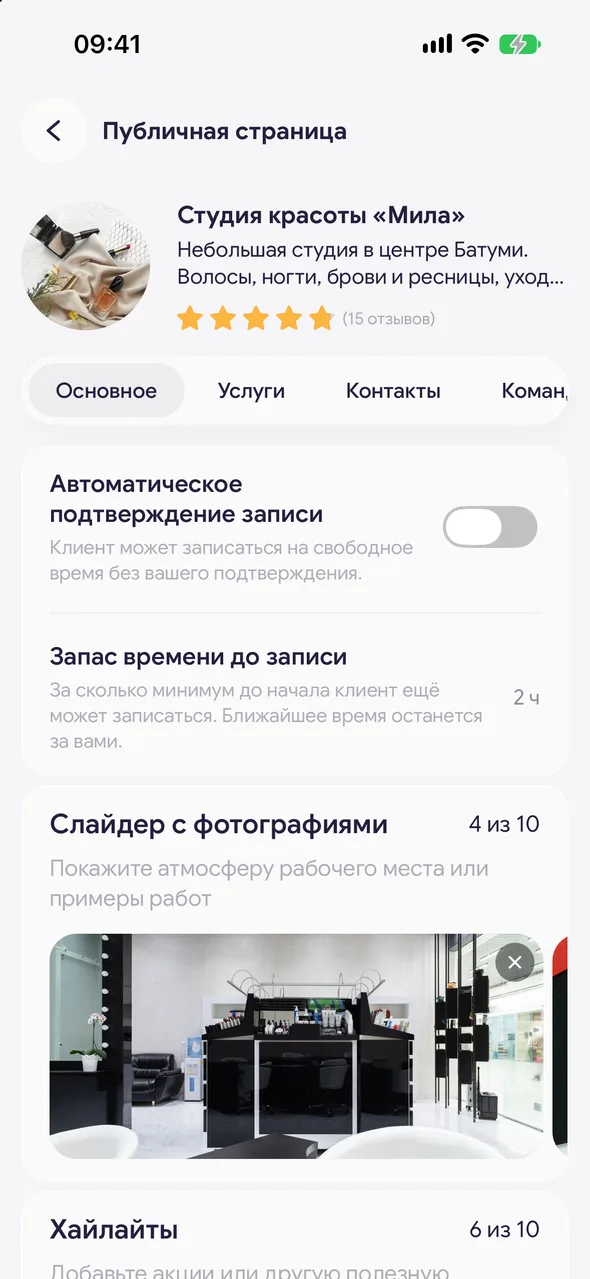
«Profile» - the «Online booking» block - «Set up». At the top - photo, name and stars as the client sees them. Tap the photo to change it (for a salon it's the logo).
- 02
General
The «Automatic booking confirmation» and «Lead time before a booking» toggles. Below - «Photo slider» (up to 10 photos, order changed with «Reorder»), «Highlights» - story circles with promotions, «Title and description», the text «About me» or «About us» up to 800 characters, «Colour scheme» and «Public link».
- 03
Services
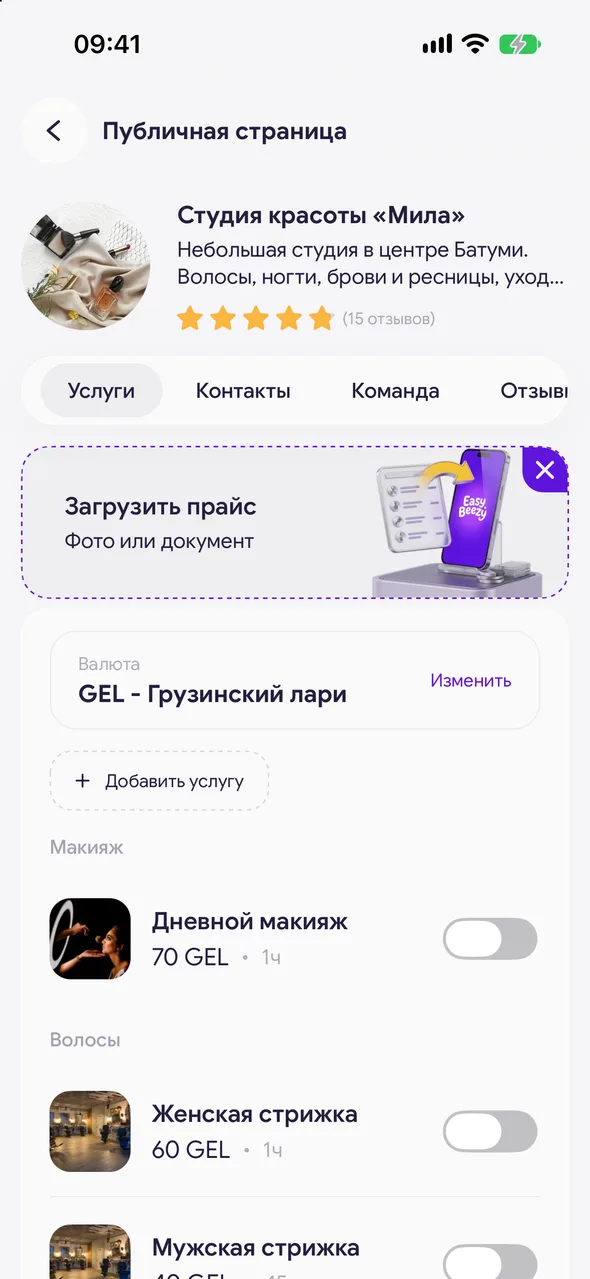
Price currency and selection of services visible on the page.
- 04
Working hours
The tab is only for a specialist without a team: the same schedule as on the «Work schedule» screen. Available time on the page is calculated from it. In a salon, each specialist has their own schedule, edited in the employee card.
- 05
Contacts
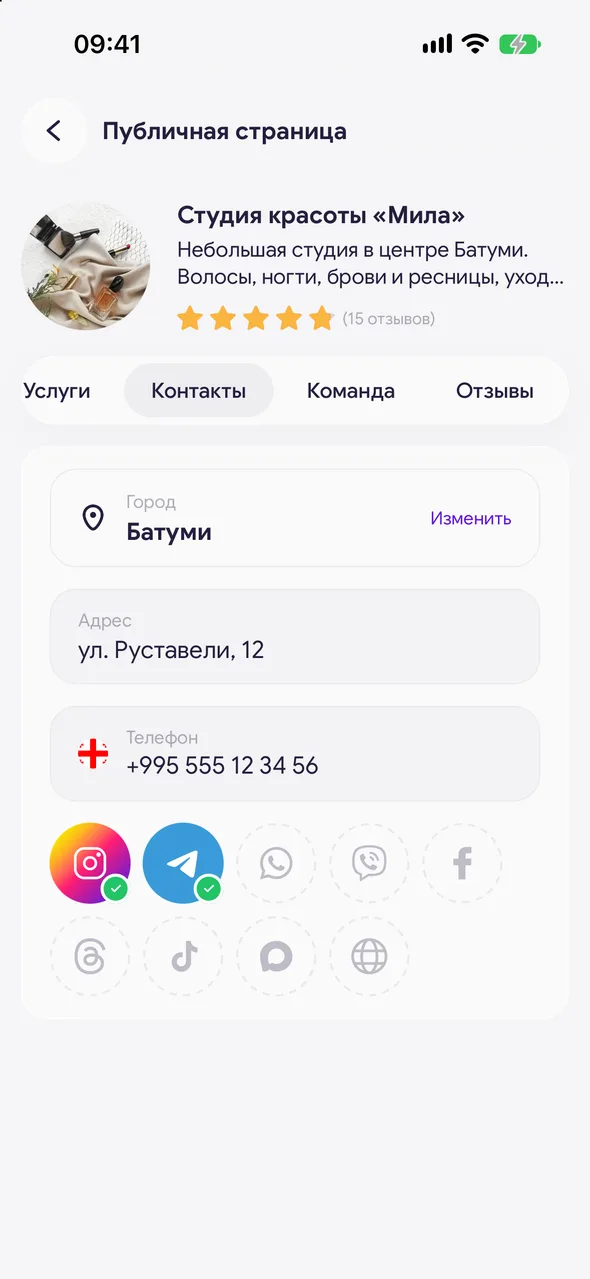
The city is selected from a list, then address, phone and social media links. Address and city are needed for the page to appear in the catalog and on the map.
- 06
Team
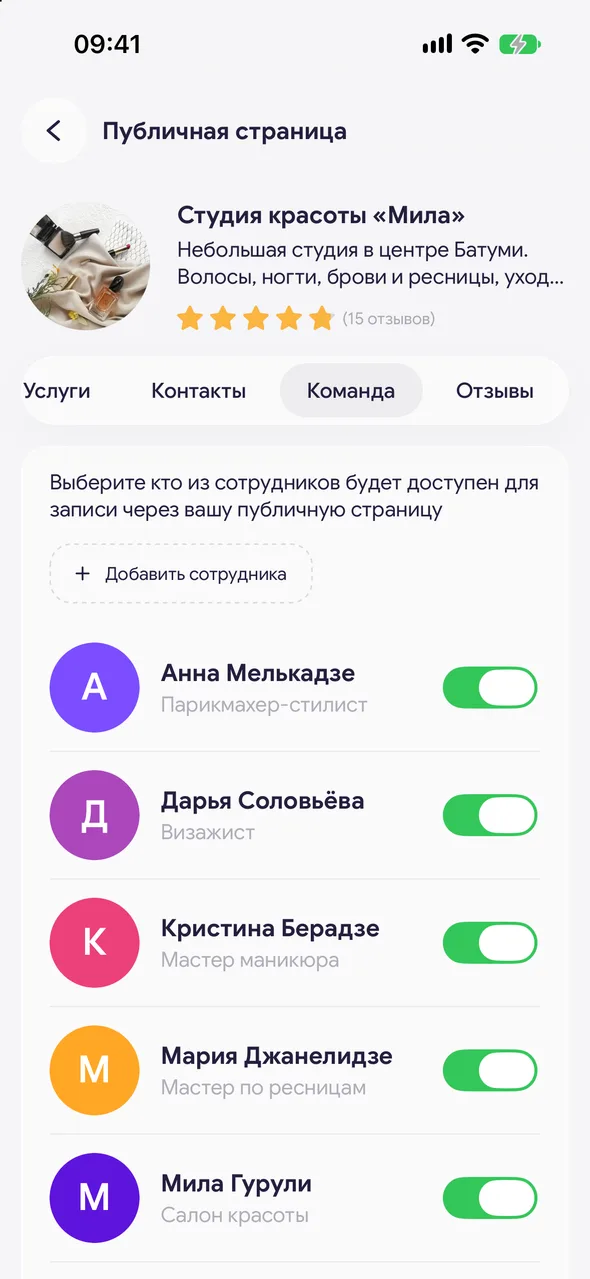
Choose which employees can be booked through your public page. Turn off a specialist - clients won't be able to book them online. Employees marked «No account» don't appear on the page. The «Add employee» button works on the TEAM plan.
- 07
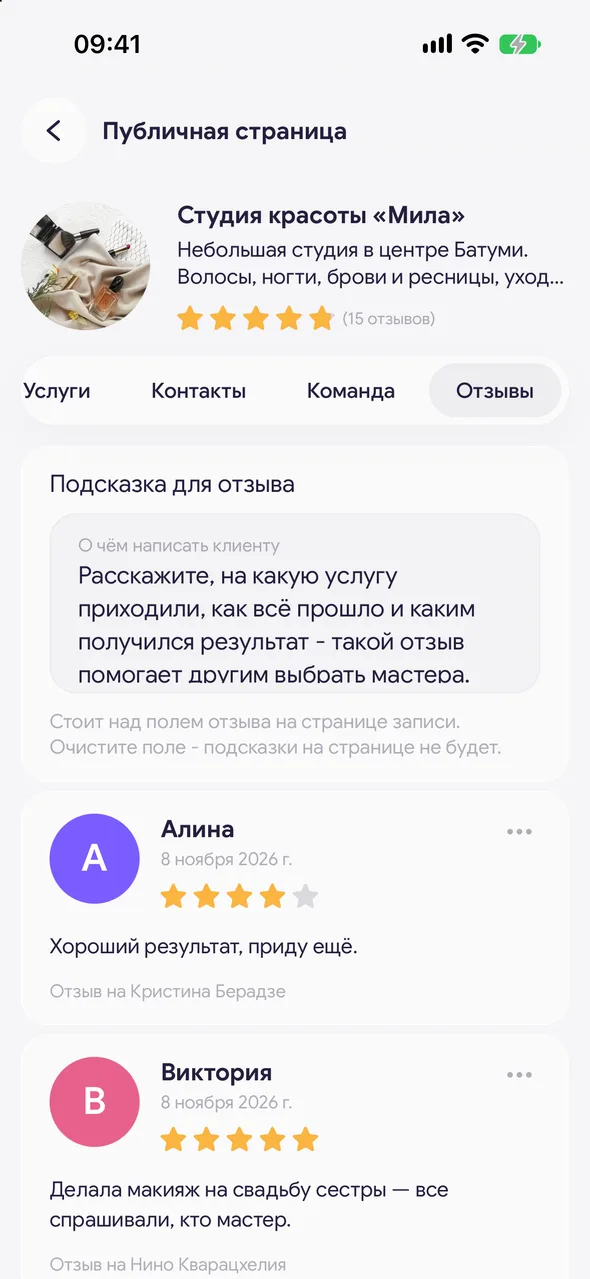
Reviews
Client reviews and a hint for future reviews.
- 08
Save
When you change something, «Save» appears in the top right. If you leave without saving, the app will ask: save, «Do not save» or stay. Photos, highlights, schedule, auto-confirmation and time buffer are saved immediately, without a button.
Good to know
You can swipe left and right between tabs.
After editing the «About us» text, the automatic translation of the page is rebuilt.
An employee without permission to change salon settings can't access this screen.
Questions and answers
FAQ
Why isn't a new specialist visible on the page?
Check the «Team» tab: the specialist's toggle must be on. The specialist also needs a work schedule and at least one of their services.
Can I change the link address?
Yes, in the «Public link» field on the «General» tab, on the PRO plan. The address uses Latin letters, digits and hyphens, 3 to 60 characters. After changing, send the new link to your clients.
See also
Free for a solo master
Try Easy Beezy
Calendar, clients, services and an online booking page - with no time limit. For a salon with a team - 14 days of full access.


