 Easy BeezyApp StoreGoogle PlayRuStoreInstall
Team
How to set up an employee's schedule
The owner and manager can set up any master's schedule from their card - the same modes, breaks and windows as in their own schedule.
Step by step
- 01
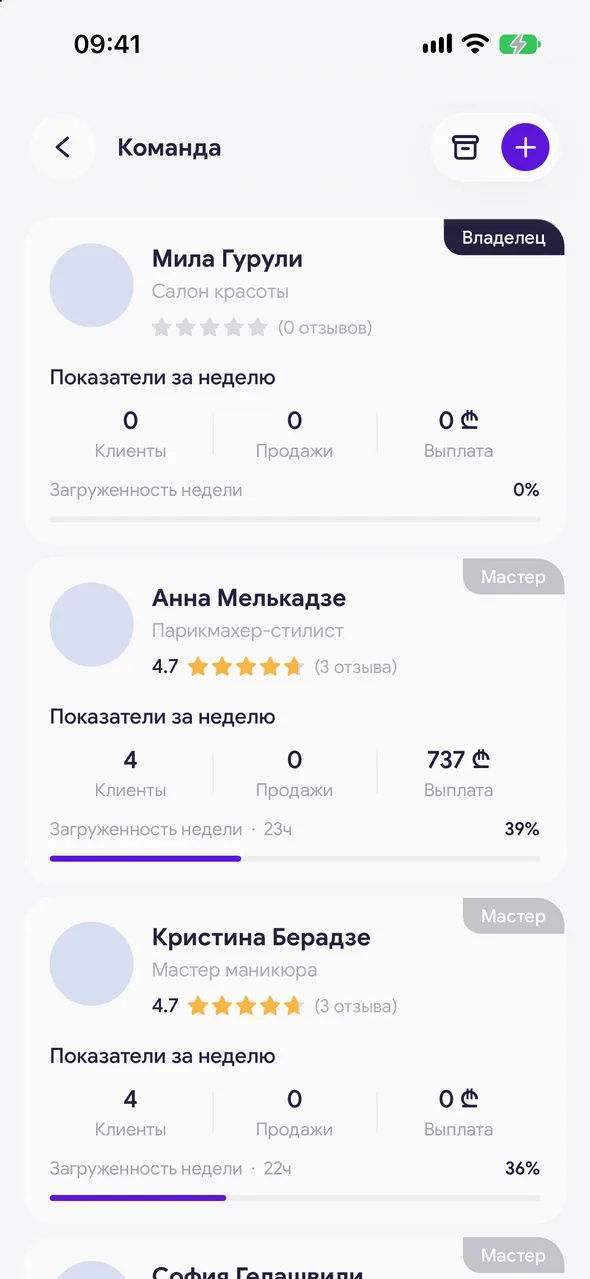
Open the card
«Profile» - «Team» - tap the employee.
- 02
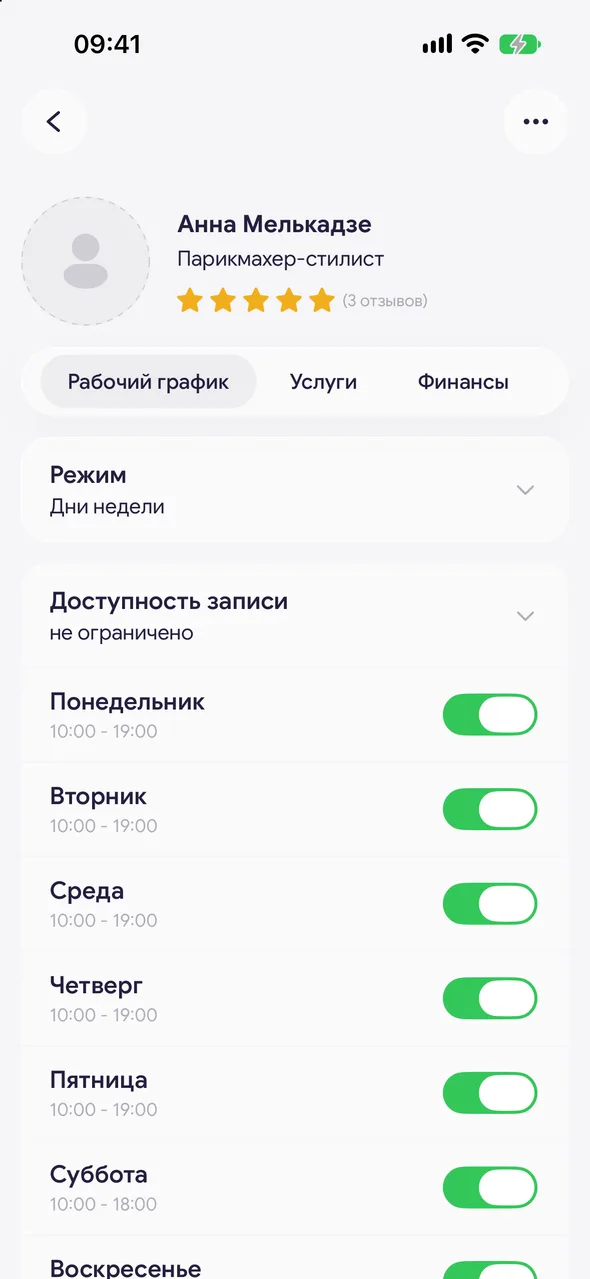
The «Working hours» tab
Choose «Mode», enable the days, set the hours, breaks or windows and «Booking window». Changes are saved immediately.
Good to know
!
A master sets up their own schedule themselves - with the schedule button on the bottom bar.
!
An employee with the «No account» role has no schedule: they can't be booked.
See also
How to set up your work scheduleAvailable slots are calculated from the schedule: on the booking page a client only sees times that are open by the schedule and not taken by appointments.What's in an employee's cardThe employee's card shows how they're doing: appointments and sales, payouts, schedule, services and reviews.
Free for a solo master
Try Easy Beezy
Calendar, clients, services and an online booking page - with no time limit. For a salon with a team - 14 days of full access.


