 Easy BeezyApp StoreGoogle PlayRuStoreInstall
Calendar
How to switch between month, week and day
The calendar has three views: month, week and day. The day can be shown as a list or by the hour. The app remembers the last view you chose.
Step by step
- 01
Month and week
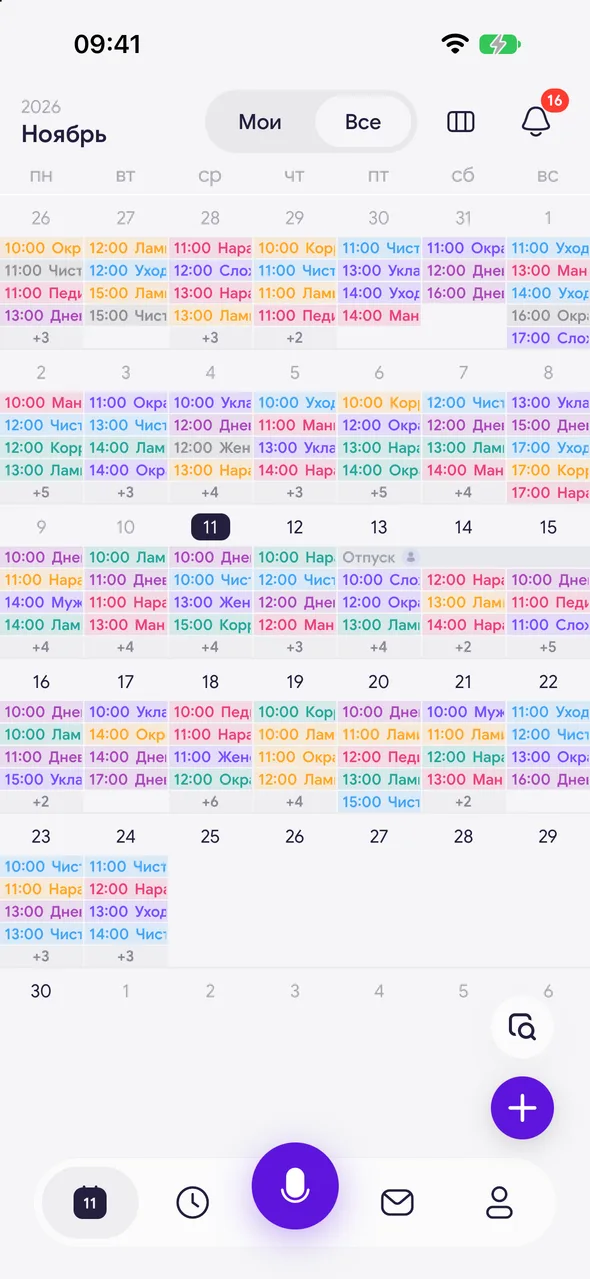
In the top right corner, next to the bell, there is a «Calendar view» icon. In the month it opens the week, and in the week it switches back to the month.
- 02
Day
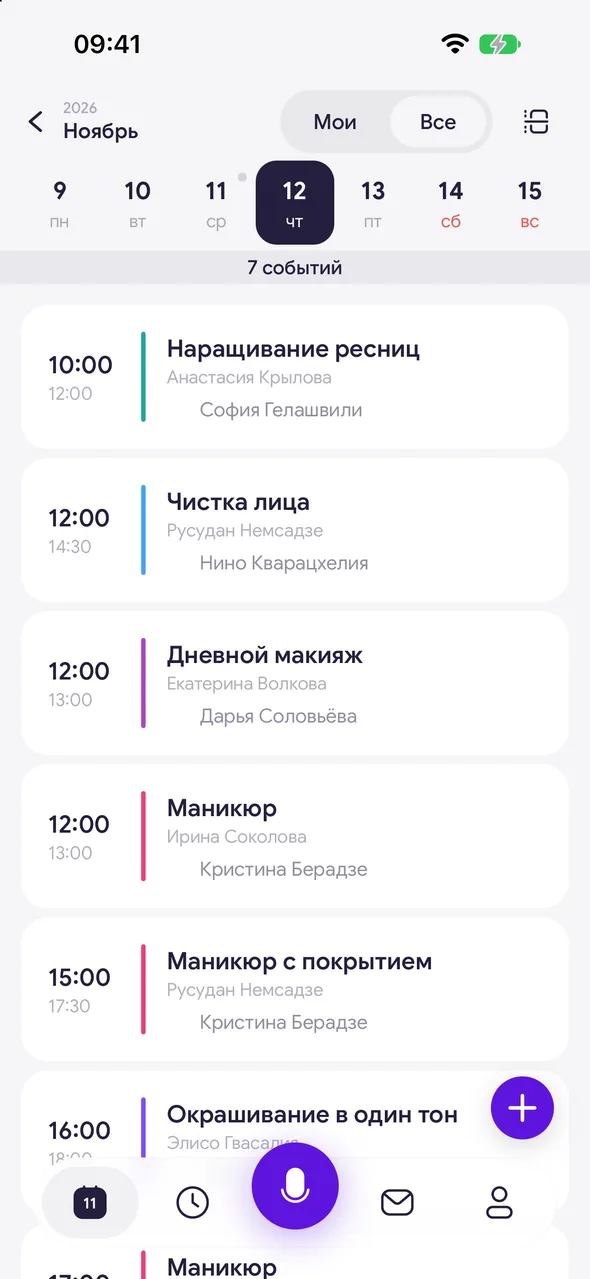
Tap a date in the month or a day in the week header. The day opens in the view you used last time: list or by the hour.
- 03
List or hours
In the day list view, the «Day» icon in the top right corner switches to the hour timeline. In the day-by-hour view, the list icon is in the same place.
- 04
Back
The arrow in the top left corner of the day takes you back to where you came from - the month or the week.
Good to know
If you close the app in the day list view, the next launch opens the same view, but for today.
The view choice is stored on the phone: another device keeps its own.
See also
Free for a solo master
Try Easy Beezy
Calendar, clients, services and an online booking page - with no time limit. For a salon with a team - 14 days of full access.


