 Easy BeezyApp StoreGoogle PlayRuStoreInstall
Settings and account
How to sign out of your account or leave a salon
Signing out closes the account only on this phone - the data stays. A salon employee can also resign and return to their personal calendar.
Step by step
- 01
Sign out of your account
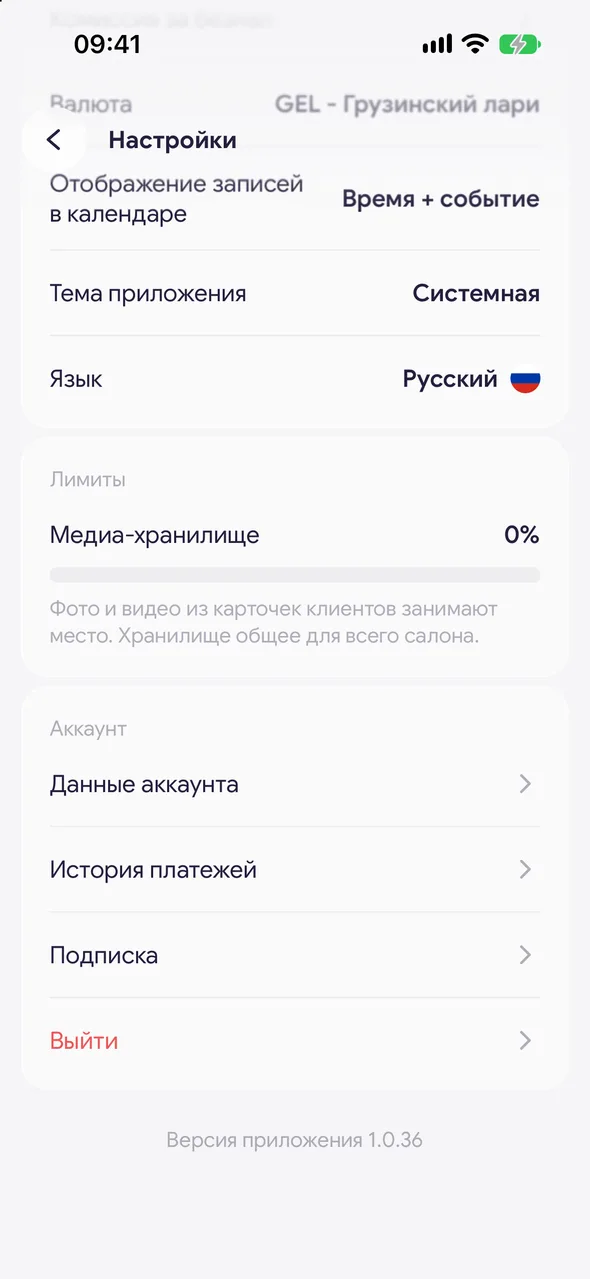
"Profile" - "Settings" - at the bottom of the "Account" group, tap "Log out" and confirm. You can sign in again at any time.
- 02
Leave the salon
If you're an employee, the same group has a "Resign" row. Tap it and confirm: you'll stop being a salon employee and return to your personal calendar.
Good to know
After resigning, your personal data and settings are kept. The owner can restore your access to the salon with a new invitation.
The "Resign" row is only available to invited employees; the owner doesn't have it.
See also
Free for a solo master
Try Easy Beezy
Calendar, clients, services and an online booking page - with no time limit. For a salon with a team - 14 days of full access.


