 Easy BeezyApp StoreGoogle PlayRuStoreInstall
Settings and account
How to delete your account
Deleting erases your account and all calendar data with no way to restore them.
Step by step
- 01
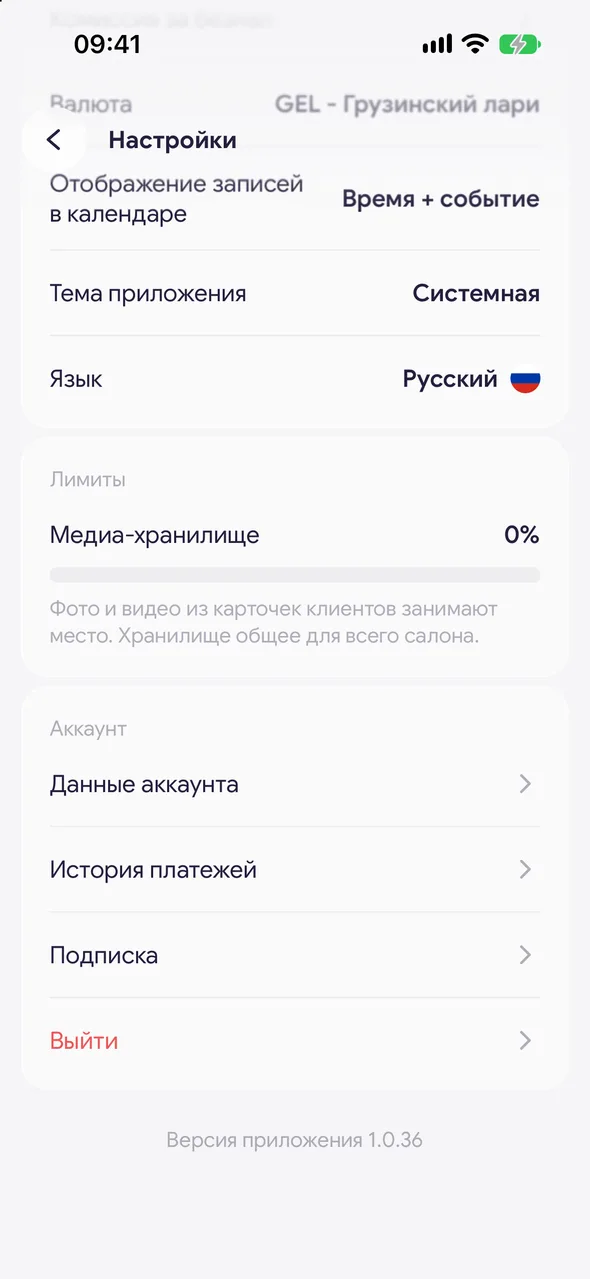
Open your account details
«Profile» - «Settings» - «Account info».
- 02
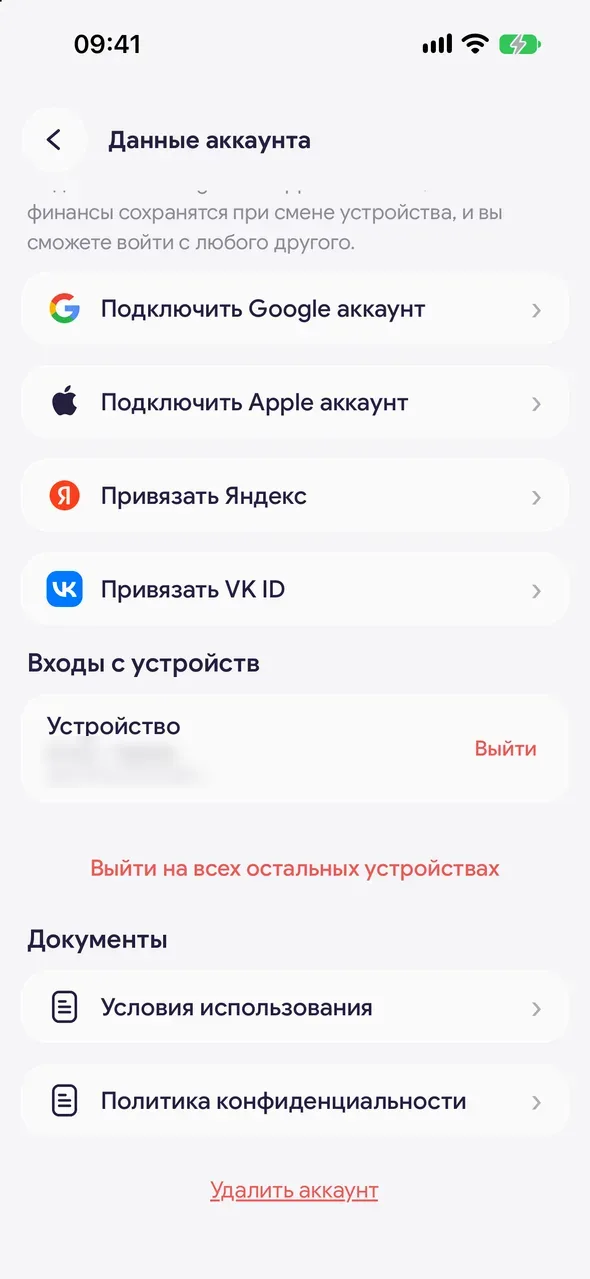
Delete your account
Scroll down and tap «Delete account». Confirm with «Delete». The app will return to the login screen.
Good to know
For the owner, the entire calendar is deleted along with the account: appointments, clients, services, finances and the online booking page.
An App Store subscription is not cancelled when you delete your account - cancel it first in «Subscription» - «Manage subscription».
If you only need to log out on this phone, use «Log out» - your data stays.
Questions and answers
FAQ
Can a deleted account be restored?
No, deletion is permanent. If you are unsure, simply log out.
See also
Free for a solo master
Try Easy Beezy
Calendar, clients, services and an online booking page - with no time limit. For a salon with a team - 14 days of full access.


