 Easy BeezyApp StoreGoogle PlayRuStoreInstall
Reminders and messages
How to send a message to a client in WhatsApp, Telegram or SMS
The «Send message» sheet composes a text with the name, date, time and service and opens the right messenger. All you have to do is tap «Send» in the chat.
Step by step
- 01
Open the sheet
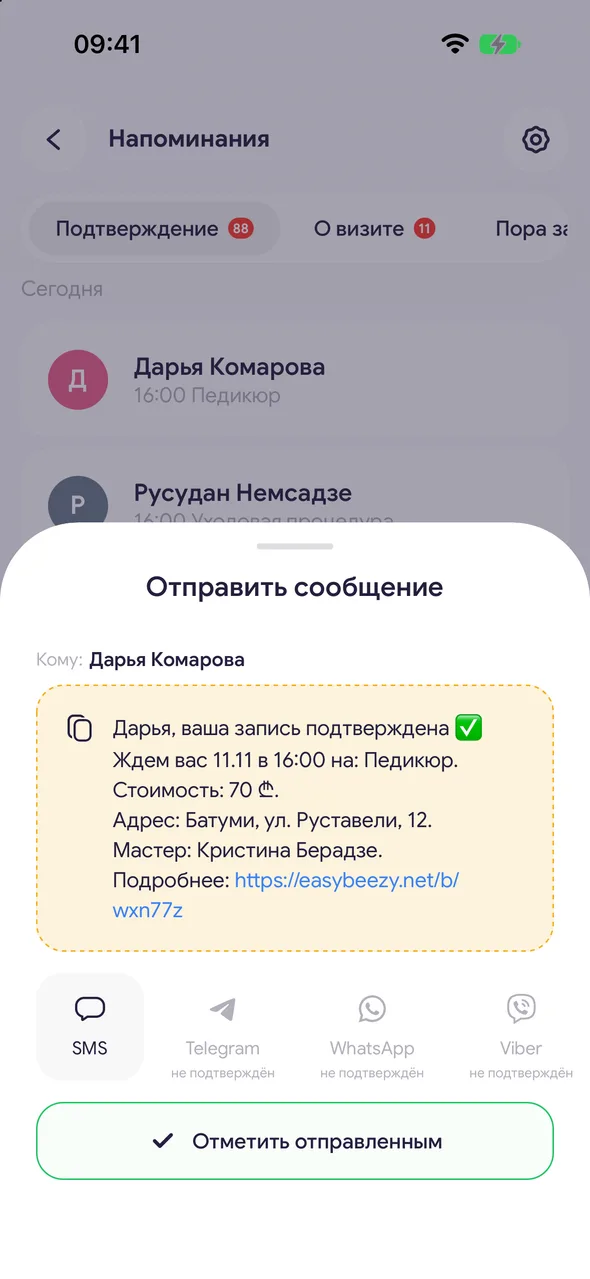
In the «Reminders» section, tap the client. At the top you'll see «To:» and the client's name: tapping the name opens their card.
- 02
Check the text
The text is composed from your template. Tap it to edit this particular message. Links in the text are clickable - so you can check where they lead.
- 03
Choose a messenger
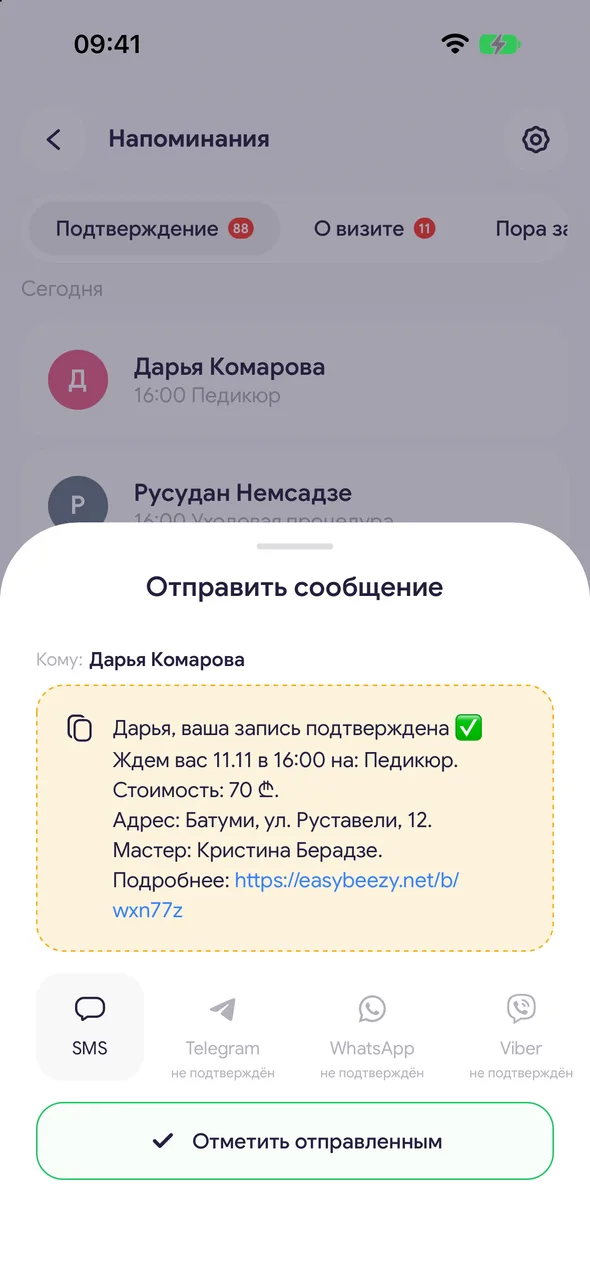
Below are tiles: SMS, Instagram, Telegram, WhatsApp, Viber, Facebook, Threads, TikTok, MAX. Bright ones are those where the client has a contact, pale ones are those where they don't. Tap a tile: the text is copied and the chat opens. If the text didn't paste automatically, the app will prompt: «Text copied, paste it into the chat».
- 04
Mark as sent
Return to the app and tap «Mark as sent». The sheet closes, and later you'll see when you wrote - so you don't write twice.
Good to know
The «unverified» mark means the messenger opens by phone number: the client didn't provide it themselves, so there may be no account there.
The copy icon to the left of the text copies the whole message - you can paste it anywhere.
You set the mark: the app can't see whether the message was delivered in an external messenger.
To make the tiles bright, add the client's phone number and social media links in their card.
Questions and answers
FAQ
Can I send a reminder to everyone at once?
No, each message is sent separately from your messenger. Bulk automatic notifications are SMS reminders.
The WhatsApp tile opens the wrong person
WhatsApp opens by the number from the client's card. Check the number in the card - «Edit».
See also
Free for a solo master
Try Easy Beezy
Calendar, clients, services and an online booking page - with no time limit. For a salon with a team - 14 days of full access.


