 Easy BeezyApp StoreGoogle PlayRuStoreInstall
Reminders and messages
How the Reminders section works
A list of people it's time to message: confirm an appointment, remind about a visit, invite back, wish happy birthday, ask for a review, or notify about a reschedule or cancellation. The app compiles it automatically every day.
Step by step
- 01
Open the section
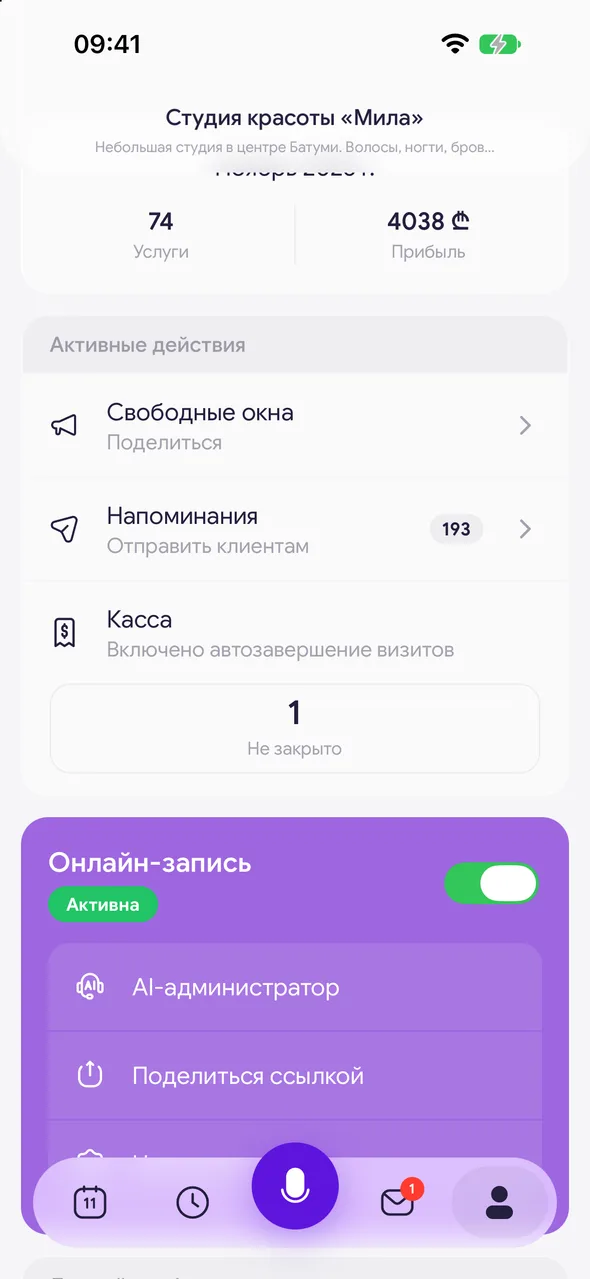
At the bottom of the screen, tap «Profile». In the «Active actions» block, select «Reminders» - the number next to it shows how many people it's time to message.
- 02
Choose a category
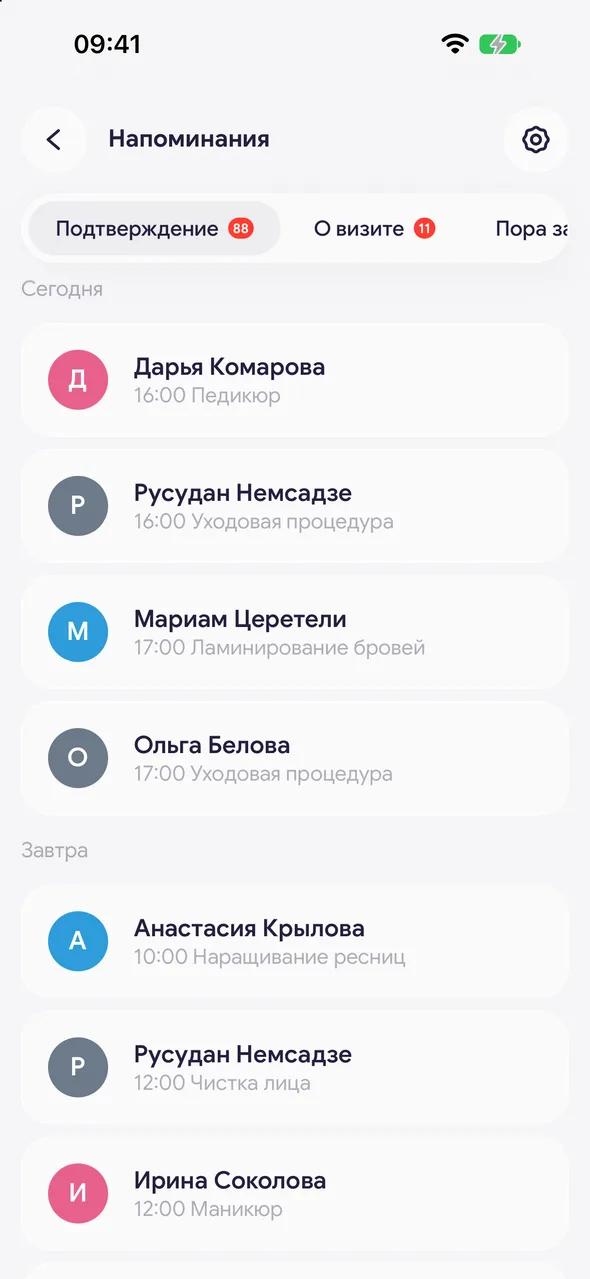
On the screen you'll see a list of categories: «Upcoming visit», «Booking confirmation», «Rescheduled booking», «Cancelled booking», «Time to rebook», «Birthday» and «Review». The number on the right shows how many people are waiting for a message. Tap a category to open its list; the time frame is shown at the top.
- 03
Message the client
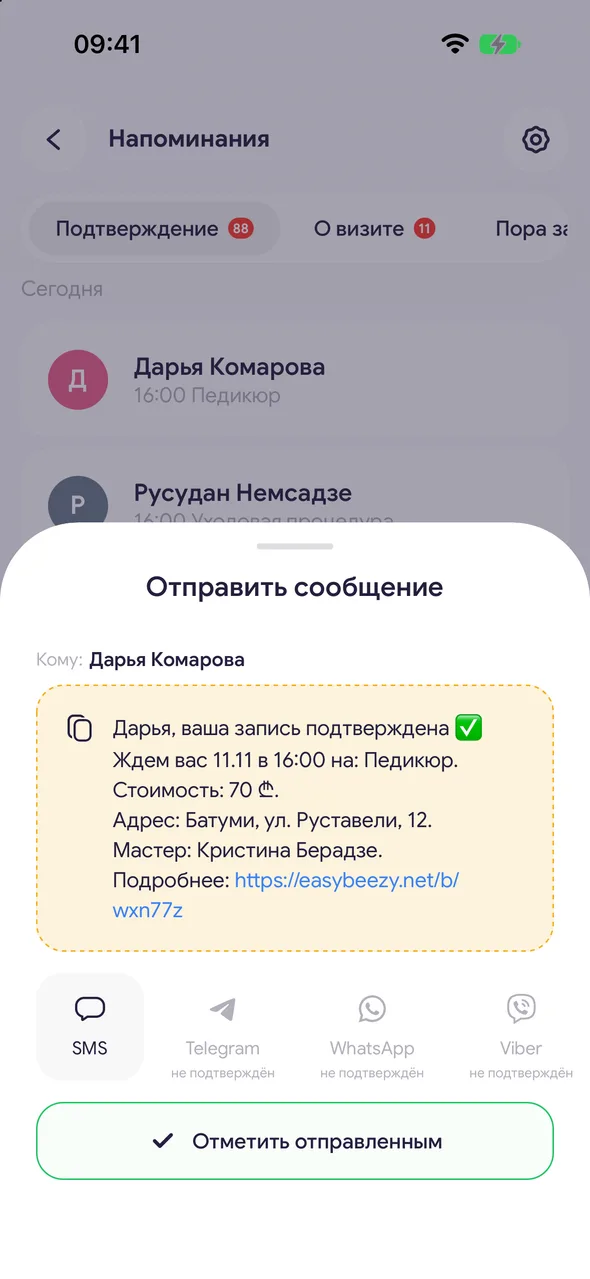
Tap the row with the client - the «Send a message» sheet opens with a ready-made text. Choose a messenger, send it, and mark it as sent. The row will move to history. Don't want to write? Tap the cross on the right and the row will be removed without sending.
Good to know
The list and ready-made texts are visible without a plan. Sending, copying, editing the text, and marking as sent are available on the PRO plan.
There are two buttons in the top right: the clock opens history - who has already been messaged, and the gear opens «Reminder settings» with message templates. There you'll also find «All sections»: you can turn off categories you don't need.
The message is sent from your messenger, in your name. The app does not write to messengers automatically - you send it.
For a master in a salon with a team, this section is not shown.
Questions and answers
FAQ
Are reminders sent to clients automatically?
No: the section prepares the text and shows you who to write to, and you send it via your messenger in one tap. Only SMS reminders are sent automatically, if they are enabled and a package is purchased.
Why is the section empty?
Each category is filled by its own event: a new appointment, a visit tomorrow, a past visit, a due date. Until there are events, the category is empty.
See also
Free for a solo master
Try Easy Beezy
Calendar, clients, services and an online booking page - with no time limit. For a salon with a team - 14 days of full access.


