 Easy BeezyApp StoreGoogle PlayRuStoreInstall
Clients
How to contact a client and link messengers
The header of the client card has contact buttons: each of the client's social networks, the phone number, and the chat with the AI administrator.
Step by step
- 01
Link social networks
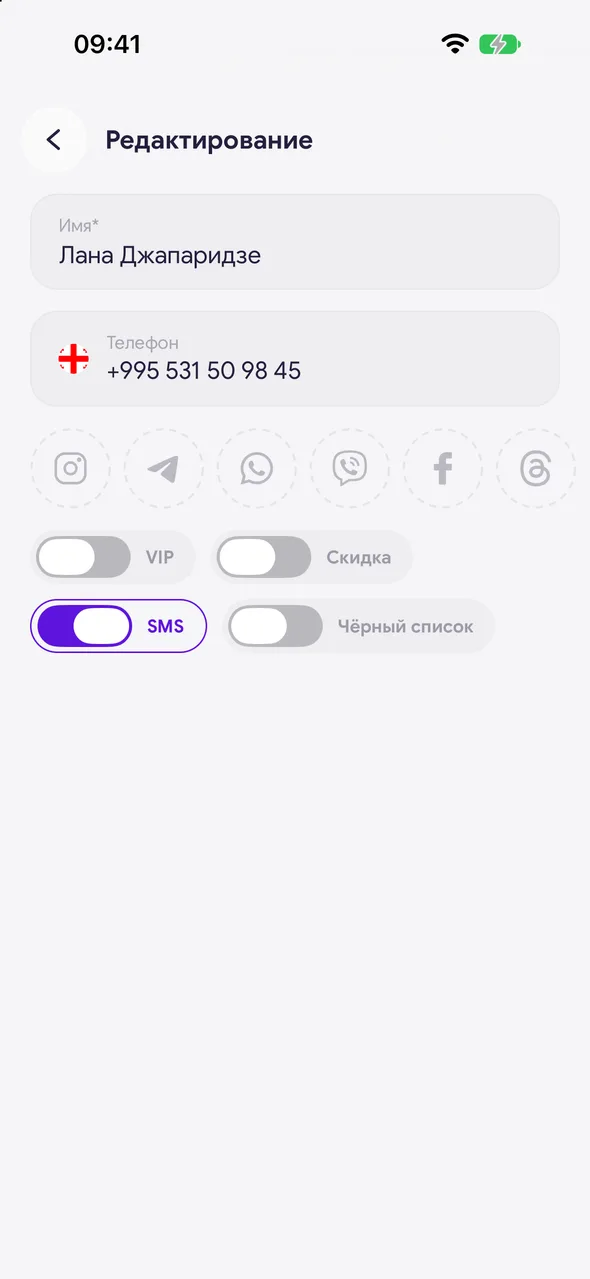
Three dots - «Edit». Tap the circle of the network you need - Instagram, Telegram, WhatsApp, Viber, Facebook, Threads, TikTok, MAX or website - and paste the client's link or username. Save.
- 02
Message on a social network
A button for each linked network appears in the header of the client card. Tapping it opens a chat with the client in that app.
- 03
Call or text the number
The phone button opens a sheet: call, SMS, plus Telegram, WhatsApp and Viber by phone number. Messengers by number are marked «unverified» - the client did not provide them, and there may be no account there.
Good to know
If the client has chatted with the AI administrator, the header has a chat button - it opens that conversation.
Contact buttons appear only where there is actually somewhere to write: no link - no button.
Questions and answers
FAQ
How do I send a client a ready-made reminder instead of writing one from scratch?
Use the «Reminders» section: the text with the date, time and service is already put together - you just choose the messenger.
See also
Free for a solo master
Try Easy Beezy
Calendar, clients, services and an online booking page - with no time limit. For a salon with a team - 14 days of full access.


