 Easy BeezyApp StoreGoogle PlayRuStoreInstall
Reminders and messages
How to edit client message templates
The texts of all messages - confirmations, reminders, invitations, birthday greetings, review requests, reschedules and cancellations - are edited in one place. The name, date and service are filled in automatically.
Step by step
- 01
Open the settings
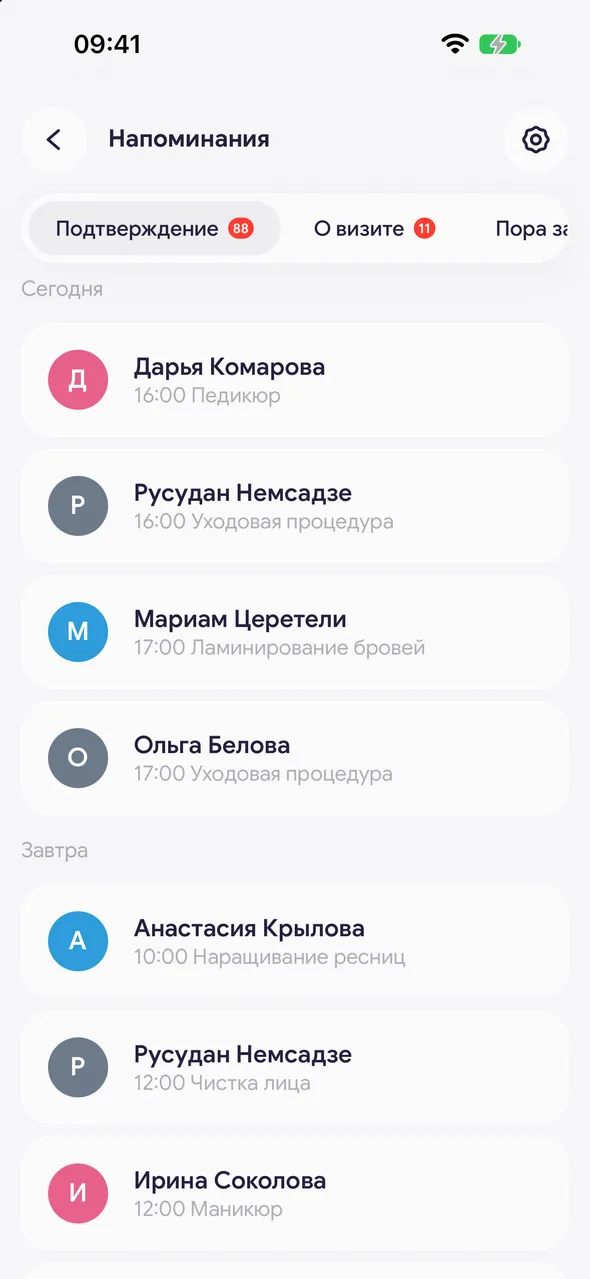
In the «Reminders» section, tap the gear icon in the top right of the header. «Reminder settings» will open.
- 02
Choose a template
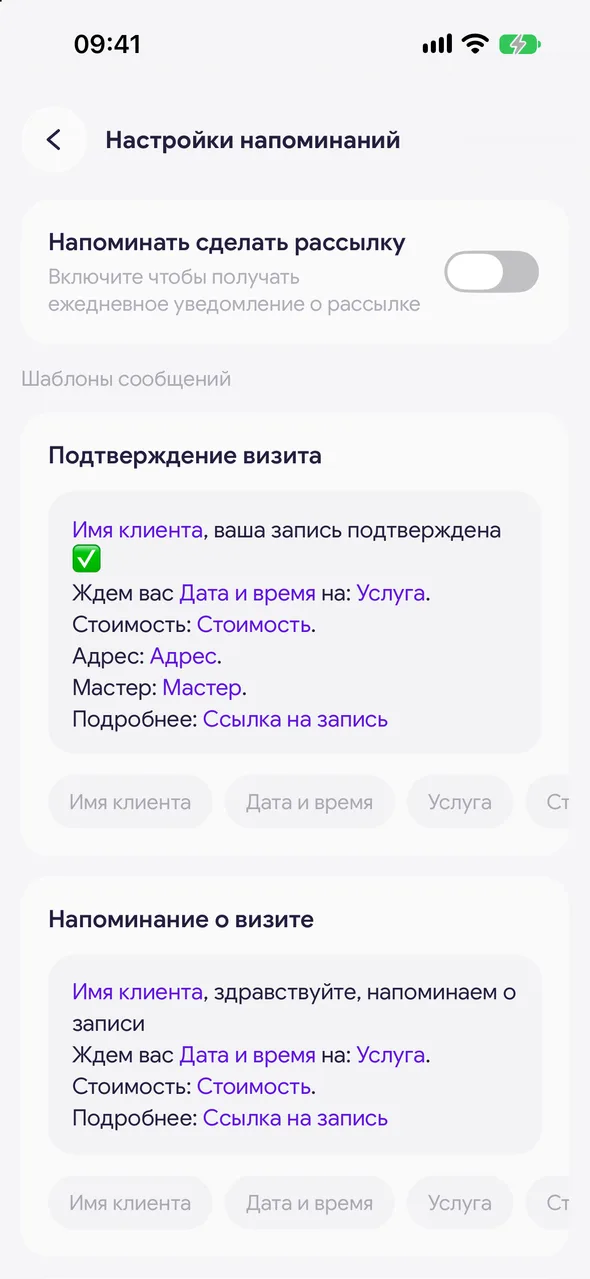
In the «Message templates» block: «Booking confirmation», «Visit reminder», «Time to book», «Birthday», «Ask for a review», «Booking cancelled», «Booking moved». Tap the text to edit it.
- 03
Insert tags
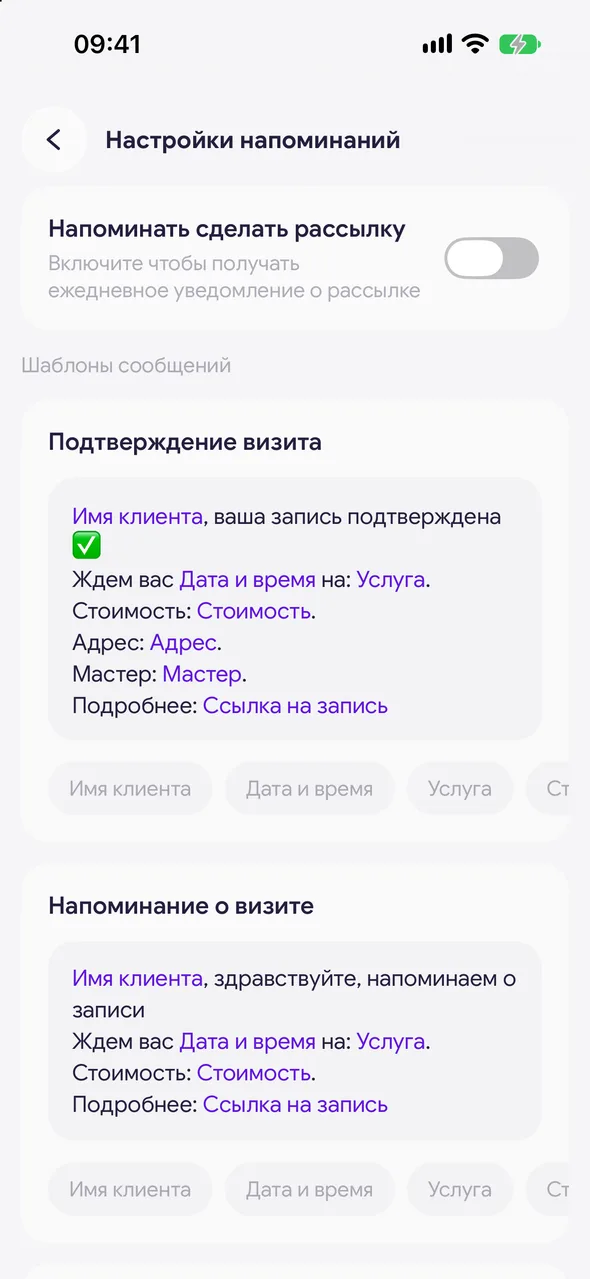
Below the field are the tags: «Client name», «Date and time», «Service», «Price», «Specialist», «Booking link». Tap a tag - it will be inserted where the cursor is. In the message, the visit details will appear in its place.
- 04
Save
The «Save» button appears in the header when there are changes. If you leave without saving, the app will ask what to do with your edits.
Good to know
A line with a tag that has no data (for example, no online booking page for the link) is left out of the message.
In the «Time to book» invitation and the birthday greeting, the link tag leads to your online booking page - «Online booking link».
The daily newsletter notification is switched on here too: «Remind me to message clients», with the time set in the «Every day» line. It is off by default.
Before sending, you can edit the text of a specific message right in the bottom sheet - the template itself does not change.
Questions and answers
FAQ
Where do I change the text of a client reminder?
«Profile» - «Reminders» - gear icon in the header - «Reminder settings». All message templates are there.
Can I add the price to a reminder?
Yes, the «Price» tag below the template field will insert the total for the visit's services.
See also
Free for a solo master
Try Easy Beezy
Calendar, clients, services and an online booking page - with no time limit. For a salon with a team - 14 days of full access.


