 Easy BeezyApp StoreGoogle PlayRuStoreInstall
Online booking
How to enable online booking
A page where clients choose a service, a specialist and a time themselves. Set it up in five steps right in the app.
Step by step
- 01
Open the setup
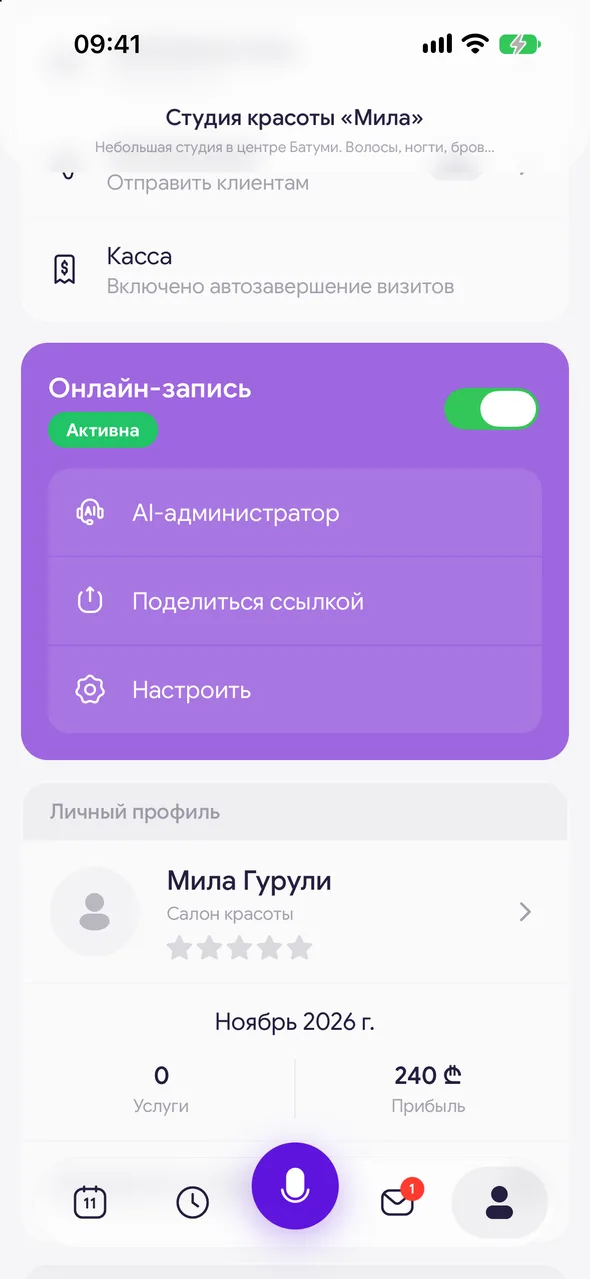
At the bottom of the screen, tap «Profile». In the «Online booking» block, tap «Set up». If the page hasn't been created yet, the «Online booking setup» wizard will open.
- 02
About you or the salon
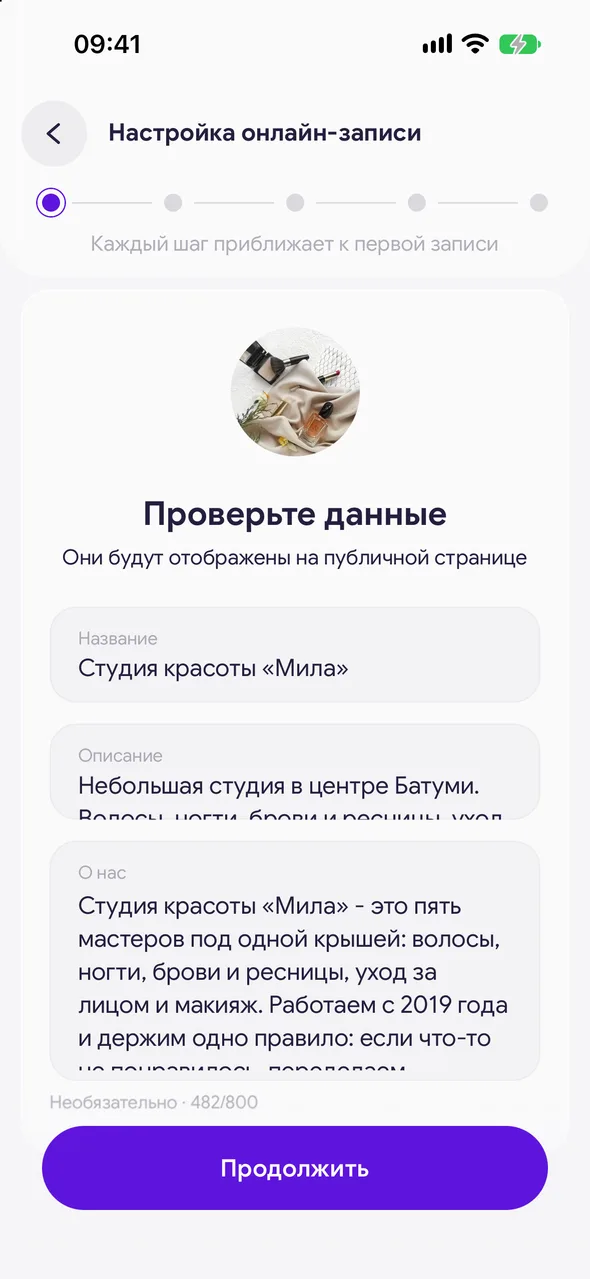
A specialist adds a photo, name and specialization; a salon adds a logo, name and description. Here you can also write the text for «About me» or «About us» - it's optional. This is the first thing a client sees on the page.
- 03
Add your contacts
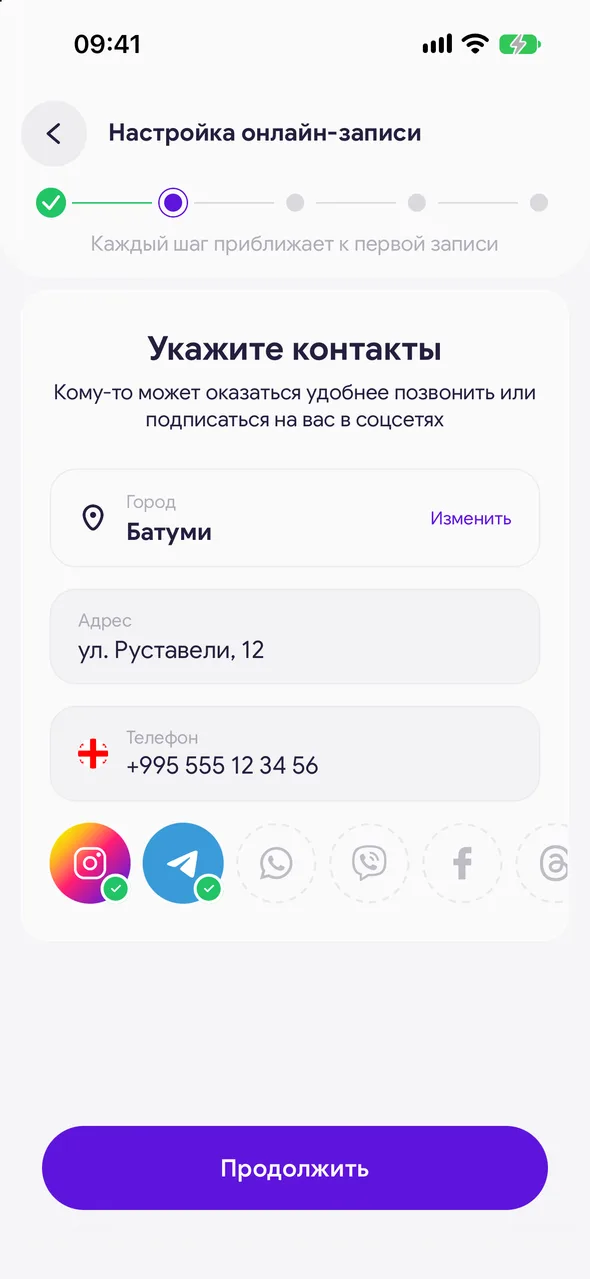
City (required), address, phone and social media. Some clients may prefer to call you or follow you on social media.
- 04
Working hours
Your free slots depend on this schedule and your calendar. The client sees only the time that is free according to the schedule and not taken by bookings. On this step there is also the «Automatic booking confirmation» toggle (PRO).
- 05
Services
Choose the services available for online booking. You can add or change them later too. At least one service is required. You can add a new one with the «Add service» button or import the entire price list with the «Upload price list» button.
- 06
Design and launch
Add photos to the slider and highlights, choose a color and a link address. Tap «Activate page» and the page will immediately open for booking.
Good to know
Your own page color («Colour scheme») and your own link address («Public link») are available on the PRO plan. Without it, the link address is built from your name or salon name automatically.
While a step is not filled in, the button at the bottom shows what is missing.
Uploading a price list by file, photo or link is free twice; after that it's available on the PRO plan.
Questions and answers
FAQ
How much does online booking cost?
The booking page is free with no time limit. Only some features are paid: automatic confirmation of bookings, your own color and your own link address.
Where can I later change services or the schedule on the page?
«Profile» - «Online booking» - «Set up»: after launch, the «Public page» screen opens there.
See also
Free for a solo master
Try Easy Beezy
Calendar, clients, services and an online booking page - with no time limit. For a salon with a team - 14 days of full access.


