 Easy BeezyApp StoreGoogle PlayRuStoreInstall
Online booking
How to share the booking link
Put the booking page link in Instagram, send it in messengers and print it on business cards. The client opens it and books themselves.
Step by step
- 01
Open the page card
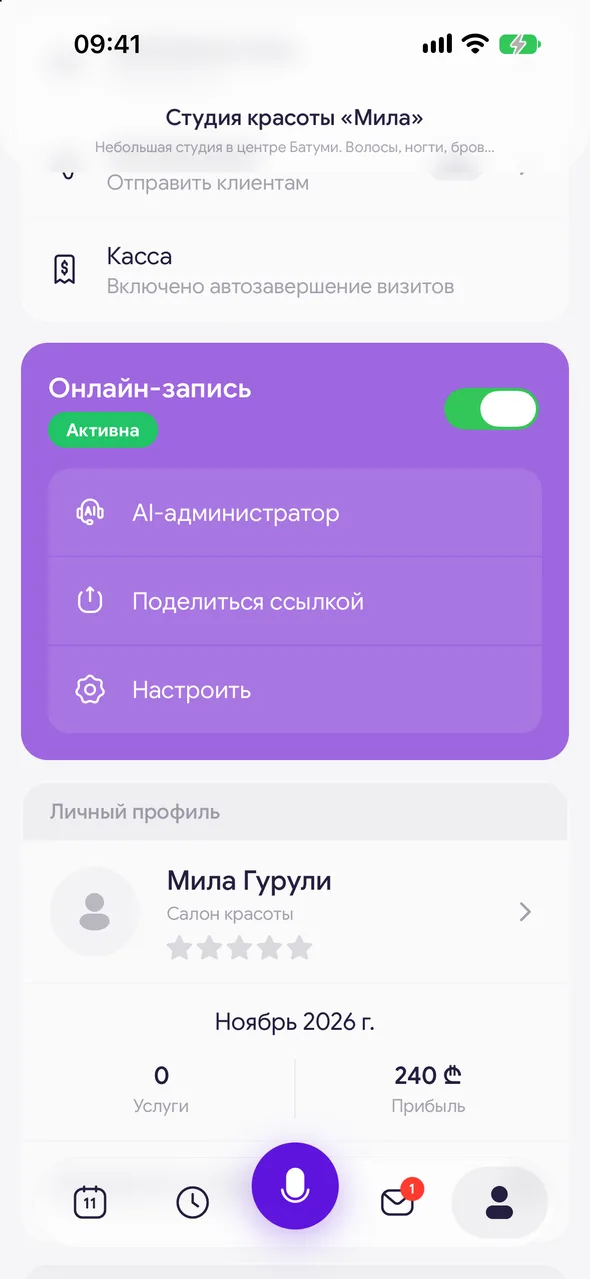
«Profile» - the «Online booking» block - «Share the link». A card with your photo, name, rating and link will open. You can flip the card with your finger; on the back, the «Online booking» button opens the page itself.
- 02
Send the card
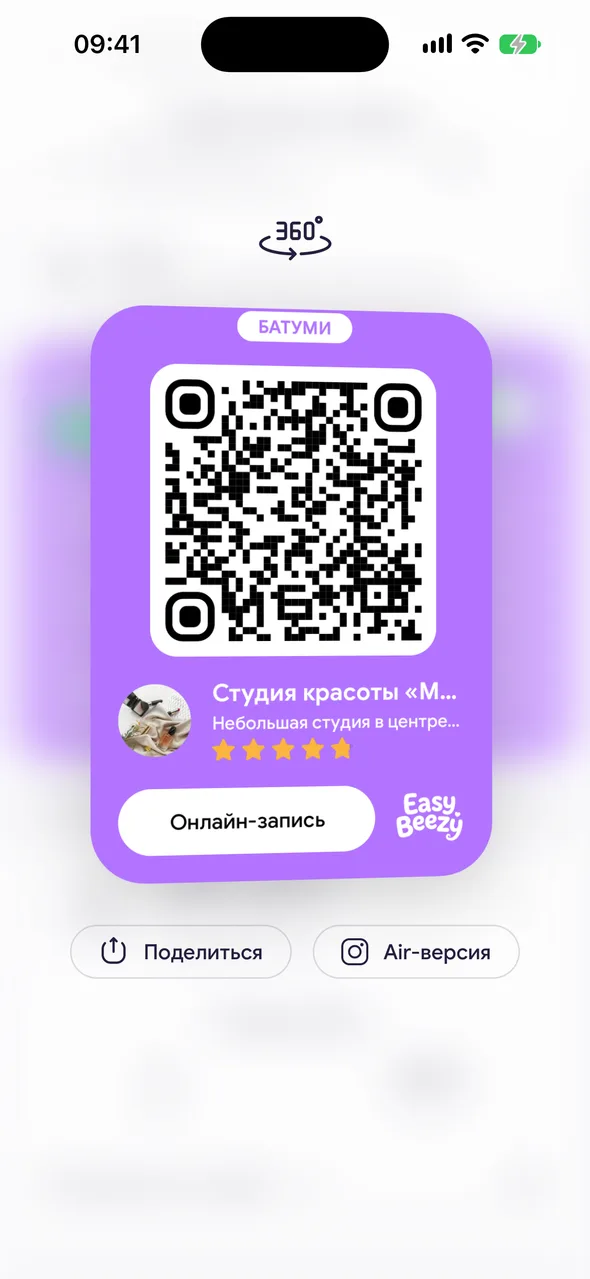
Tap «Share» under the card. The link is copied immediately (you'll see «Link copied»). On iPhone, the card is sent as an image via the «Share» menu - you can post it to stories. On Android, the menu doesn't open: just paste the copied link into a message.
- 03
Put the link in Instagram
In Instagram: «Edit profile» - «Links» - «Add external link», paste the copied link. In stories - the «Link» sticker.
Good to know
If online booking is disabled, the app will offer to enable it before showing the card. If the page hasn't been created yet, it will open the setup wizard.
A specialist in a salon sees one button in the block - it opens the same card.
Next to «Share» there is a «Air version» button - a link to a simplified page similar to Instagram.
Questions and answers
FAQ
Can clients book through Instagram?
Yes: put the booking page link in your profile and in stories. The client taps it, chooses a service and time, and the booking appears in your calendar.
See also
Free for a solo master
Try Easy Beezy
Calendar, clients, services and an online booking page - with no time limit. For a salon with a team - 14 days of full access.


