 Easy BeezyApp StoreGoogle PlayRuStoreInstall
Online booking
How to prevent booking for the next few hours
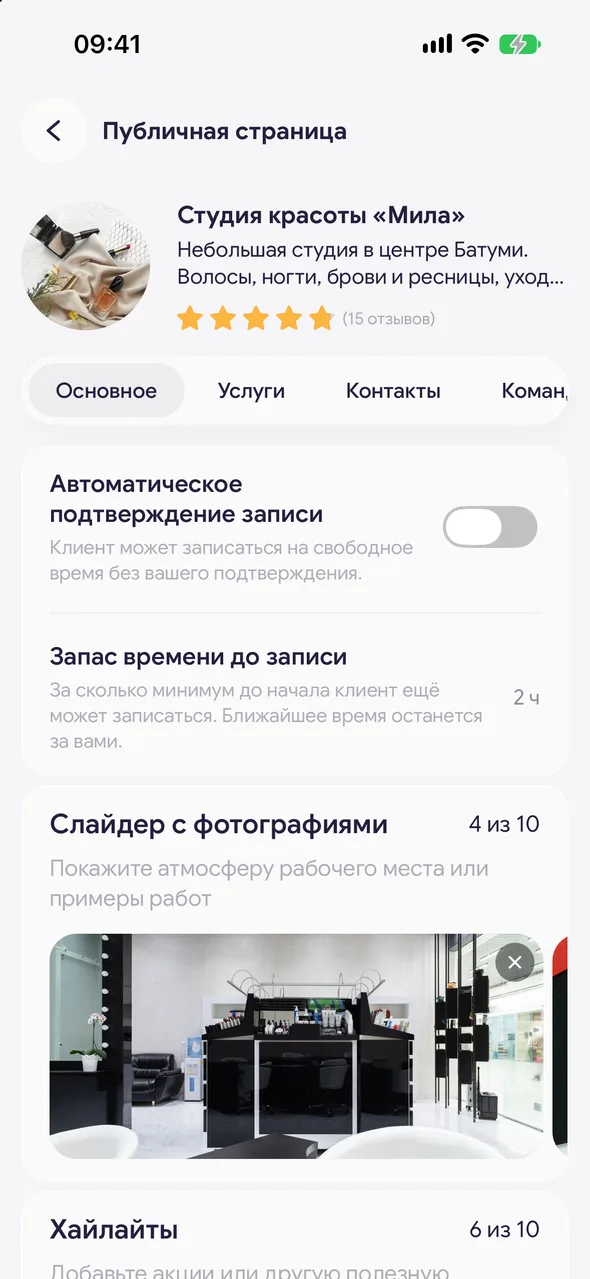
«Lead time before a booking» - the minimum time before the start when a client can still book themselves. The nearest time remains yours.
Step by step
- 01
Open the setting
«Profile» - «Online booking» - «Set up», the «General» tab, the «Lead time before a booking» line.
- 02
Choose the buffer
No buffer, 30 minutes, 1, 2, 3, 6 or 12 hours, 24 hours. Saved immediately. Default is 2 hours.
Good to know
This is one setting shown in three places: here, above the requests list («Book at least») and on the «AI administrator» screen. Change it in one place - it changes everywhere, both for the page and for the assistant.
The interval between times in the picker (5, 10, 15, 20, 30 or 60 minutes) is set by «Time step when booking» in «Profile» - «Settings».
Questions and answers
FAQ
A client can't book for today even though the time is free.
Most likely, there is less time left than «Lead time before a booking». Reduce the buffer or book the client manually.
See also
Free for a solo master
Try Easy Beezy
Calendar, clients, services and an online booking page - with no time limit. For a salon with a team - 14 days of full access.


