 Easy BeezyApp StoreGoogle PlayRuStoreInstall
Online booking
How to confirm requests and how to book instantly
By default, a booking from the page comes as a request, and you confirm it yourself. With auto-confirmation, the client immediately appears in the calendar.
Step by step
- 01
A request arrives
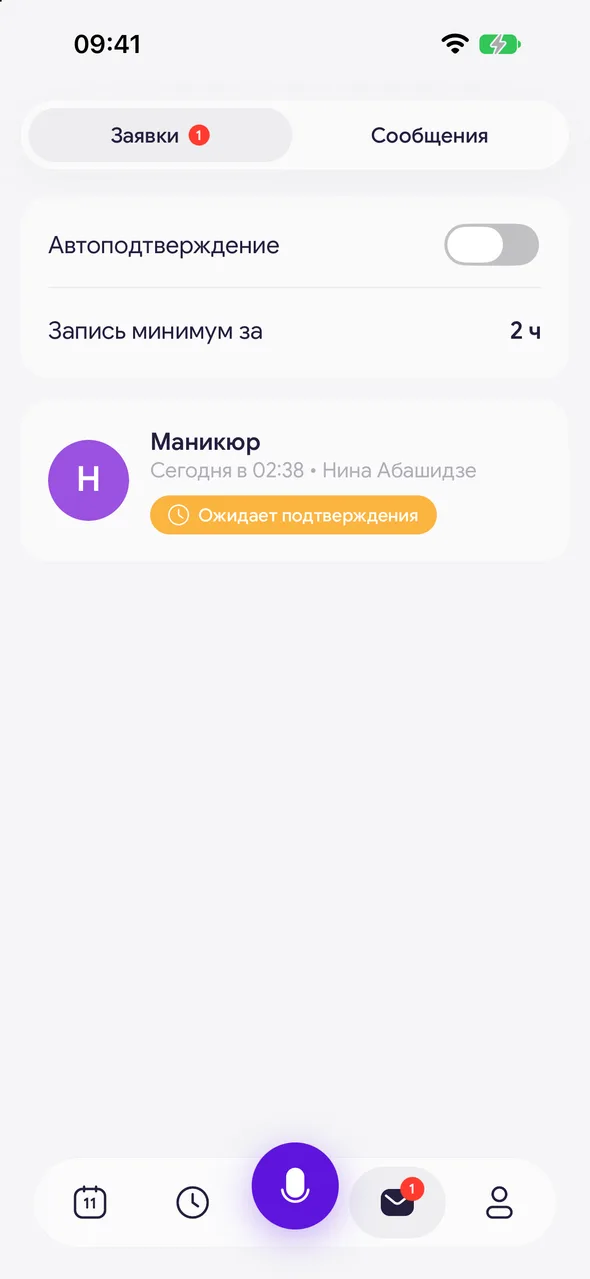
When a client books, a notification arrives, and the request appears in the «Requests & messages» section (button on the bottom panel) on the «Requests» tab with the status «Awaiting confirmation».
- 02
Open the request
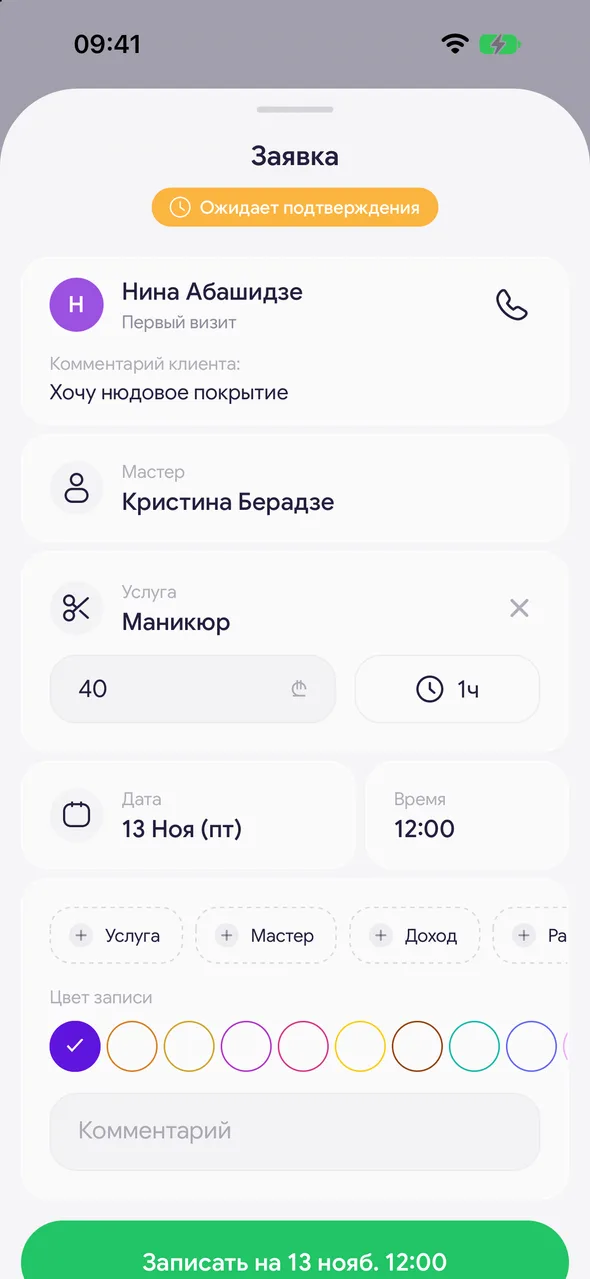
Tap it - the «Request» window opens with the client, service, specialist, date and time already filled in. The client's comment is shown there too. Any field can be edited.
- 03
Confirm or decline
«Confirm» creates a booking in the calendar, and the client sees it as confirmed. «Decline request» at the bottom of the window declines the request.
- 04
Enable auto-confirmation (PRO)
Above the requests list - the «Auto-confirm» toggle. The same is «Automatic booking confirmation» on the «General» tab of the page settings. Clients can book a free slot without waiting for your confirmation.
Good to know
An automatically confirmed booking arrives with a notification and is also visible in the requests list, but doesn't need confirmation.
If the subscription ends, requests again wait for manual confirmation. After payment, auto-confirmation returns automatically as before.
If «any specialist» is selected in the request, specify the specialist yourself when confirming.
Requests declined or cancelled by the client remain in the list with their status.
While there are no requests, the button under the empty list offers to launch the page or share free slots.
Questions and answers
FAQ
A client booked, but there's no booking in the calendar. Why?
Without auto-confirmation, the booking comes as a request. Open «Requests & messages» - «Requests» and confirm it - then it will appear in the calendar.
Will the client know that the request was declined?
Yes, on their booking page the status will change to declined by the salon.
See also
Free for a solo master
Try Easy Beezy
Calendar, clients, services and an online booking page - with no time limit. For a salon with a team - 14 days of full access.


