 Easy BeezyApp StoreGoogle PlayRuStoreInstall
Clients
What you see in the client card
The card gathers everything about a person: how many times they came, how often, how much they spent, the note and the dates you must not forget.
Step by step
- 01
Header with numbers
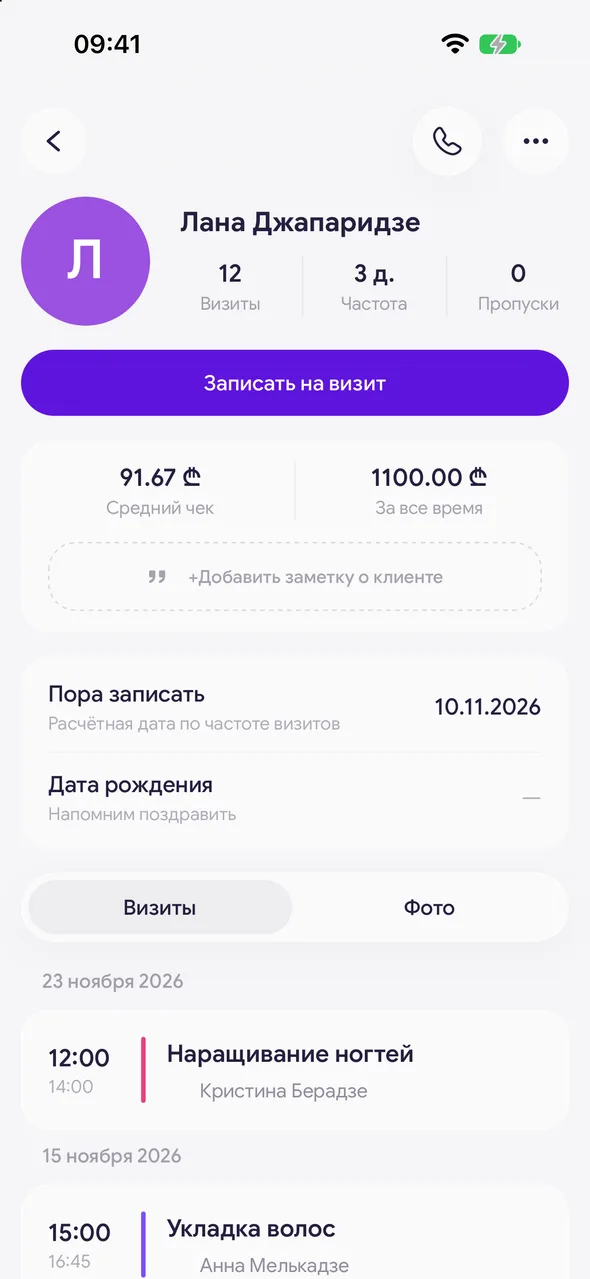
Next to the photo are three numbers: «Visits» (past visits), «Frequency» (how many days usually pass between visits, needs at least two visits) and «No-shows» (no-shows). Long-press the photo to open it full size.
- 02
Book in one step
The «Book a visit» button right under the header opens a new booking with this client.
- 03
Money and note
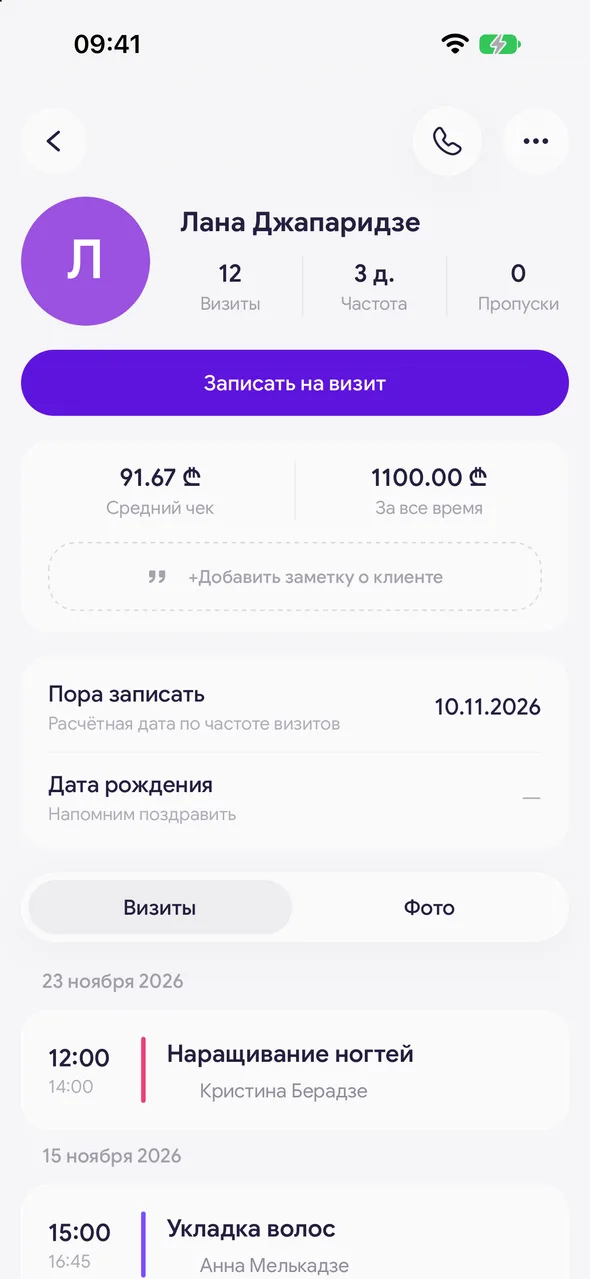
Below are «Average check» and «All time» (it includes, besides visits, purchases and prepayments made for goods), the discount and average tips badges and the «Client note». The note is edited right here: tap it and type.
- 04
Dates
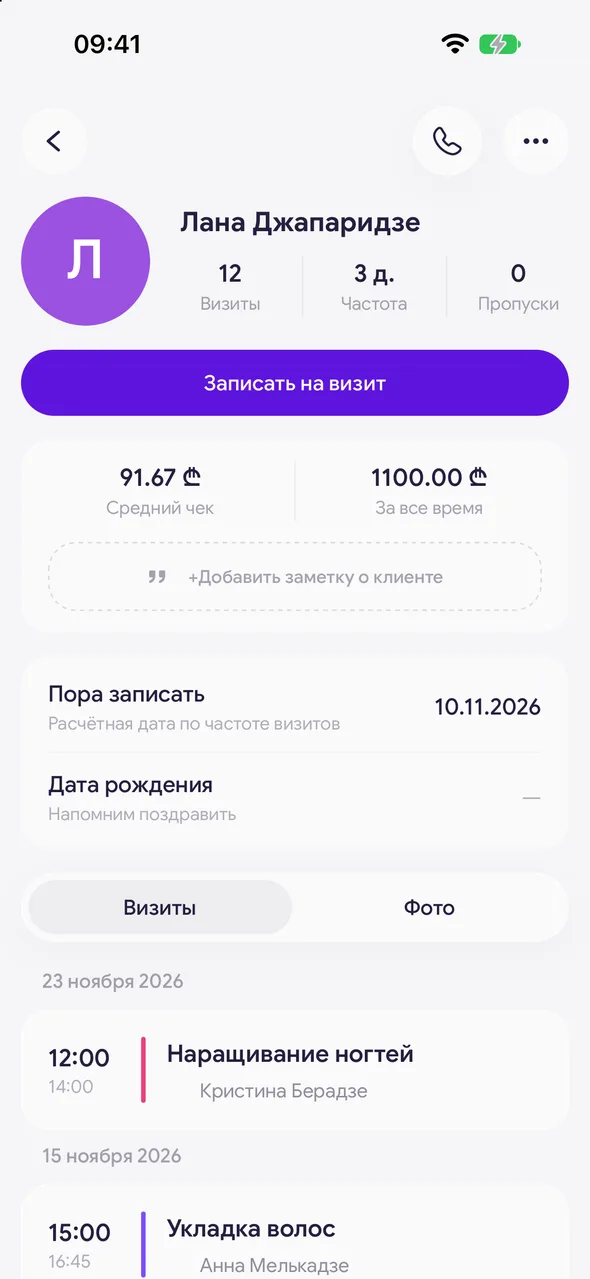
The «Time to book» row shows when it is time to invite the client back, the «Date of birth» row shows the birthday. Tap a row to set or change the date, the cross removes it.
- 05
Tabs
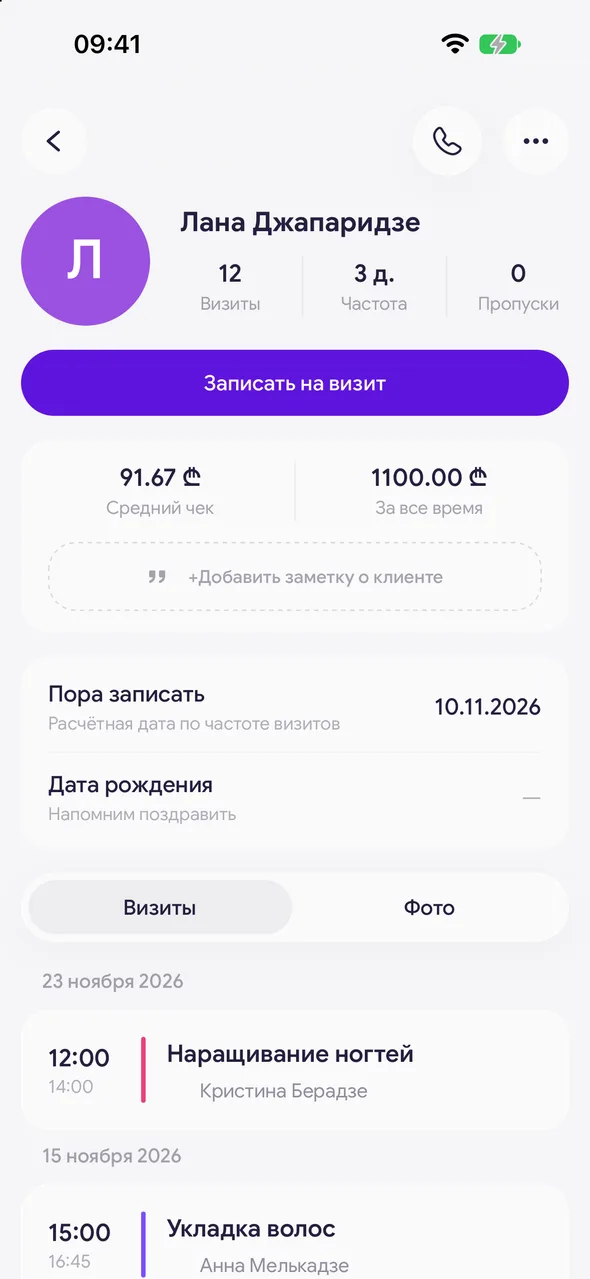
At the bottom there are two tabs: «Visits» and «Photos». Switch by tapping or swiping sideways.
Good to know
The average check and the all-time total are available on the PRO plan, without it a question mark appears in their place.
The «Photos» tab is not available to an employee whose access to client photos is closed.
For salons there is an additional option - a checklist of steps for working with a client in the card (for example, «consultation», «first booking») - enabled on request to support.
Questions and answers
FAQ
Why does the client show a dash in «Frequency»?
Frequency is calculated from past visits. While there is only one visit there is nothing to calculate - after the second one the number of days appears.
What does «Skips» mean?
How many times the client did not show up for a booking: visits marked as a no-show.
See also
Free for a solo master
Try Easy Beezy
Calendar, clients, services and an online booking page - with no time limit. For a salon with a team - 14 days of full access.


