 Easy BeezyApp StoreGoogle PlayRuStoreInstall
Clients
How to change client details
Name, phone, social networks, VIP, discount, blacklist and SMS are gathered in one editing window.
Step by step
- 01
Open editing
In the client card tap the three dots at the top right and select «Edit». The «Editing» screen opens.
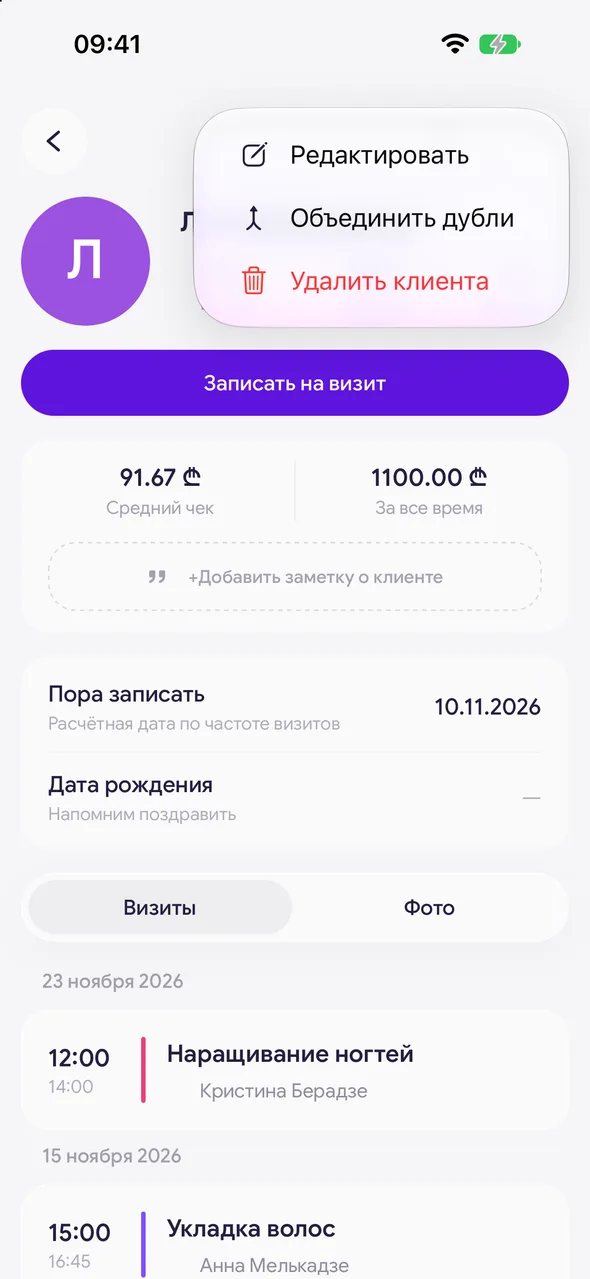
- 02
Adjust the fields
Change the name, phone or social network links. Once something has changed, a «Save» button appears at the bottom.
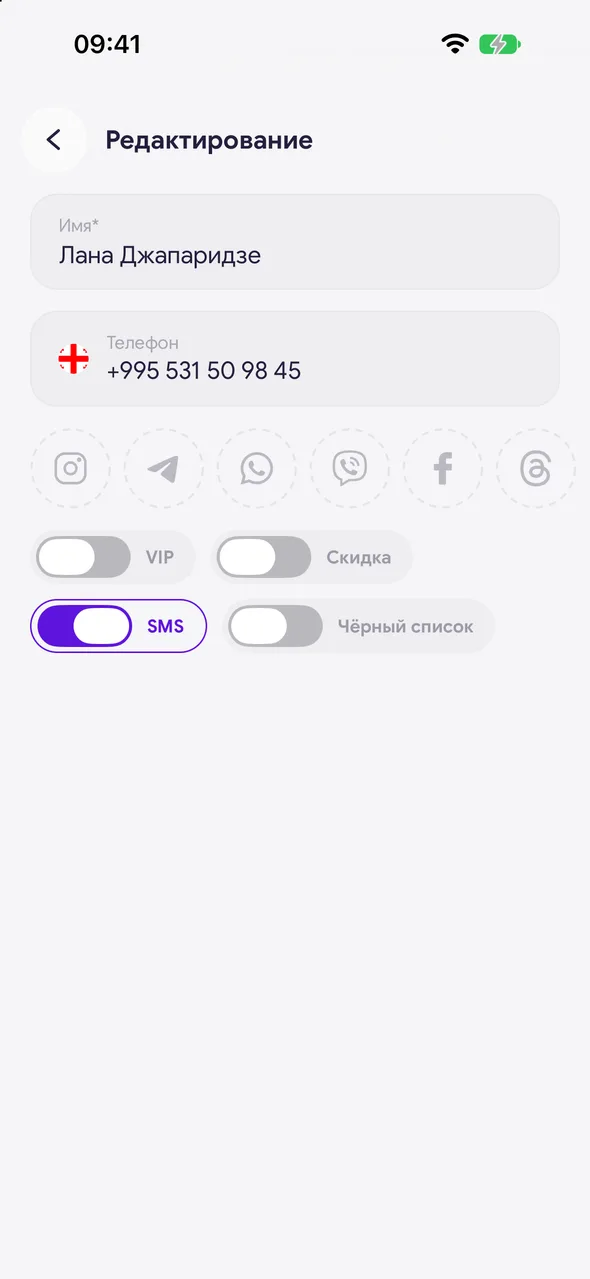
- 03
Marks
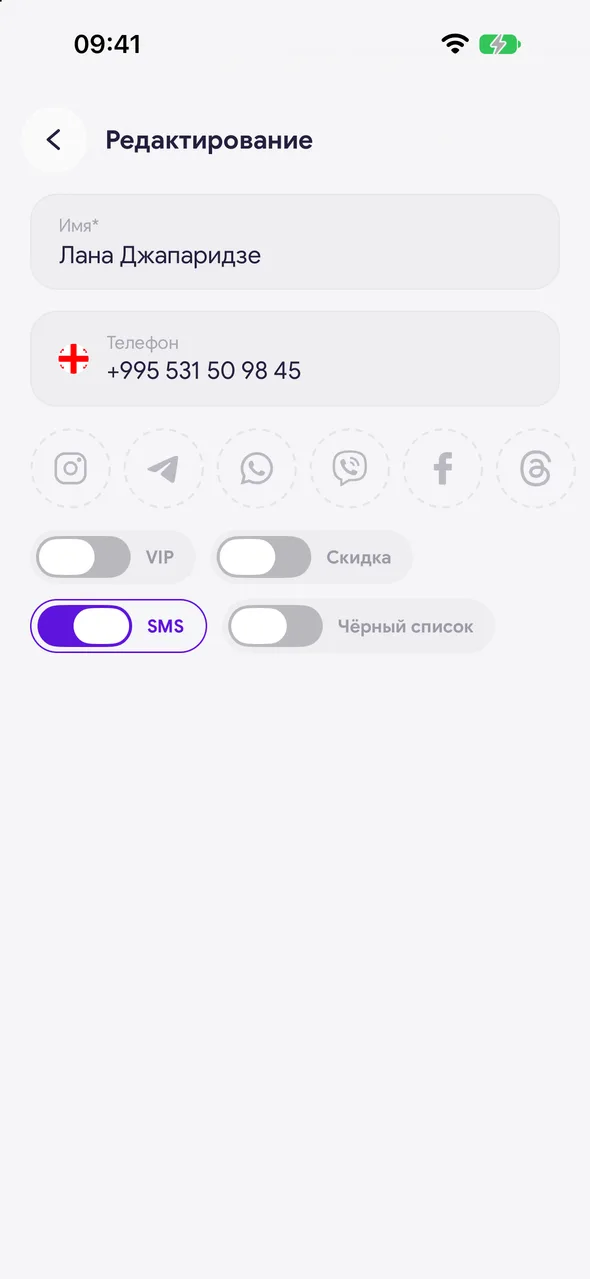
The VIP, «Discount», SMS and «Blacklist» switches are saved immediately, without a button. VIP and blacklist cannot be set together: turn on one and the other turns off.
Good to know
«Blacklist» is available on the PRO plan.
The SMS switch is visible only if the salon has SMS reminders enabled. Turn it off if the client asked not to receive SMS.
The birthday is set not in editing but right in the card - with the «Date of birth» row, the year is optional.
Questions and answers
FAQ
The master cannot see the client's phone number. Why?
The salon owner can close an employee's access to client contacts. Then the phone and social networks are not visible in the card and cannot be changed.
See also
Free for a solo master
Try Easy Beezy
Calendar, clients, services and an online booking page - with no time limit. For a salon with a team - 14 days of full access.


