 Easy BeezyApp StoreGoogle PlayRuStoreInstall
Team
How to add a service, price and duration
Services are needed for booking: free time is calculated from duration, and the price and description are visible to the client on the booking page.
Step by step
- 01
Open «Services»
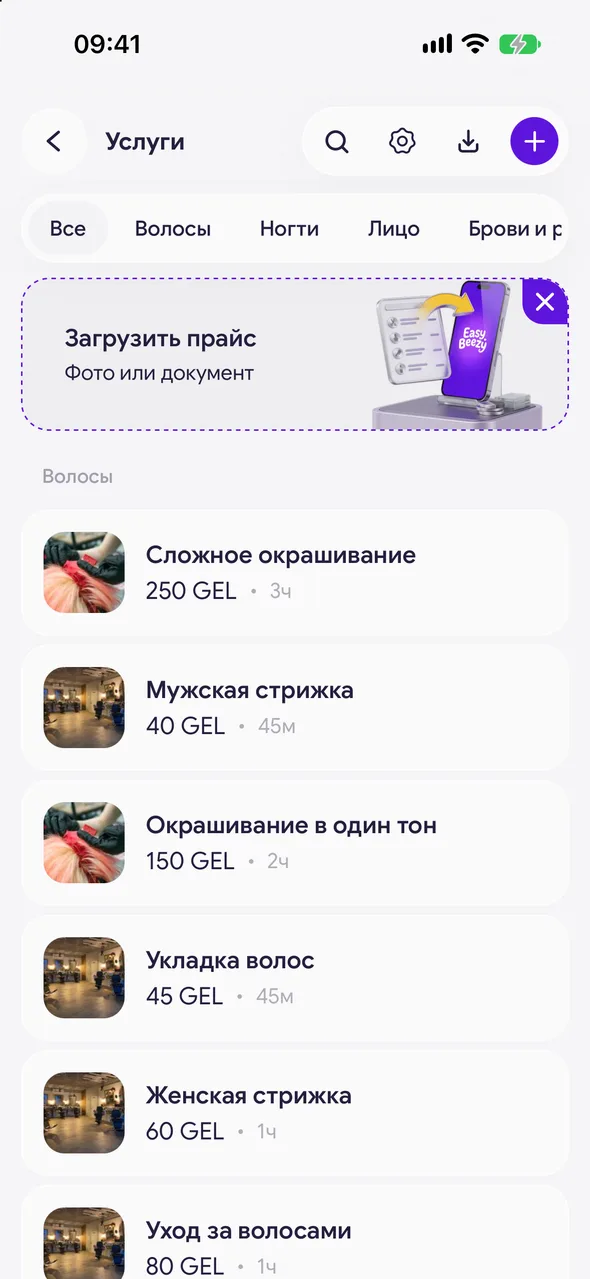
«Profile» - the «Business» block - «Services». Tap the plus in the top right - «New service» opens.
- 02
Name and category
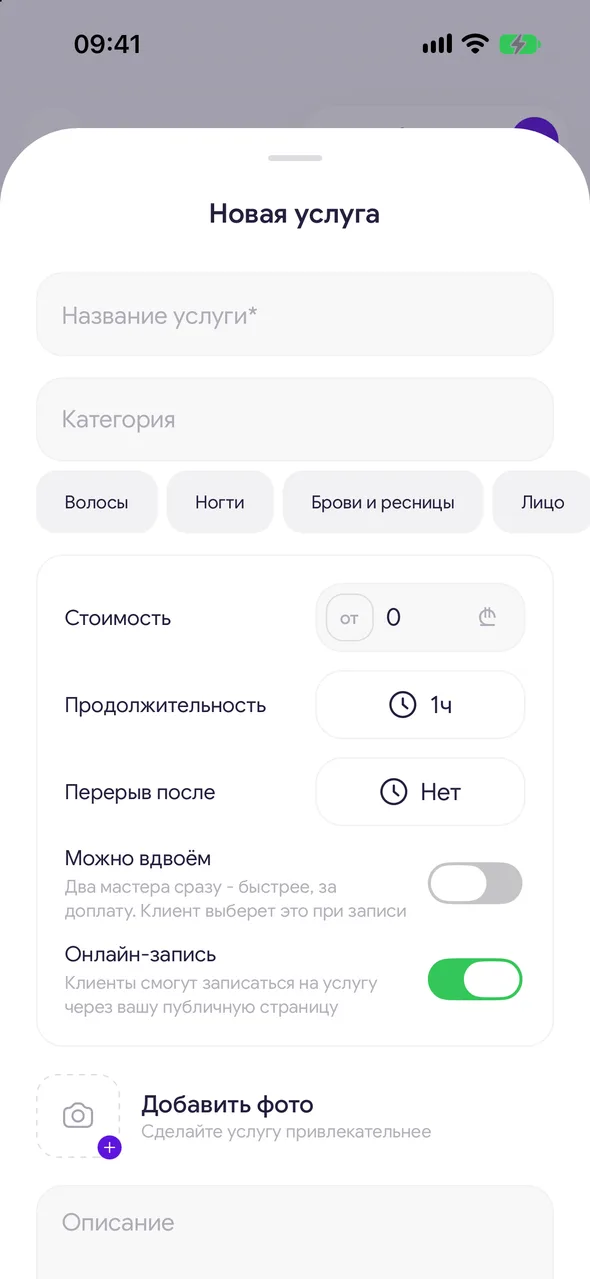
Enter the name. In the «Category» field, choose a category from the suggestions or enter a new one - it will appear automatically.
- 03
Price and duration
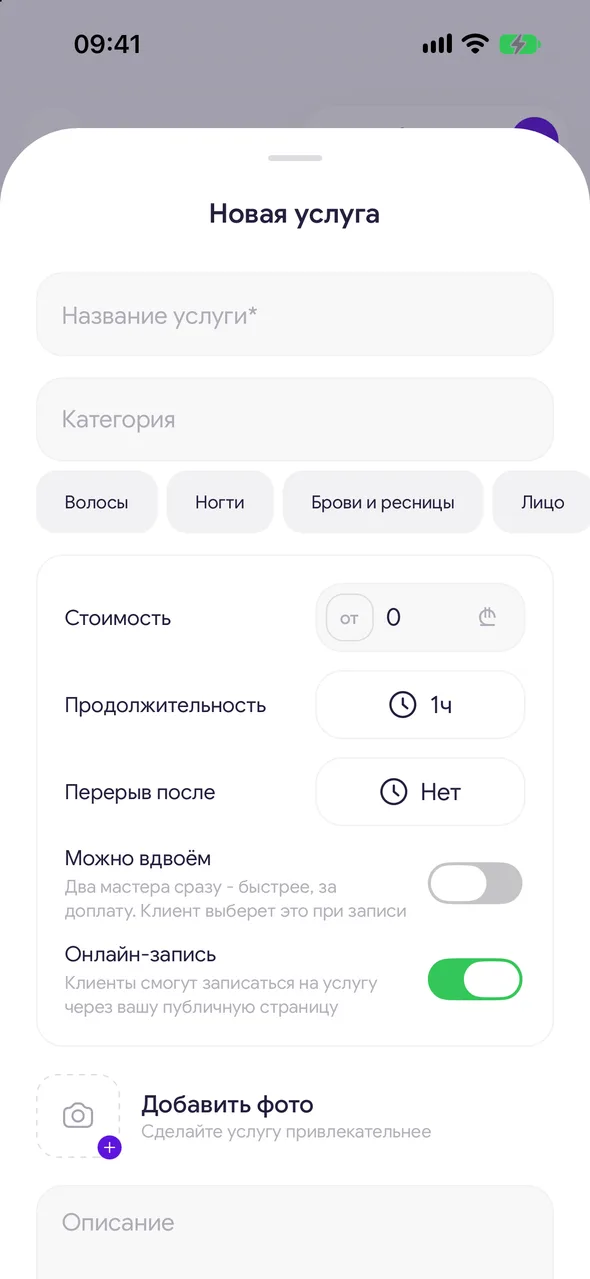
Enter the «Price». If the price varies, tap «from» - the client will see a price «from». Set the «Duration». In «Break after» you can add time for cleanup after the service - it won't be included in free windows.
- 04
Online booking, description and photos
The «Online booking» toggle decides whether the service is visible on the booking page. Enter the «Description» or tap «Generate description». Add up to 10 photos of your work.
- 05
Masters and saving
At the salon, choose who provides the service: «All masters» or individual masters. Tap «Create».
Good to know
To edit a service, tap it in the list. To delete it, use the «Delete service» button at the bottom. You can't delete the only service.
On the TEAM plan there is «Two masters option»: two masters provide the service together faster, for an extra charge. Set «Extra for two» and «Time with two», and the client chooses this when booking.
In the «Supplies» block, list the service's consumables - they will be deducted from stock when the visit is closed. This is available on a paid plan.
To search services, use the magnifier in the top right. If there is more than one category, category shelves appear at the top.
Questions and answers
FAQ
Can I hide a service from the booking page but keep it in the calendar?
Yes: open the service and turn off «Online booking». You can still book it in the calendar as before.
How do I set a price «from»?
In the service, next to the price, tap «from».
See also
Free for a solo master
Try Easy Beezy
Calendar, clients, services and an online booking page - with no time limit. For a salon with a team - 14 days of full access.


