 Easy BeezyApp StoreGoogle PlayRuStoreInstall
Team
How to choose which services a master provides
Each master has their own set of services. On the booking page, a client will only see a master for the services they provide.
Step by step
- 01
From the master's card
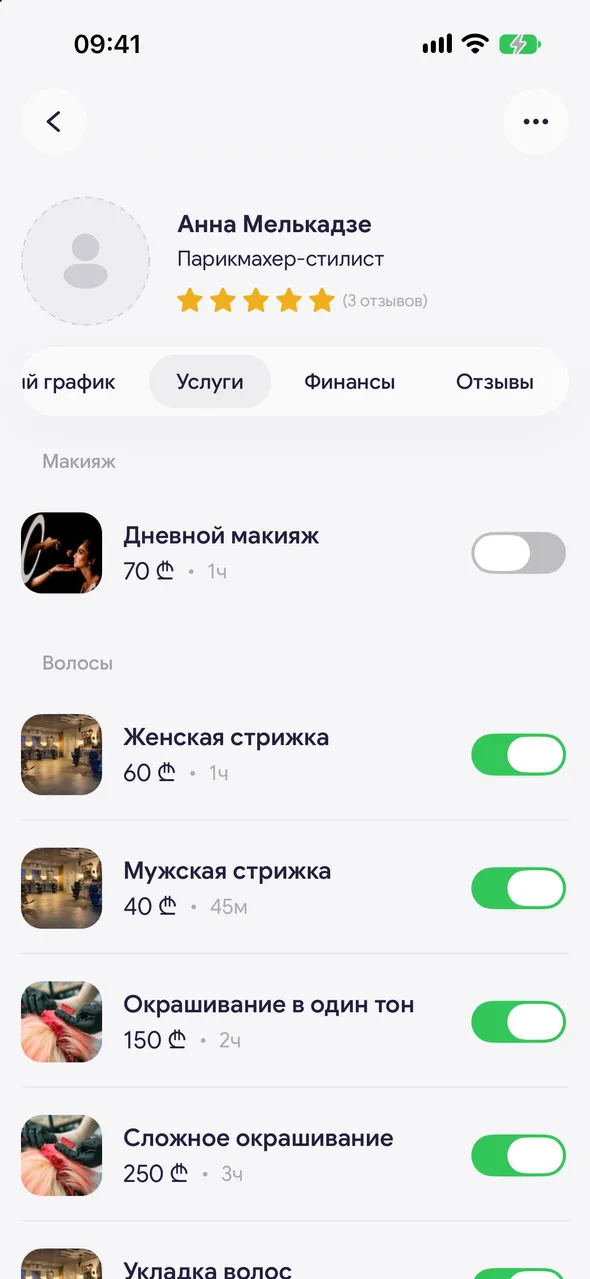
Open the employee's card - the «Services» tab. Services are grouped by category with price and duration. Use the toggle to mark what this master provides.
- 02
From the service
Or open a service in the «Services» section and turn off «All masters» - a list of masters will appear, mark the ones you need.
Good to know
If «All masters» is on, all masters provide the service, including those added later.
A master can mark their own services themselves: «Profile» - «Personal profile» - the «Services» tab.
See also
Free for a solo master
Try Easy Beezy
Calendar, clients, services and an online booking page - with no time limit. For a salon with a team - 14 days of full access.


