 Easy BeezyApp StoreGoogle PlayRuStoreInstall
Team
How to open booking for exact times only
Windows are specific start times a client can book, for example 10:00, 13:00 and 16:30. The rest of the day is closed.
Step by step
- 01
Open a day or dates
In «Working hours», tap a day of the week or mark dates in the calendar and open their settings.
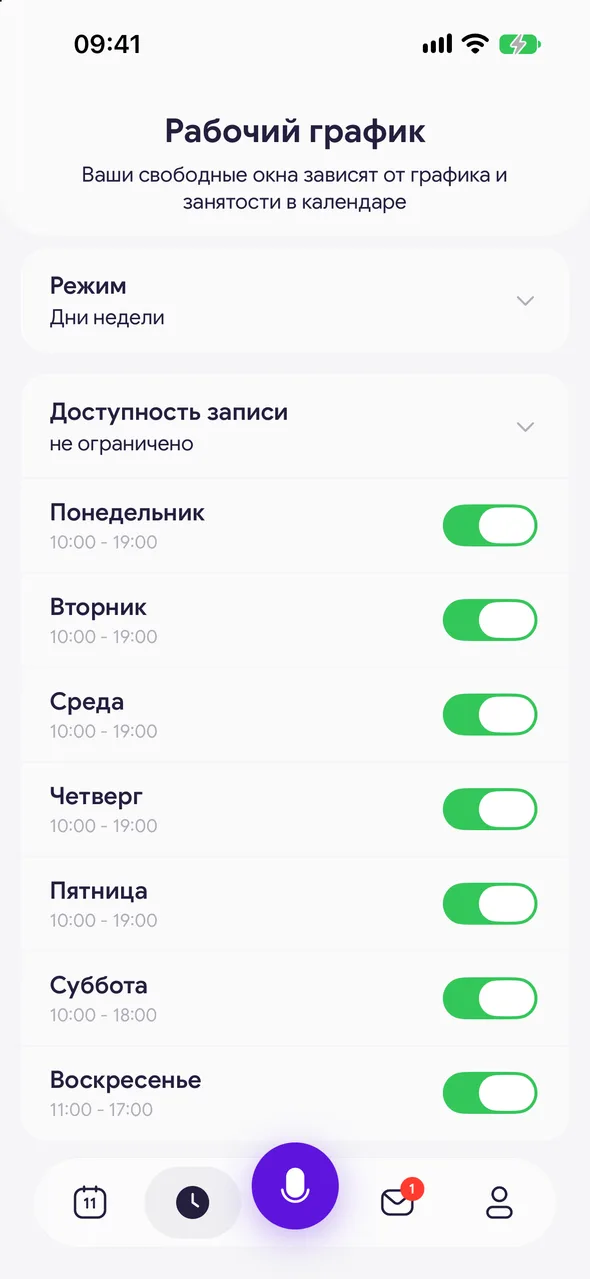
- 02
«Slots» tab
Switch to «Slots». Choose the grid «Step» - 5, 15, 30 or 60 minutes.
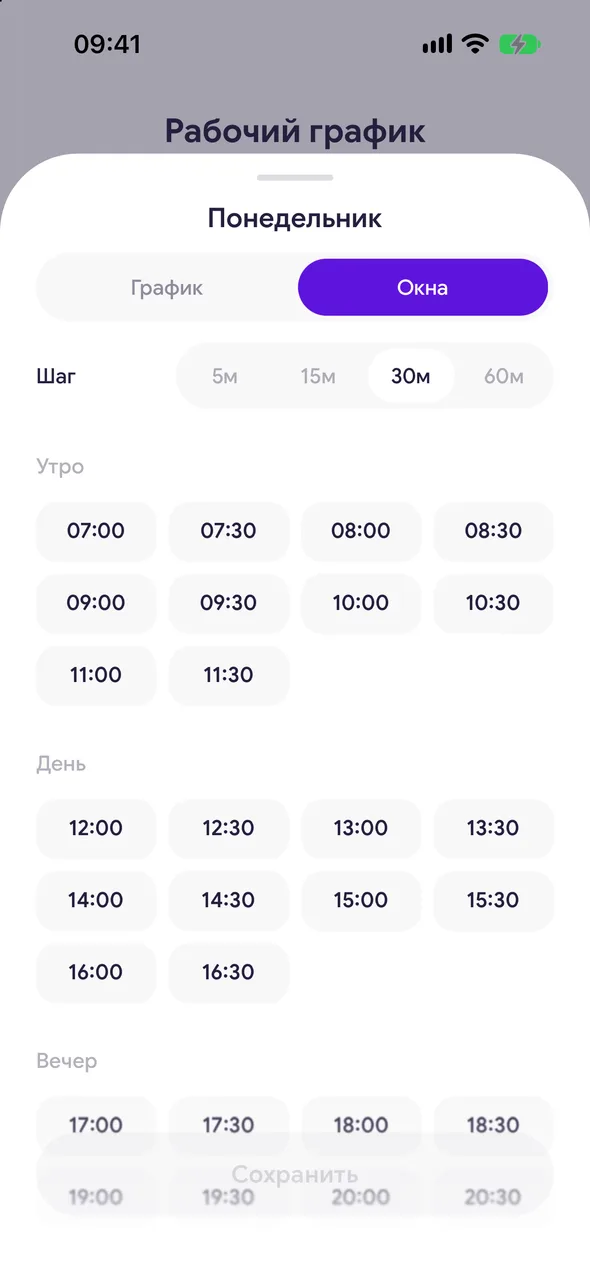
- 03
Mark the times
Time is split into «Morning», «Day» and «Evening». Tap the times you need. Night hours are shown with the «Show night hours» button. Tap «Save».
Good to know
The client only sees the marked times, and only if they are available.
If you later set regular hours for the day on the «Hours» tab, that day's windows stop applying.
Questions and answers
FAQ
Can I let clients book only at 10:00 and 15:00?
Yes: in the schedule, open the day, go to the «Slots» tab, mark 10:00 and 15:00 and save.
See also
Free for a solo master
Try Easy Beezy
Calendar, clients, services and an online booking page - with no time limit. For a salon with a team - 14 days of full access.


