 Easy BeezyApp StoreGoogle PlayRuStoreInstall
Team
How to set up an employee's role and permissions
The role determines what the employee sees and can change in the app. On top of the role there are several toggles: cash desk, client photos, services, other people's appointments.
Step by step
- 01
Open the employee's settings
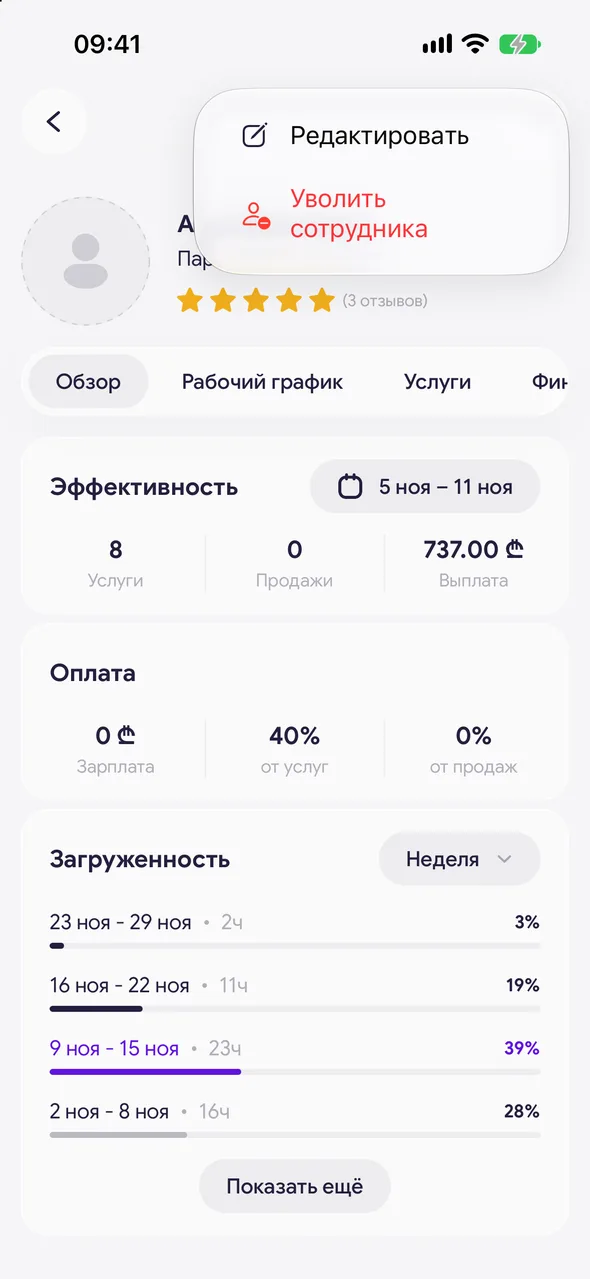
«Profile» - «Team» - tap the employee's card. In the top right corner, tap the three dots and choose «Edit». For a new employee, the same settings are in the «Add employee» sheet.
- 02
Choose a role
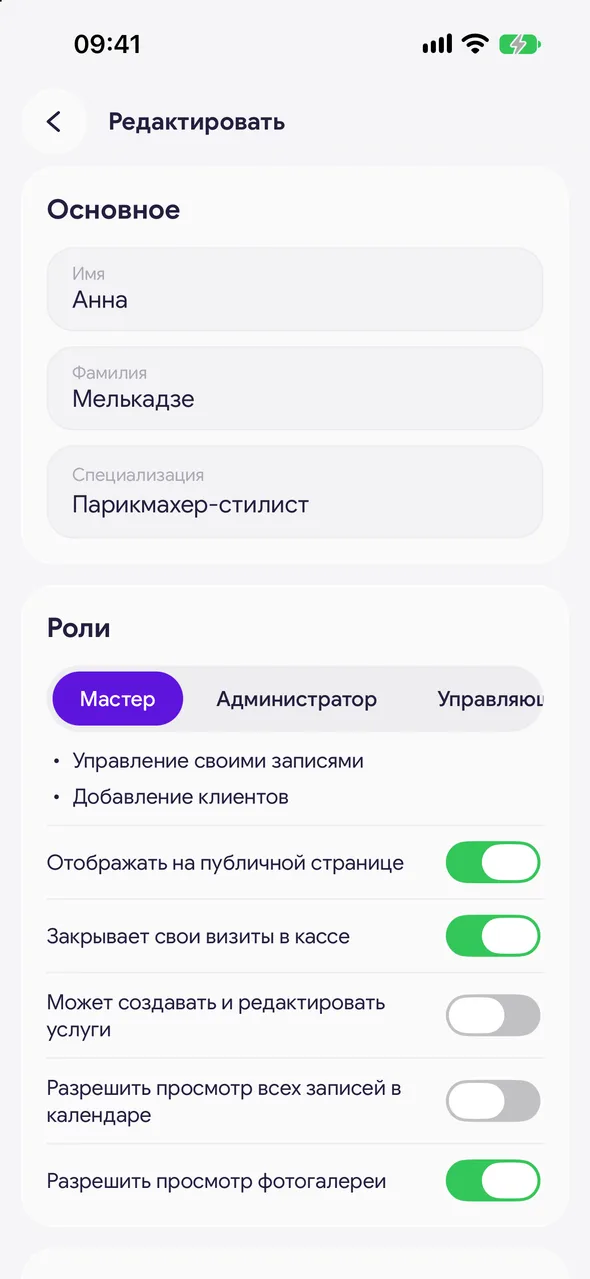
In the «Roles» block: «Master» - manages their own appointments and adds clients. «Admin» - manages appointments for all employees, clients and online requests. «Manager» - additionally services, the online booking page, analytics, finances and employees. «No account» - doesn't sign in to the app, is counted only in finances.
- 03
Set up the master's permissions
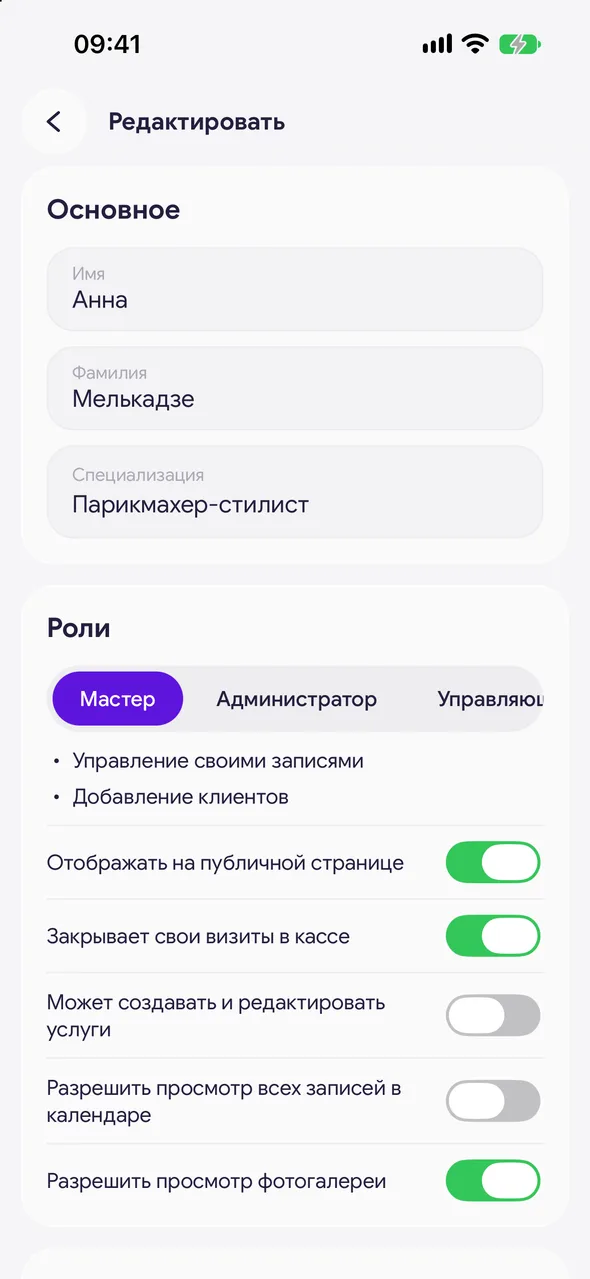
A master has these toggles: «Show on the public page», «Closes own visits in the till», «Can create and edit services», «Allow seeing all calendar bookings» and «Allow seeing the photo gallery». Can see other employees' bookings, but without client contacts and without editing.
- 04
An administrator or manager can also take clients
Turn on «Also a master». Then appointments can be booked with them, and the «Show on the public page» and «Closes own visits in the till» toggles appear. Without the master role, a client can't be booked with a person.
- 05
Pay and saving
In the «Payment» block, enter «Salary», «Service percentage» and «Percent of goods sold». Tap «Save». If you leave without saving, the app asks whether to save the changes.
Good to know
The cash desk and photo gallery are always on for an administrator and a manager, and a manager edits services according to their role - there are no toggles for them.
A master with the «Can create and edit services» permission can create a new service right while booking a client: the service picker has a «New service» row.
«Show on the public page» is off - the master works in the calendar, but clients don't see them on the booking page.
If an employee with the «No account» role is switched to another role, an invitation opens after saving - send it so they can sign in to the app.
In the owner's card, only the name can be changed: the owner has full access to everything.
Questions and answers
FAQ
How do I make sure a master doesn't see other people's appointments?
In the employee's settings, turn off «Allow seeing all calendar bookings». Then the master sees only their own appointments in the calendar.
What's the difference between an administrator and a manager?
An administrator manages appointments, clients and online requests. A manager, in addition to that, edits services and the booking page, sees analytics and finances and manages employees.
What is the «No account» role for?
For someone who doesn't use the app but receives money from the salon: they are counted in finances and payouts. If you turn on «Also a master», appointments can be booked with them and they can be shown on the booking page.
See also
Free for a solo master
Try Easy Beezy
Calendar, clients, services and an online booking page - with no time limit. For a salon with a team - 14 days of full access.


