 Easy BeezyApp StoreGoogle PlayRuStoreInstall
Team
How to invite an employee to the salon
The employee receives a link or QR code, accepts the invitation and works in the salon's shared calendar with their own permissions.
Step by step
- 01
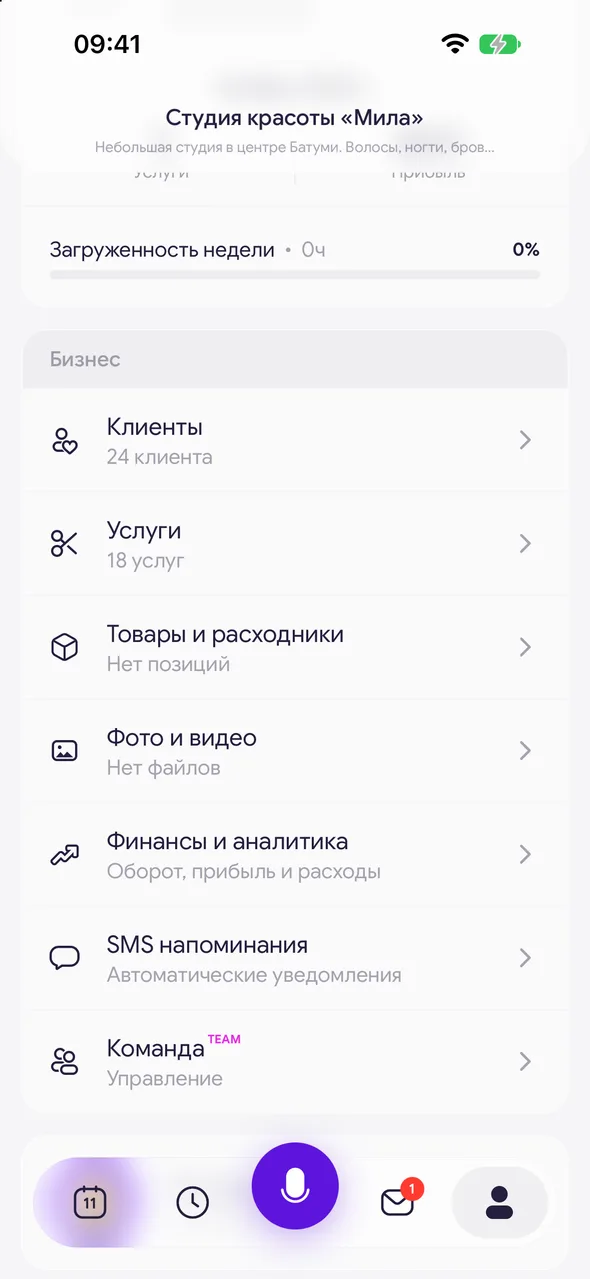
Open the «Team» section
At the bottom of the screen, tap «Profile». In the «Business» block, tap «Team». Without the TEAM plan, a plan selection screen opens instead of the section.
- 02
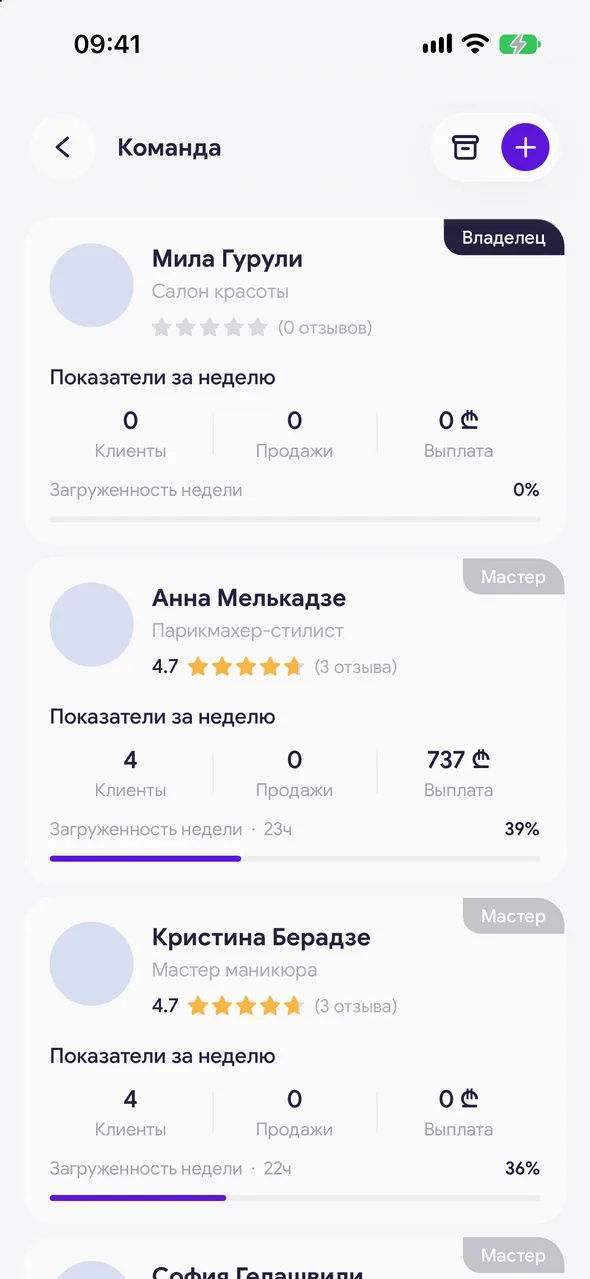
Tap the plus
In the top right corner, tap the plus - the «Add employee» sheet opens.
- 03
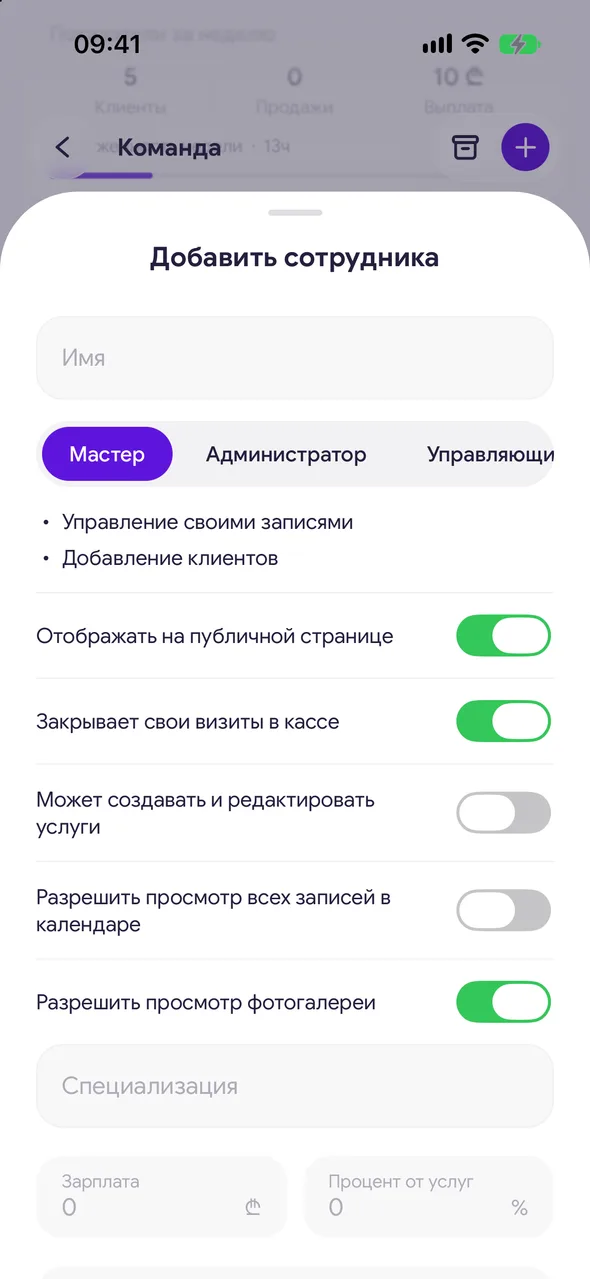
Name and role
Enter the name in the «Name» field and choose a role: «Master», «Admin», «Manager» or «No account». Under each role you can immediately see what it allows. The employee enters their last name themselves when they accept the invitation.
- 04
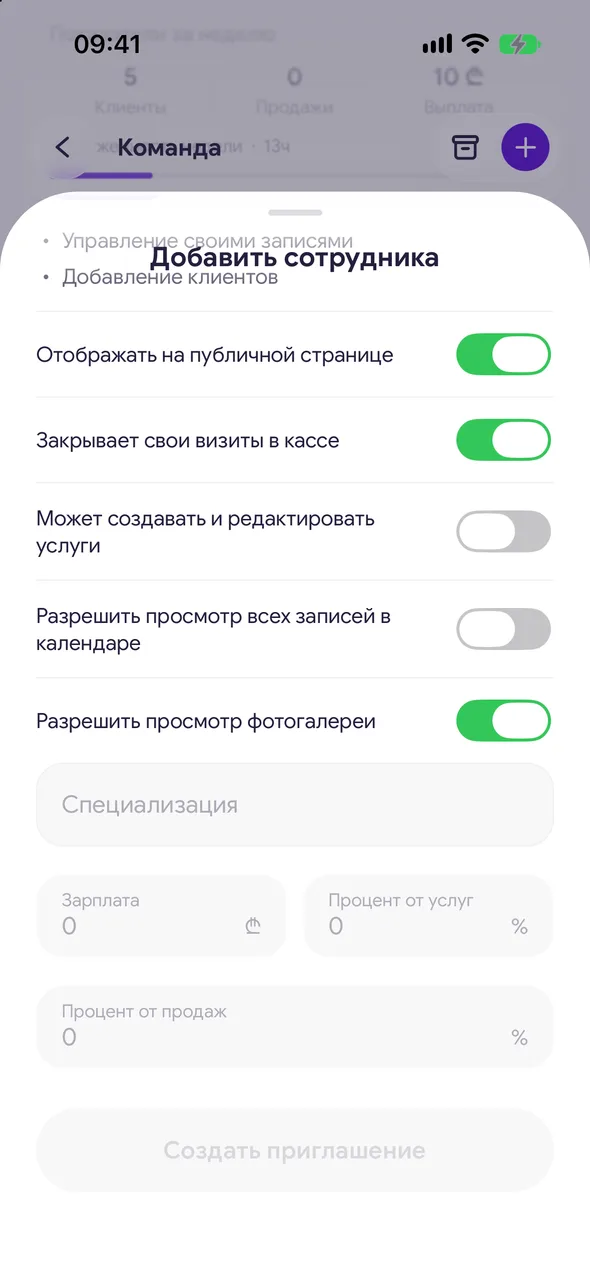
Permissions and pay
Turn on the access toggles you need; for a master, enter «Specialization». At the bottom are «Salary», «Service percentage» and «Percent of goods sold»: payouts are calculated from these. You can change all of this later.
- 05
Send the invitation
Tap «Create invite». «Invite employee» opens with a QR code and a link. Show the code to the employee or tap «Share» and send the link in a messenger.
- 06
The employee accepts the invitation
The employee opens the link or scans the code, signs in to the app and taps «Accept invitation». After that they appear in the team, and their appointments appear in the salon calendar.
Good to know
The invitation link is valid for 72 hours. Until the employee accepts it, the card shows «Waiting to join» and how much time is left.
There is no invitation for the «No account» role: the button is called «Add», and the employee appears in the list right away.
On the free plan and on PRO, the calendar has one master - the owner. Employees are unlocked by the TEAM plan. You can try the team during the trial period.
Questions and answers
FAQ
How many employees can I add?
On the TEAM plan - up to 10 active employees, not counting the owner. Invited employees who haven't accepted yet and dismissed employees don't count. On the free plan and on PRO you can't add employees: when you tap the plus, the app offers to switch to TEAM.
The employee opened the link and it says «link expired». What should I do?
The invitation has expired or was cancelled. Open its card in the «Team» section and create a new invitation.
See also
Free for a solo master
Try Easy Beezy
Calendar, clients, services and an online booking page - with no time limit. For a salon with a team - 14 days of full access.


