 Easy BeezyApp StoreGoogle PlayRuStoreInstall
Team
How to dismiss an employee and bring them back
A dismissed employee loses access to the calendar and moves to the archive. Their past appointments and money stay, and you can bring them back with a new invitation link.
Step by step
- 01
Dismiss
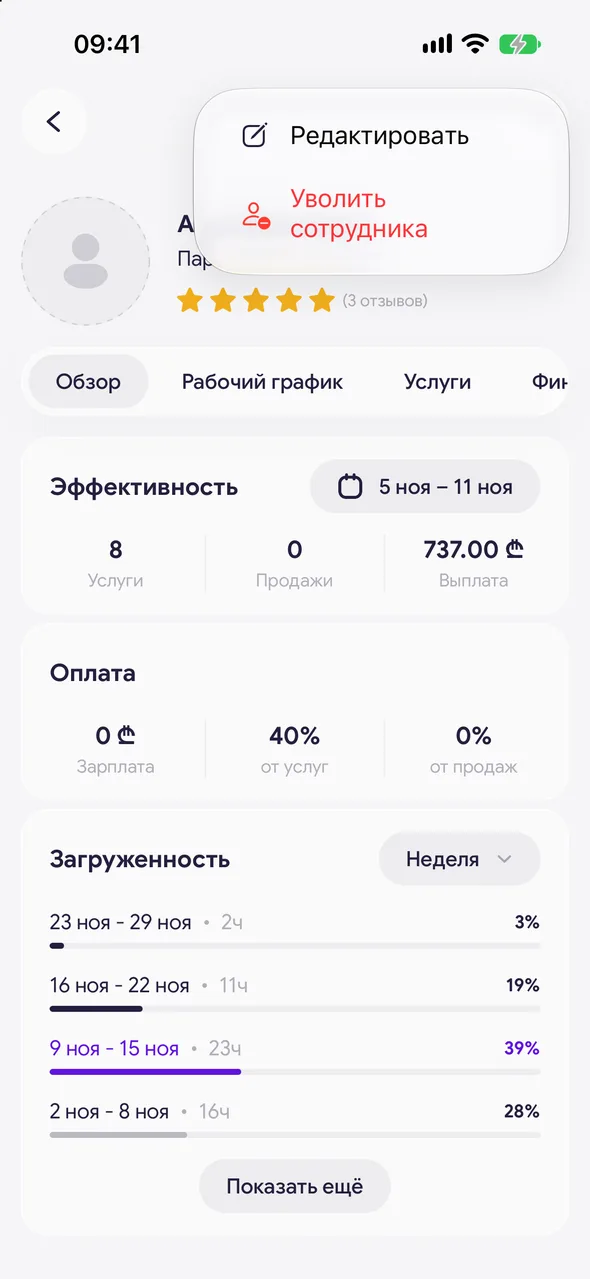
Open the employee's card, tap the three dots in the top right and select «Dismiss employee». Confirm with the «Dismiss» button.
- 02
Open the archive
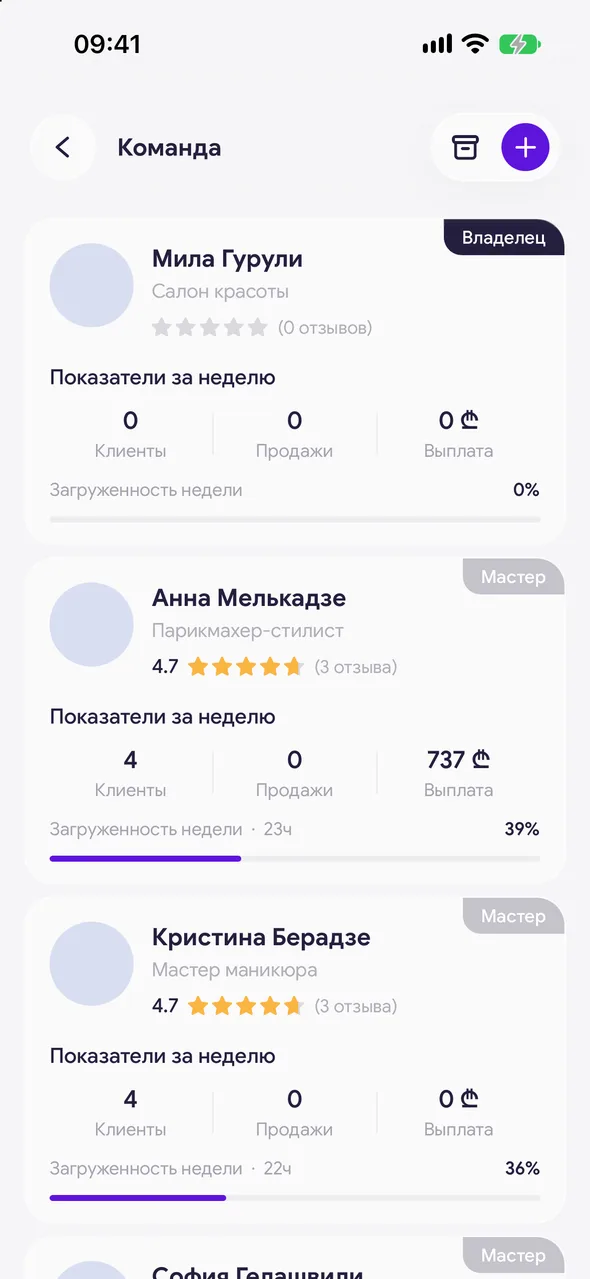
In the «Team» section, tap the archive icon in the top right - «Employee archive» will open. Each employee shows their dismissal date. Tap to open the card marked «Employee dismissed».
- 03
Restore or delete
Tap and hold the employee in the archive. Select «Restore access» - a new invitation link is created, and the employee returns once they accept it. Or «Delete» - the employee disappears from the lists, and past appointments stay.
Good to know
You can also bring an employee back from their card: three dots - «Restore access».
Questions and answers
FAQ
Will a dismissed master's appointments and payouts disappear?
No. Dismissal closes their access, while their appointments, visits and money stay in the history and in reports.
See also
Free for a solo master
Try Easy Beezy
Calendar, clients, services and an online booking page - with no time limit. For a salon with a team - 14 days of full access.


