 Easy BeezyApp StoreGoogle PlayRuStoreInstall
Getting started
How to set up a subscription on iPhone
On iPhone the subscription is set up via the App Store and paid from your Apple ID account.
Step by step
- 01
Open the store
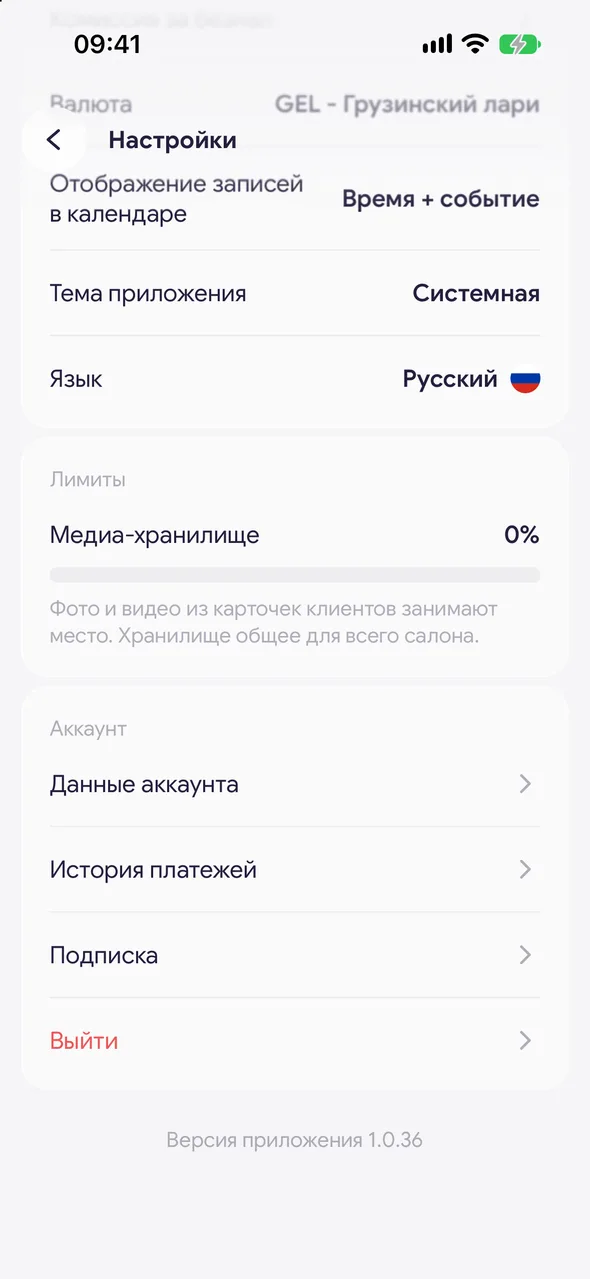
«Profile» - «Settings» - «Subscription». Or tap the plan badge under your name in «Profile».
- 02
Choose a plan and term
At the top choose PRO or TEAM, below - «Monthly» or «Yearly». Yearly payment shows a discount.

- 03
Confirm the purchase
Tap the button at the bottom of the screen and confirm payment in the App Store window. The plan turns on right after confirmation.
Good to know
If you have already paid on another iPhone with the same Apple ID, tap «Restore purchases» at the bottom of the store.
In some countries the App Store does not accept local cards. In that case a «Apple won’t take your card? Pay directly» line appears in the store - payment goes through on the payment system page, but without the Apple trial.
Only the calendar owner sets up the subscription. For salon employees the store shows that the plan is provided by the owner and applies to the whole team.
Questions and answers
FAQ
I paid but the sections are still closed. What should I do?
Open «Settings» - «Subscription» - the screen will re-read the subscription. If that does not help, open the store and tap «Restore purchases».
See also
Free for a solo master
Try Easy Beezy
Calendar, clients, services and an online booking page - with no time limit. For a salon with a team - 14 days of full access.


