 Easy BeezyApp StoreGoogle PlayRuStoreInstall
Getting started
How to register: solo master or salon
After the first sign-in, the app asks how you work and requests a few details about you. Your answer determines where you start.
Step by step
- 01
Choose your role
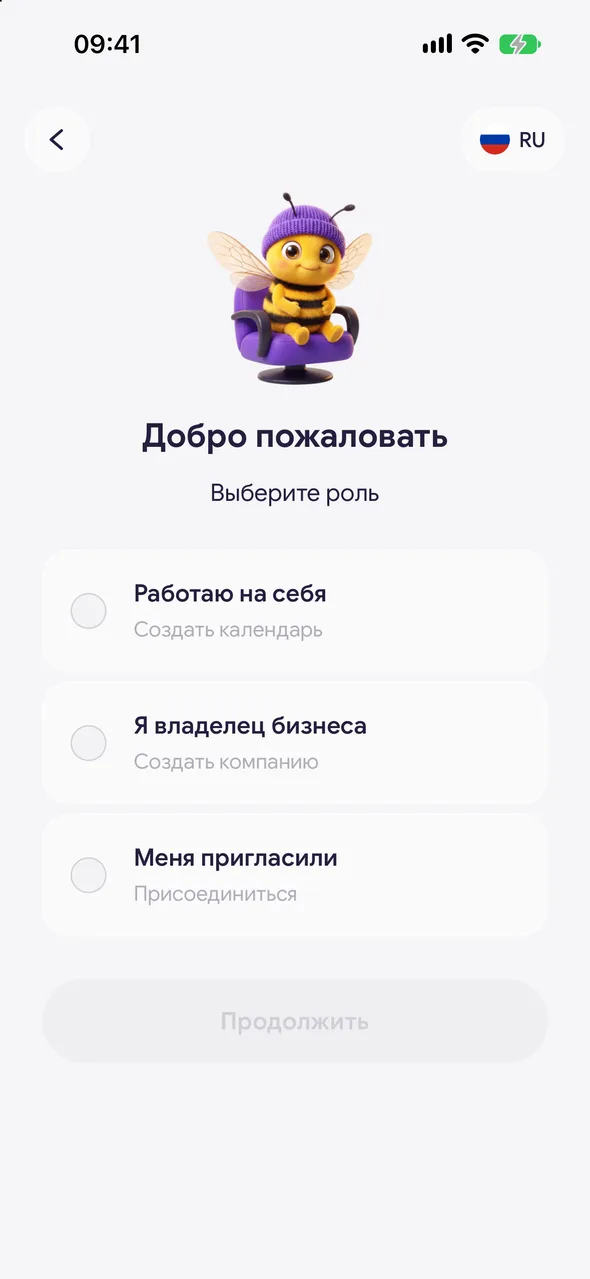
On the «Welcome» screen, choose one option: «I work for myself» - if you work alone, «I own a business» - if you have a salon or studio, «I was invited» - if the salon owner sent you an invitation. Tap «Continue».
- 02
Tell us about yourself
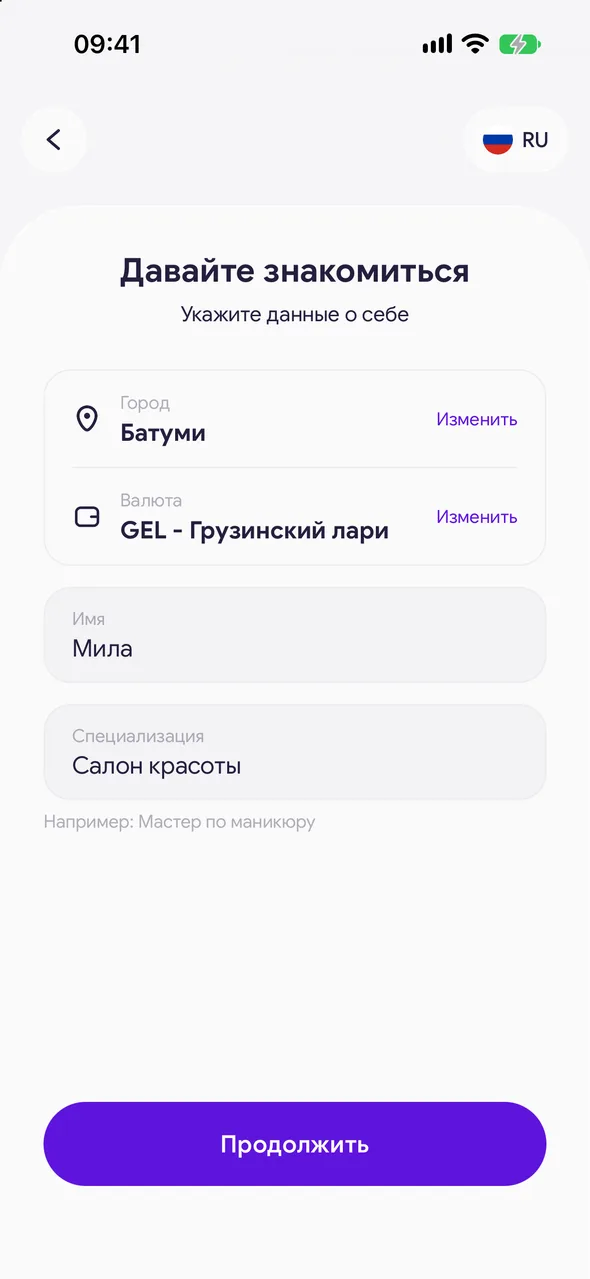
On the «Let's get acquainted» screen, enter your city, currency, name and specialization, e.g. «Manicure master». The currency is filled in based on the city and can be changed. Tap «Continue».
- 03
Complete the first steps
Next, the app will offer to import your price list and clients and enable notifications. Each step can be skipped.
Good to know
The form is the same for a solo master and a salon owner. To work as a team, you need the TEAM plan - staff are invited from «Team».
Only name, city and currency are required. Specialization and the rest can be filled in later.
If you came by invitation, choose «I was invited» - you do not need to create your own calendar.
Questions and answers
FAQ
Is registration paid?
No. The calendar, appointments, clients and online booking page are free with no time limit. Paid plans unlock additional sections.
I chose the wrong role. What should I do?
The role does not lock anything: a solo master can later set up TEAM and invite staff. If you wanted to join someone else's salon, open the invitation link from the owner.
See also
Free for a solo master
Try Easy Beezy
Calendar, clients, services and an online booking page - with no time limit. For a salon with a team - 14 days of full access.


