 Easy BeezyApp StoreGoogle PlayRuStoreInstall
Reminders and messages
How to remind a client about a visit
The «Upcoming visit» section collects those whose visit is coming up soon. A reminder the day before is the easiest way to reduce no-shows.
Step by step
- 01
Open the section
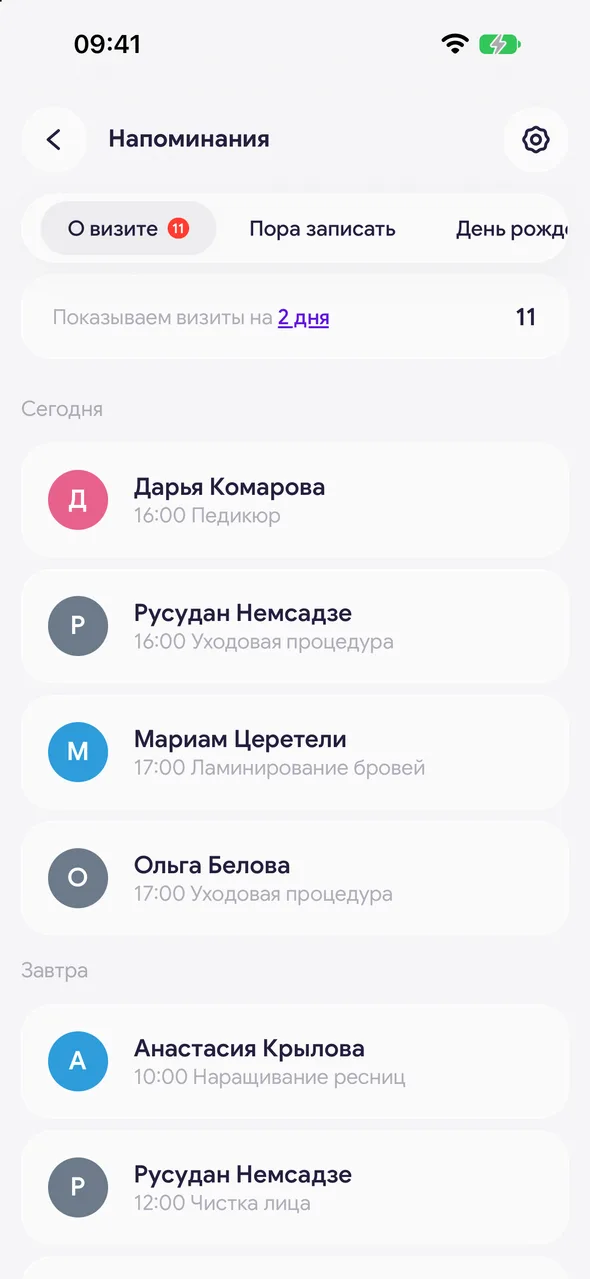
«Reminders» - «Upcoming visit». Visits are grouped by day: «Today», «Tomorrow» and further.
- 02
Set how far ahead to look
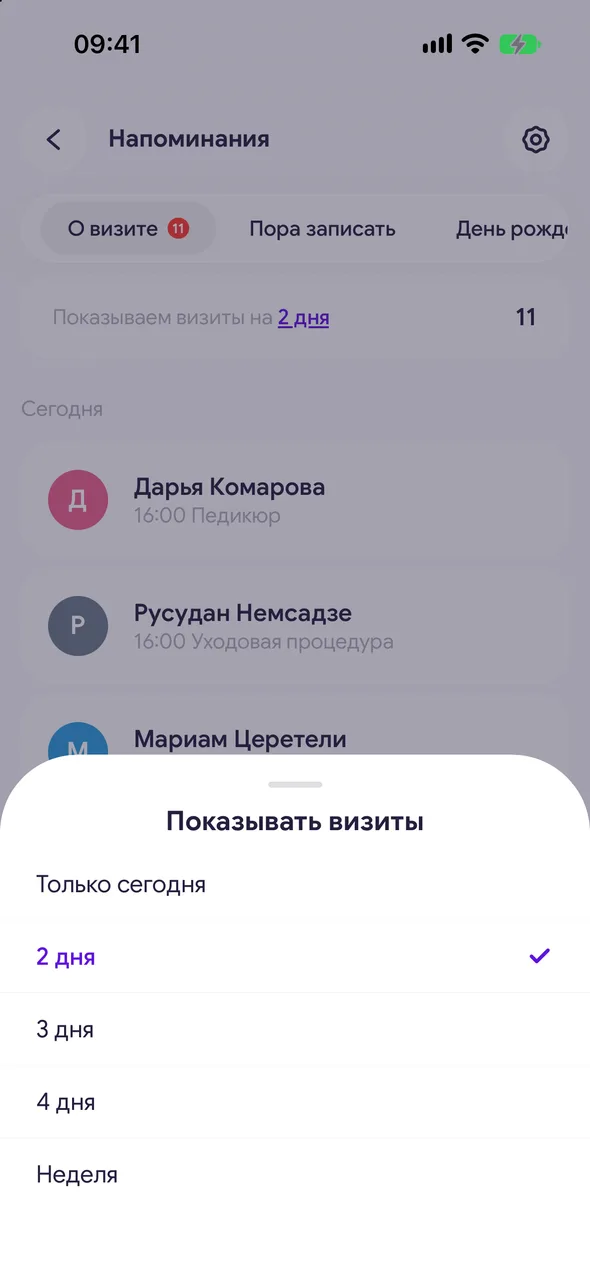
Above the list there's a «Show ahead» row. Tap it and choose the number of days.
- 03
Send
Tap the client, choose a messenger and mark as sent.
Good to know
The time frame is shared for the salon and saved on all phones.
To avoid forgetting about the mailing, enable a daily notification in «Reminder settings» - «Remind me to message clients».
Questions and answers
FAQ
How far in advance should I remind about a visit?
Most often, reminders are sent the day before. By default, the section shows visits for today and tomorrow.
See also
Free for a solo master
Try Easy Beezy
Calendar, clients, services and an online booking page - with no time limit. For a salon with a team - 14 days of full access.


