 Easy BeezyApp StoreGoogle PlayRuStoreInstall
Online booking
How to share an Instagram-style booking link
The Air version is a lightweight booking page without a header or extra blocks: a white sheet in the spirit of Instagram. The client feels like they never left the app.
Step by step
- 01
Open the page card
«Profile» - the «Online booking» block - «Share the link».
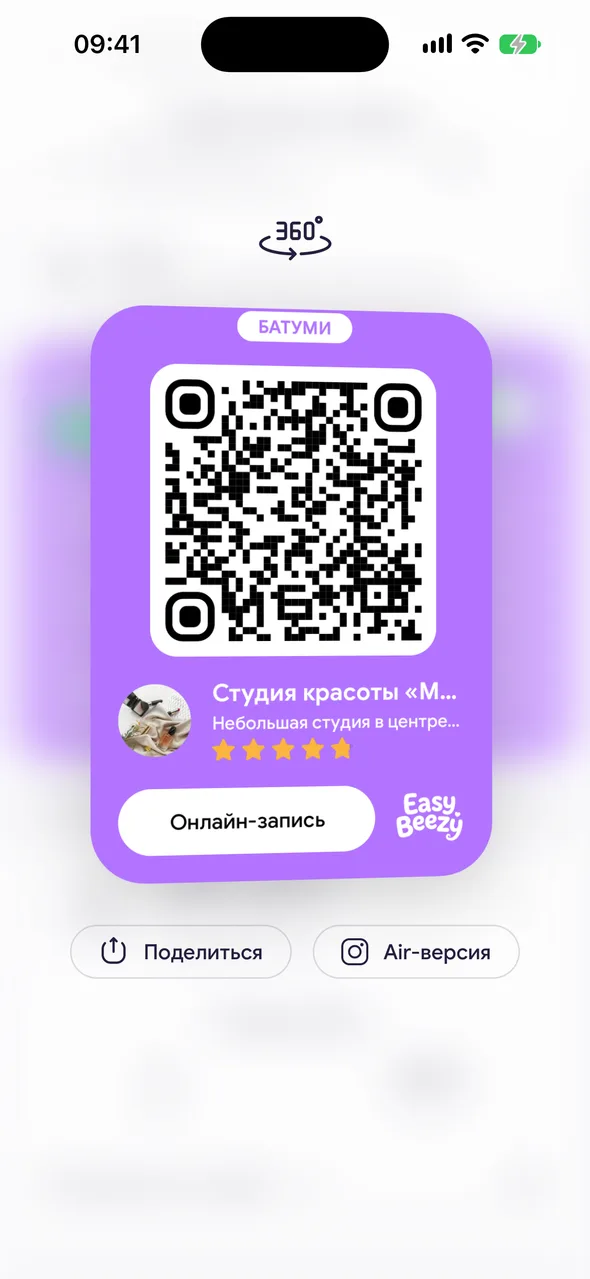
- 02
Tap «Air version»
The button under the card, next to «Share». A link like easybeezy.net/ig/your-address is copied, and on iPhone the «Share» menu also opens.
- 03
Send the link
Most convenient is in a reply to a client in Direct or in your Instagram profile. The client goes through the same steps: service, specialist, date and time, contacts. The booking comes to you the same way as from the regular page.
Good to know
The regular booking page remains and works via its own link.
There is no Instagram logo or name on this page - it only looks similar.
Questions and answers
FAQ
How is the Air version different from the regular page?
It only has booking: no header, photos, reviews or login. Services, available time and booking rules are the same.
Free for a solo master
Try Easy Beezy
Calendar, clients, services and an online booking page - with no time limit. For a salon with a team - 14 days of full access.


