 Easy BeezyApp StoreGoogle PlayRuStoreInstall
Finance and analytics
How to set up templates for regular expenses and income
Rent, internet, a subscription - the same thing every month. A template remembers the name and amount: add it with one tap, or let it record itself on schedule.
Step by step
- 01
Create a template
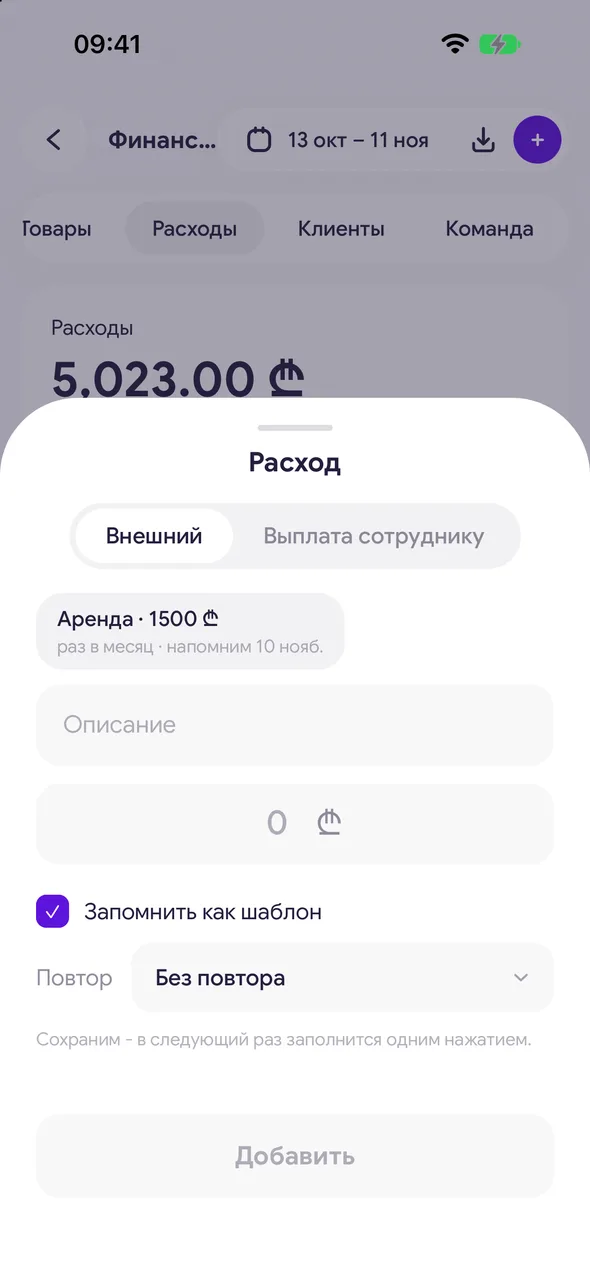
"+" - «Expense» (or «Income»), fill in the amount and description and turn on «Remember as a template».
- 02
Choose a repeat
In the «Repeat» line: «No repeat», «Every day», «Every week», «Every month», «Twice a year» or «Once a year». Without a repeat: We will keep it - next time one tap fills it in.
- 03
Automatic or with a reminder
Turn on «Auto-record» and the entry will be recorded automatically on schedule. Without it - We will remind you when it is due.
- 04
Confirm when it's due
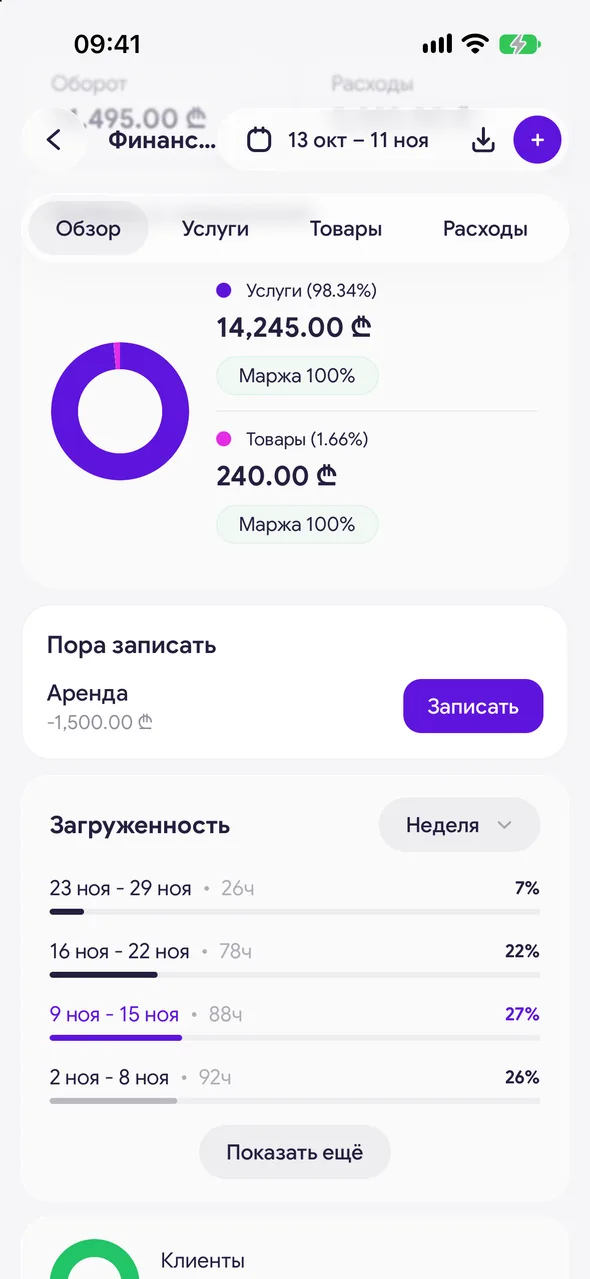
A «Time to record» block will appear on the «Overview» tab. Tap «Record» to add the amount as is, or tap the line to adjust the amount first.
Good to know
Saved templates appear at the top of the new expense or income window: tap one and the fields are filled in. Long-press a template for «Edit».
An entry recorded by a template is no different from one entered by hand - you can edit and delete it the same way.
Questions and answers
FAQ
Can rent be recorded automatically every month?
Yes: when adding the expense, turn on «Remember as a template», the «Every month» repeat and «Auto-record».
See also
Free for a solo master
Try Easy Beezy
Calendar, clients, services and an online booking page - with no time limit. For a salon with a team - 14 days of full access.


