 Easy BeezyApp StoreGoogle PlayRuStoreInstall
Finance and analytics
How to manage your monthly budget
The budget is your monthly expense plan: what is planned, what has already been paid and what the difference is.
Step by step
- 01
Open the budget
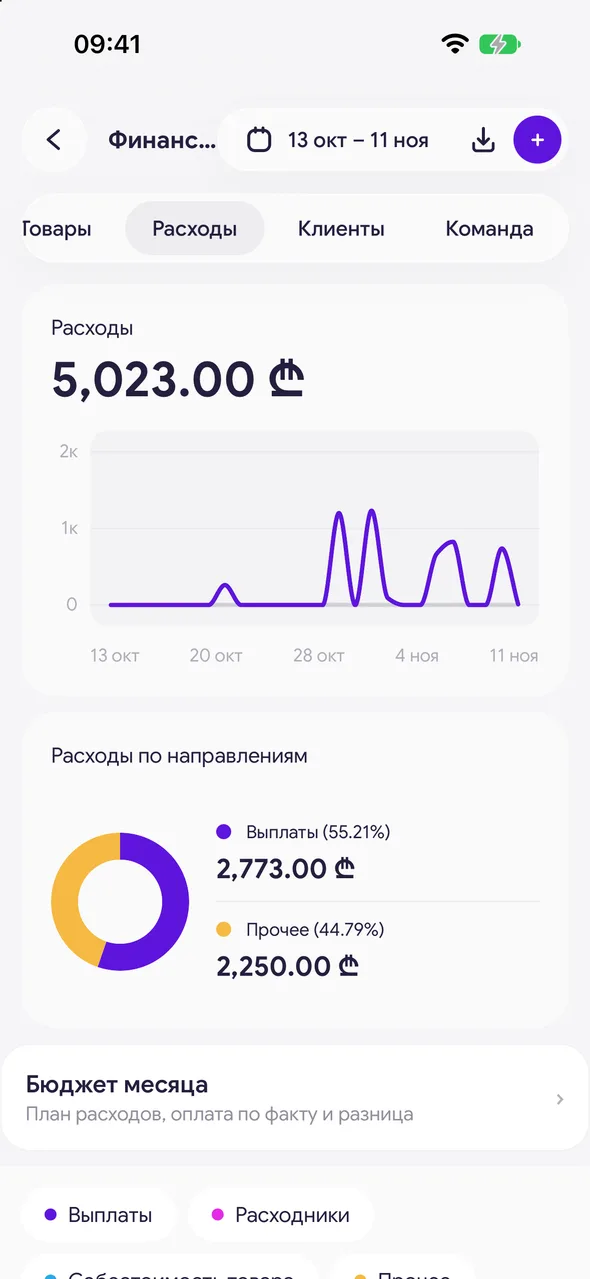
«Finance & analytics» - the «Expenses» tab - «Monthly budget».
- 02
Add an expense to the plan
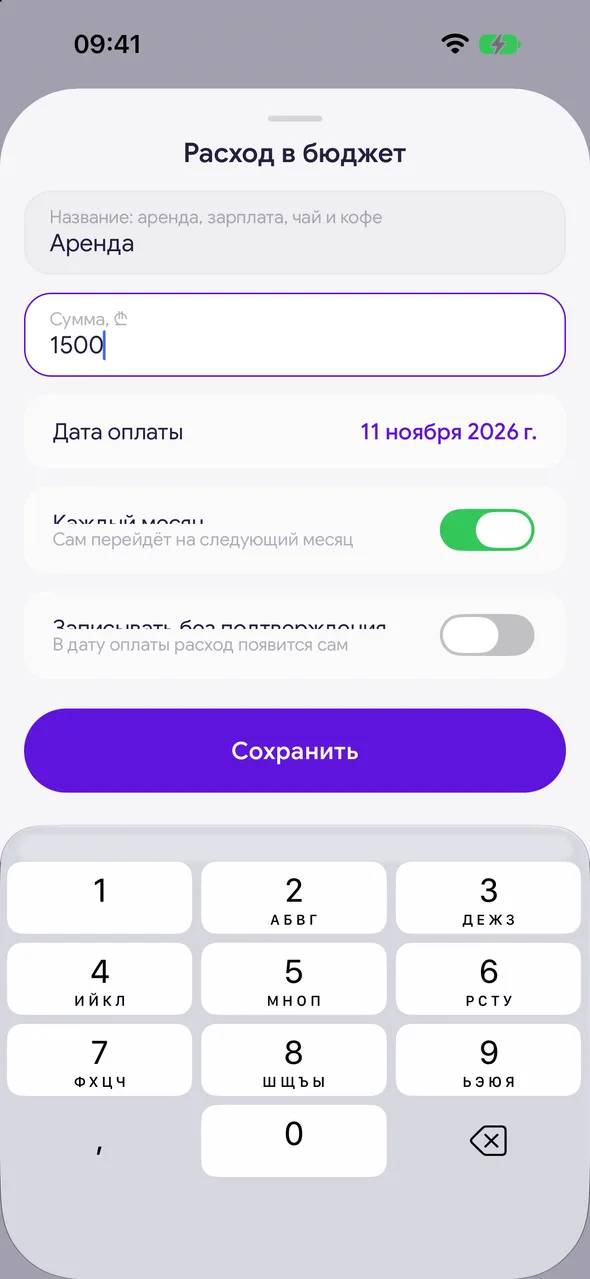
Tap "+". Enter the name, amount and «Payment date». «Every month» - Carries over to next month by itself. «Record without confirmation» - The expense appears by itself on the payment date.
- 03
Mark payments
Each line has a status: «Planned», «Paid», «Overdue» or «Records itself». When you've paid, tap «Confirm payment» - you can adjust the amount, and the expense will appear in finance.

Good to know
At the top of the month - «Planned», «Paid» and «Difference».
Budget lines are the same expense templates: a regular «monthly» template appears in the next month automatically.
«Remove from budget» removes a line from the plan; anything already paid stays in finance.
Questions and answers
FAQ
How do I plan rent and salaries a month ahead?
«Finance & analytics» - «Expenses» - «Monthly budget» - "+". Tick «Every month» and the lines will carry over to the next month automatically.
See also
Free for a solo master
Try Easy Beezy
Calendar, clients, services and an online booking page - with no time limit. For a salon with a team - 14 days of full access.


