 Easy BeezyApp StoreGoogle PlayRuStoreInstall
Clients
How to find a client in the list
All of the salon's clients are gathered in one list: search by name, sorting and a short summary for each person.
Step by step
- 01
Open clients
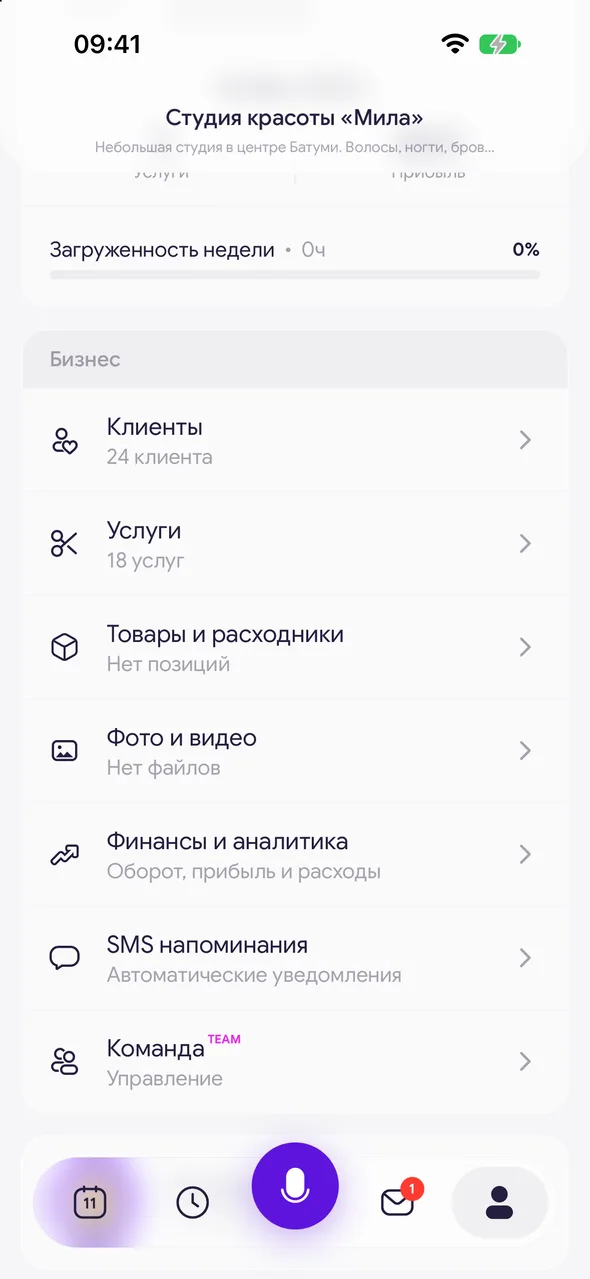
At the bottom of the screen tap «Profile», in the «Business» block select «Clients». The list loads automatically as you scroll.
- 02
Find the person
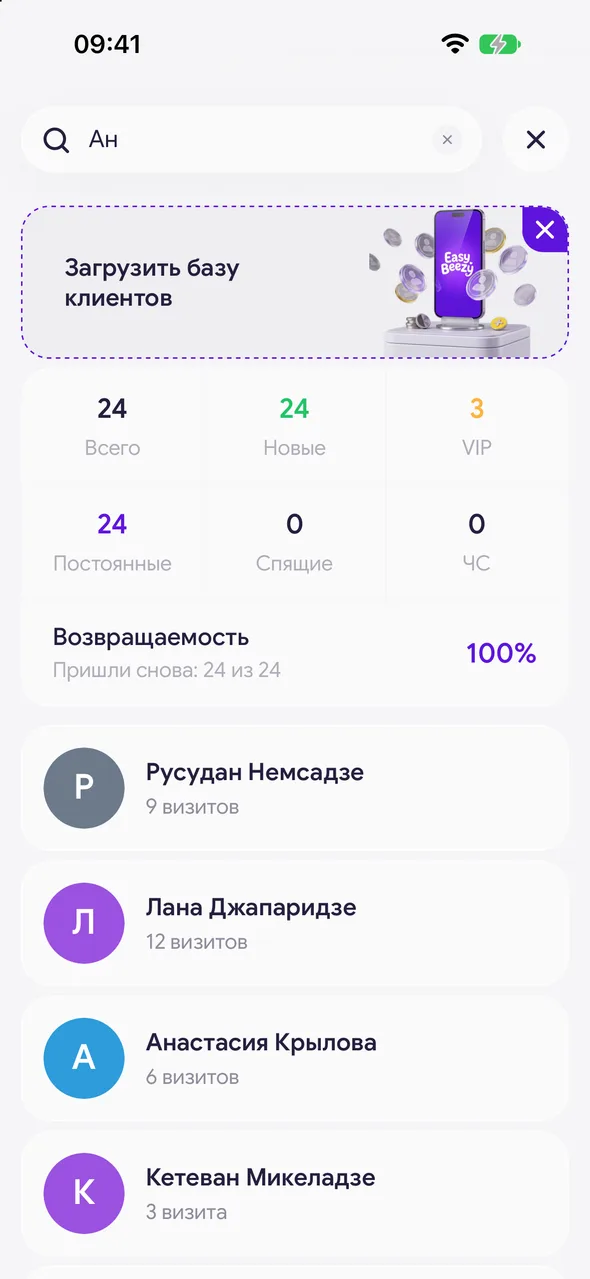
Tap the magnifier in the header and start typing a name or phone number. Search always runs across the whole database, not just the selected shelf. The cross in the field clears the query, the round button on the right closes search.
- 03
Change the order
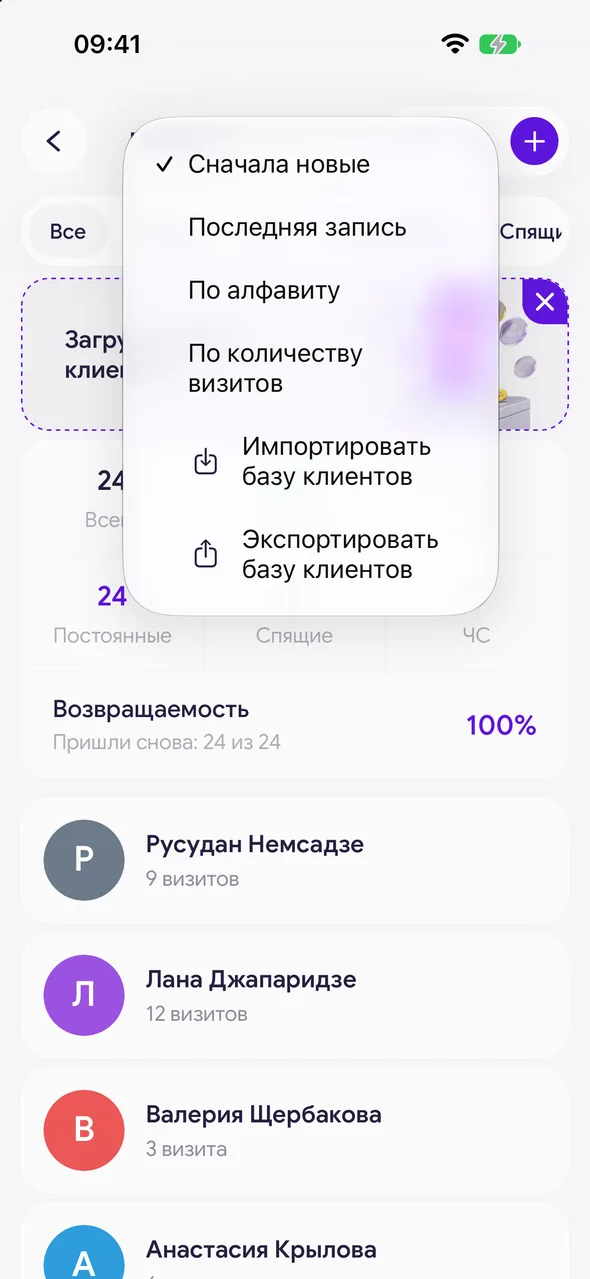
The menu button next to the magnifier opens sorting: «Newest first», «Last booking», «Alphabetical» or «Visit count».
- 04
Open the card
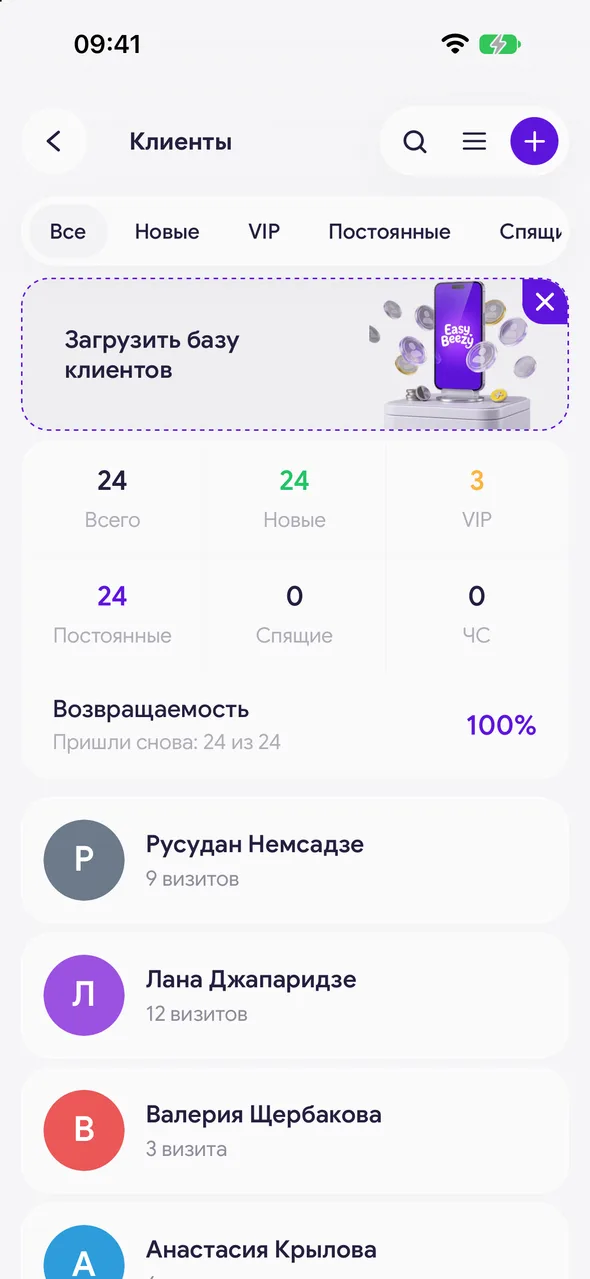
Tap the client's row. Under the name you see the number of visits, regular guests with tips have a «Leaves tips» label, and VIP-marked clients have a badge on their photo.
Good to know
The list always contains a client called «Unknown» - visits recorded without a client go there.
Without internet the list opens from the last saved copy.
A master in a salon with a team does not see shelves or database summaries - only the list itself.
Questions and answers
FAQ
Why doesn't search find a client even though they exist?
Check that you are searching by the name or phone number exactly as they are recorded in the card. If the client was deleted or merged with another card, they are found under the name of the card that remains.
See also
Free for a solo master
Try Easy Beezy
Calendar, clients, services and an online booking page - with no time limit. For a salon with a team - 14 days of full access.


