 Easy BeezyApp StoreGoogle PlayRuStoreInstall
Clients
How to add a new client
A client is created manually in half a minute: name, phone, social networks, note. You can then book a visit for them right away.
Step by step
- 01
Tap the plus
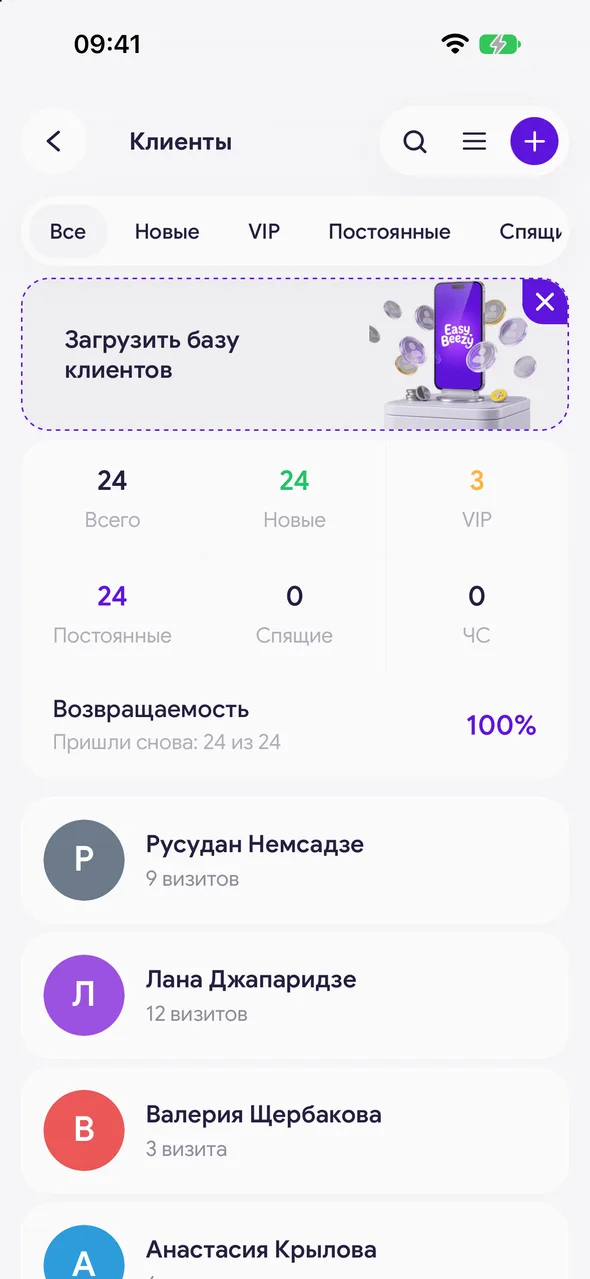
In the «Clients» section tap the purple plus in the header. The «New client» window opens.
- 02
Fill in the details
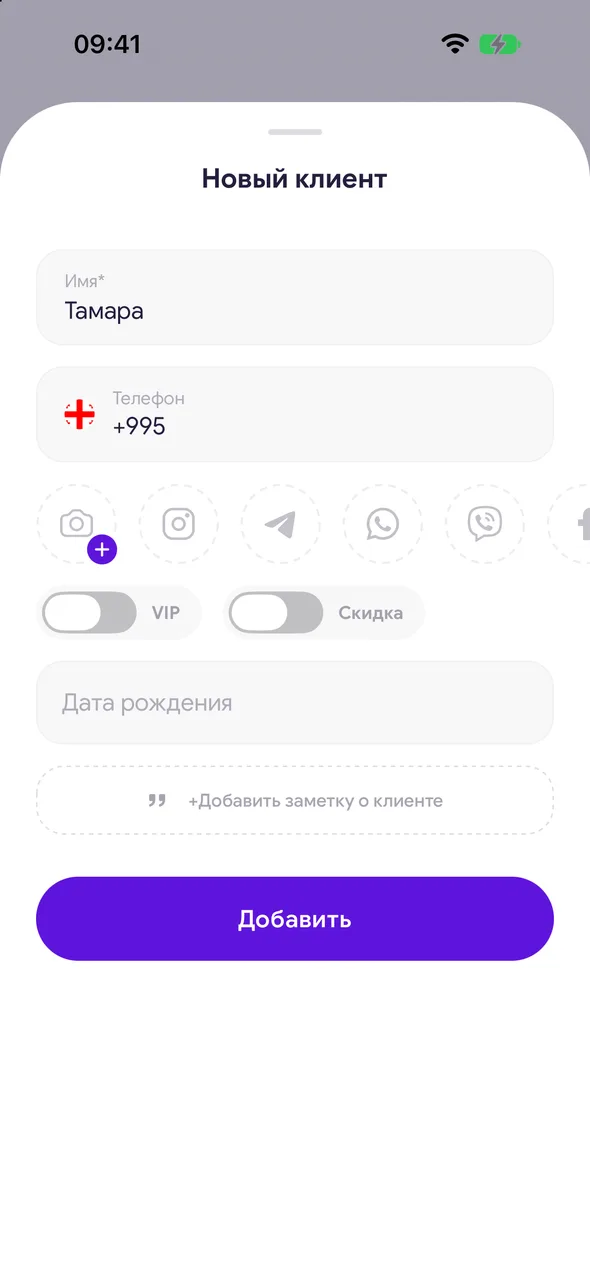
Only «Name*» is required. Add a phone number, tap the circle of the needed social network and paste the link or handle. You can also add a client photo next to it.
- 03
Marks and note
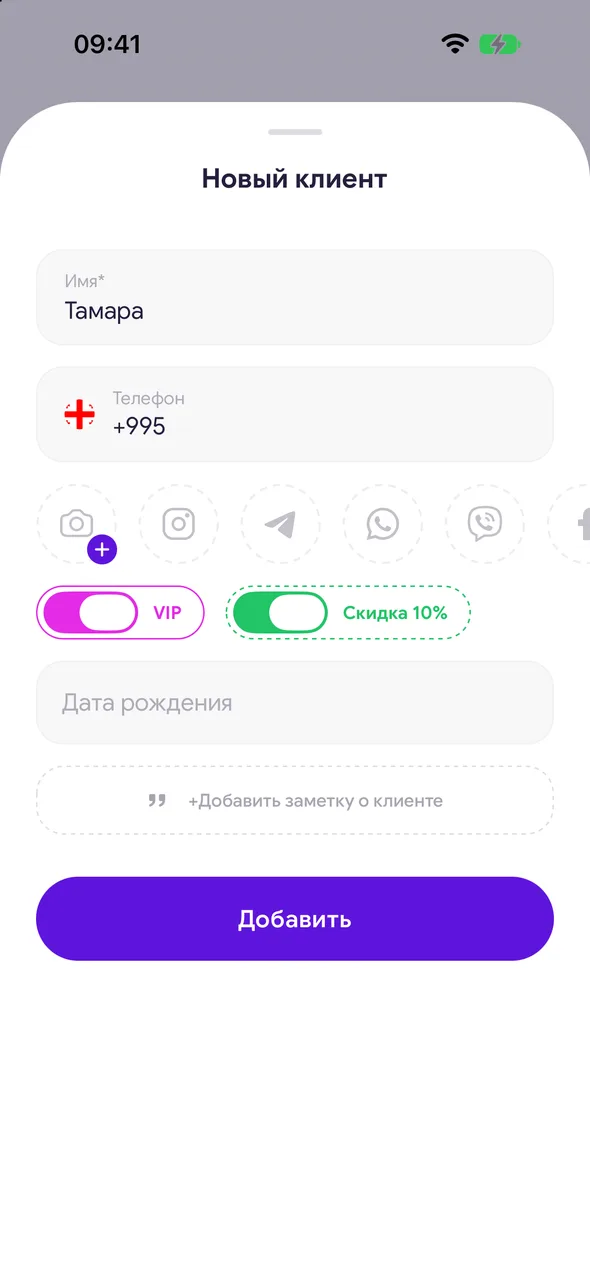
Turn on VIP or «Discount» with a percentage if the client is entitled to a discount. In the «Client note» field write down what is important to remember: allergies, preferences.
- 04
Save
Tap «Add». The client appears in the list and in the client picker when booking.
Good to know
If the phone number or social network matches a client already in the database, the app will not create a duplicate: the «Client already exists» window opens where you choose which name to keep.
You can also create a client right while making a booking - they will go into this same list.
Without internet the client is saved on the phone and goes to the server once the connection returns.
Questions and answers
FAQ
Can I add several social networks to one client?
Yes. Tap the circles of different networks one by one and add a link to each - the card will show a button for each network.
See also
Free for a solo master
Try Easy Beezy
Calendar, clients, services and an online booking page - with no time limit. For a salon with a team - 14 days of full access.


