 Easy BeezyApp StoreGoogle PlayRuStoreInstall
Clients
How to delete a client
An extra or erroneous card is deleted from the client card menu.
Step by step
- 01
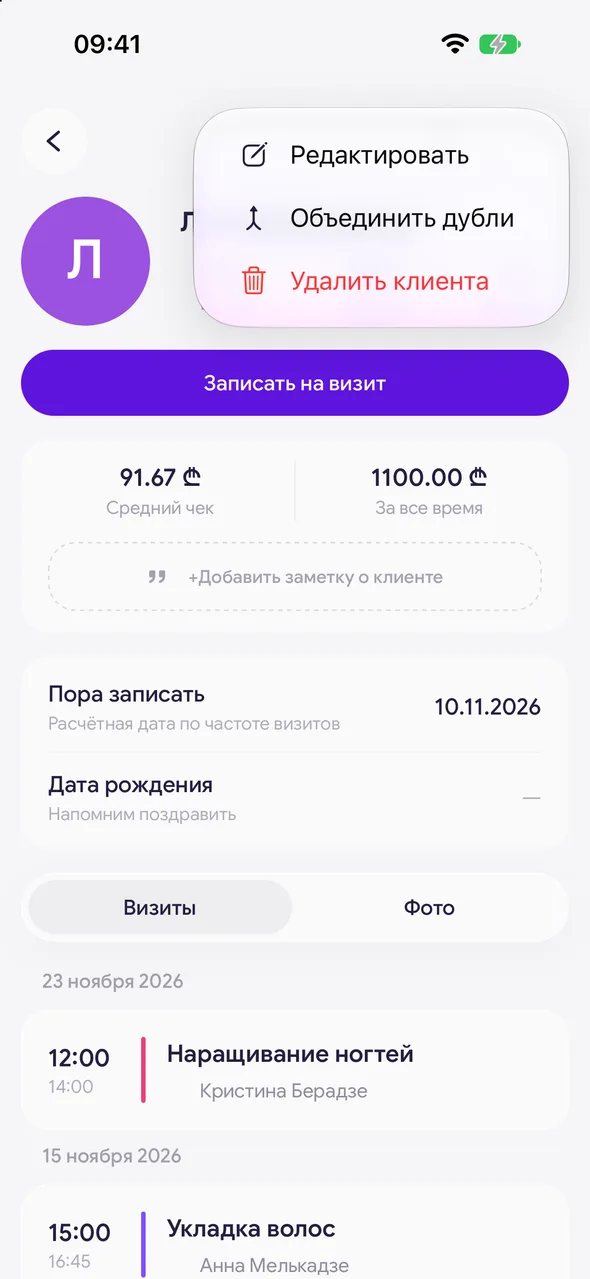
Open the card menu
In the client card, tap the three dots in the upper right corner and select «Delete client».
- 02
Confirm
When asked «Delete client?», confirm deletion. You will return to the list.
Good to know
!
If this is a duplicate of another client, it is better to merge the cards - then the visit history will not be lost.
!
Masters cannot delete clients.
Questions and answers
FAQ
What happens to the appointments of a deleted client?
Appointments are not lost: they remain in the calendar and are reassigned to the client «Unknown».
See also
Free for a solo master
Try Easy Beezy
Calendar, clients, services and an online booking page - with no time limit. For a salon with a team - 14 days of full access.


