 Easy BeezyApp StoreGoogle PlayRuStoreInstall
Clients
How to merge duplicate clients
If the same person appears in the database twice, the cards can be merged into one: visits, photos, money, and messages will be combined.
Step by step
- 01
Open the card you want to keep
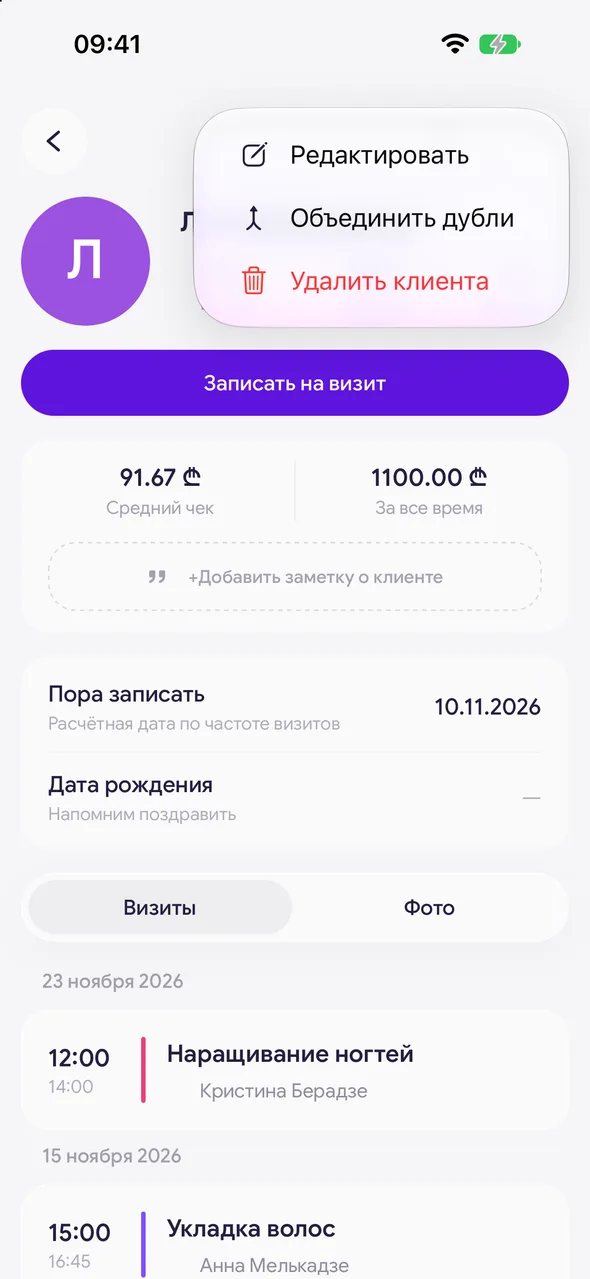
Find the client and open their card. Tap the three dots and select «Merge duplicates».
- 02
Select the duplicate
In the «Merge with» sheet, find the second card of the same person.
- 03
Choose the name and merge
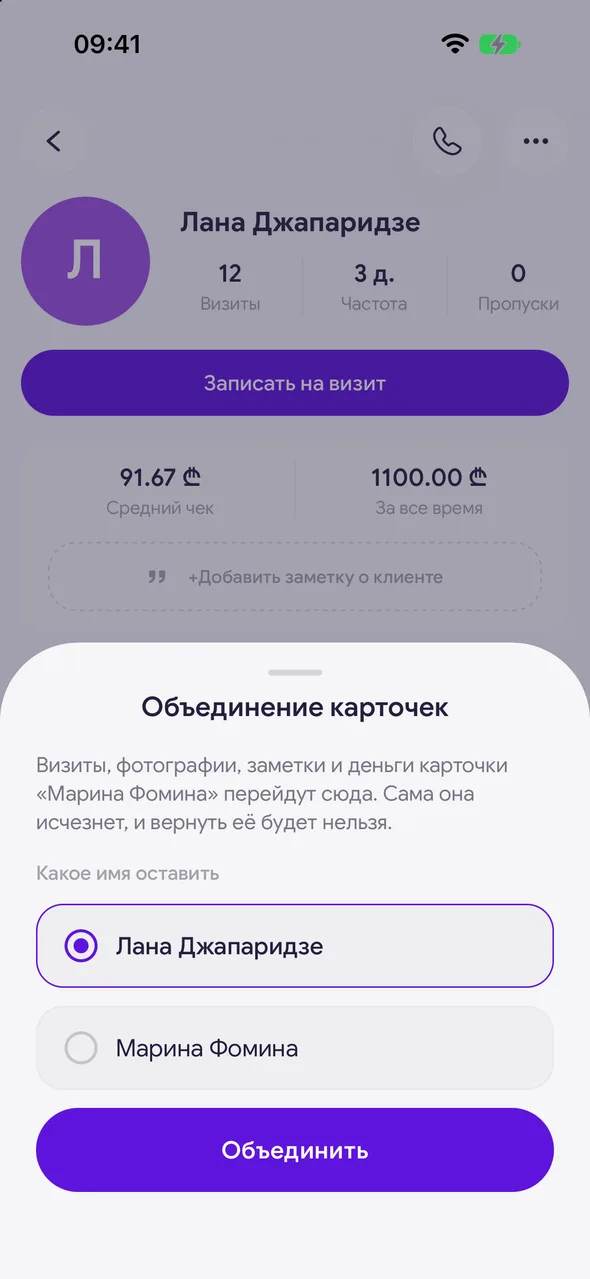
In the «Merge client cards» window, select «Which name to keep» and tap «Merge».
Good to know
Merging is irreversible: the second card will disappear and cannot be restored.
Visits, expenses, photos, online booking requests, and messages will be moved to the remaining card. Identical photos are combined.
Questions and answers
FAQ
Why doesn't the master see the «Merge duplicates» option?
Merging cannot be undone, so it is only available to the owner, administrator, and manager.
Free for a solo master
Try Easy Beezy
Calendar, clients, services and an online booking page - with no time limit. For a salon with a team - 14 days of full access.


