 Easy BeezyApp StoreGoogle PlayRuStoreInstall
Clients
How to cancel the last client import
Uploaded the wrong file or wrong columns? The last file upload can be removed with one action.
Step by step
- 01
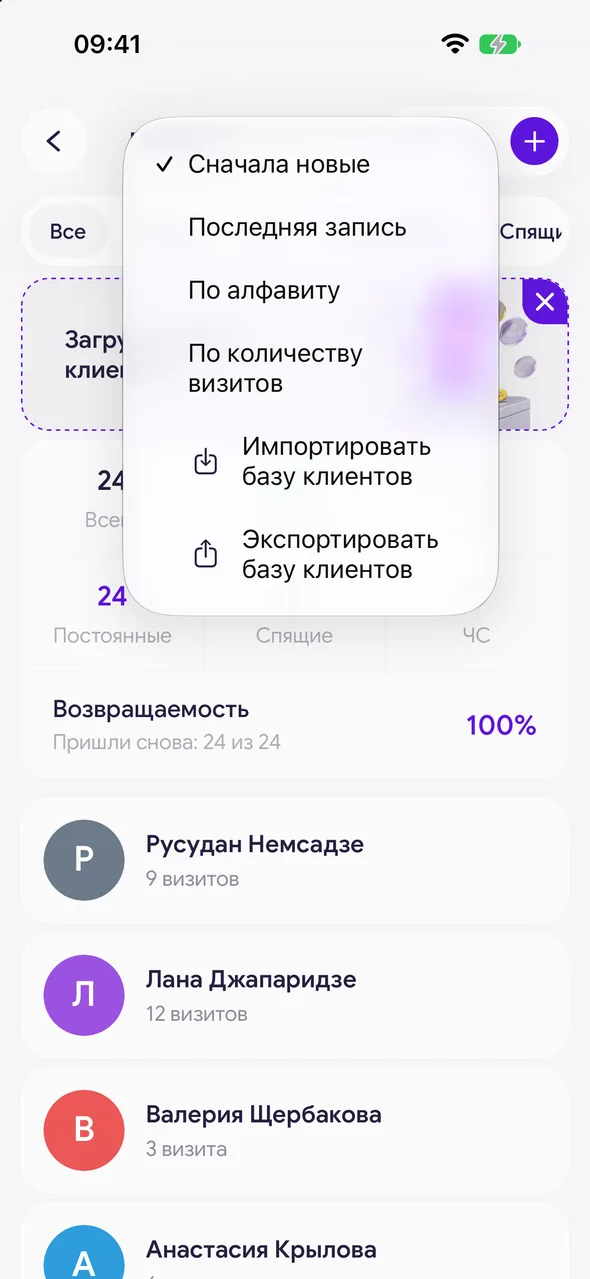
Open the menu
In the «Clients» section, tap the menu button in the header and select «Undo last import».
- 02
Confirm
The app will show how many clients will be deleted and warn: «Clients with bookings, payments or messages, and those you edited, will stay.» Confirm the deletion.
Good to know
The item is visible for 30 days after upload and only for file uploads.
Only the last upload is canceled. After canceling, upload the corrected file again.
Questions and answers
FAQ
Why did some clients remain after canceling?
Those who have already been worked with remain: those with appointments, payments, correspondence, or those edited manually. They can be deleted one by one.
Free for a solo master
Try Easy Beezy
Calendar, clients, services and an online booking page - with no time limit. For a salon with a team - 14 days of full access.


