 Easy BeezyApp StoreGoogle PlayRuStoreInstall
Cash desk and visits
How to correct a completed visit
Got the price or payment wrong, or forgot a sale? You can reopen a closed visit and fix it. Finances and inventory will be recalculated.
Step by step
- 01
Find the visit
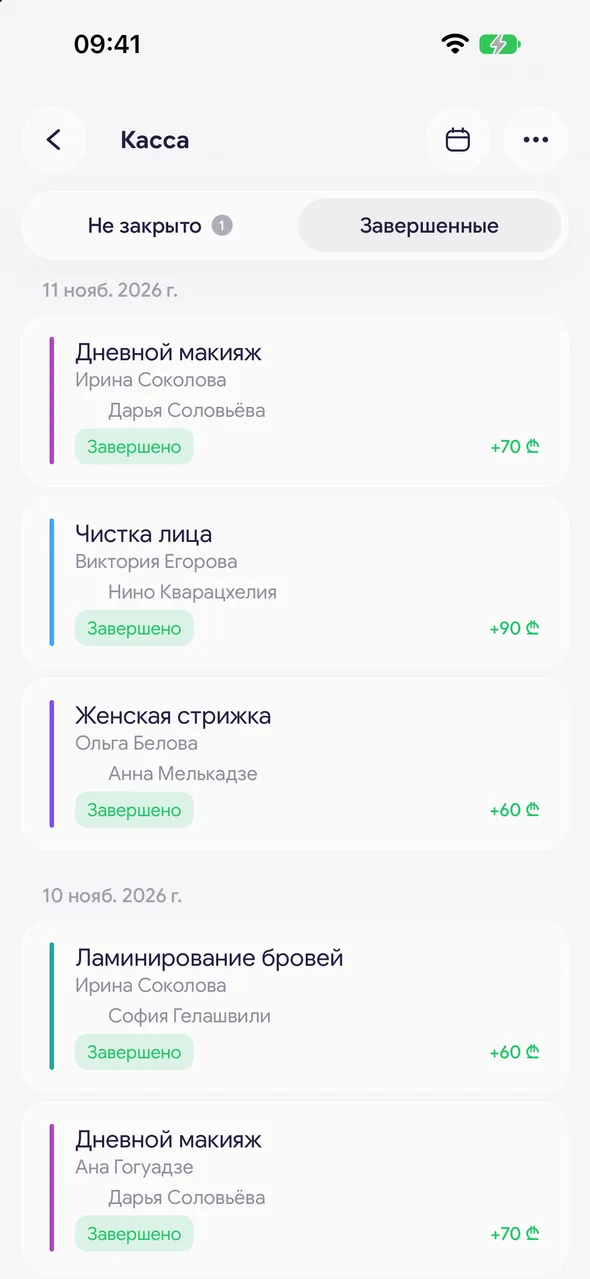
«Cash register» - the «Closed» tab. To quickly find a day, tap the calendar icon in the header. You can also open a visit from the feed in the «Finance & analytics» section.
- 02
Make your changes
Adjust services, prices, sales, consumables, tips or the payment method the same way as when closing.
- 03
Save
Tap «Save». If you added or removed a product, the stock balance will change by the difference.
Good to know
The owner and manager can change the time and date of a completed visit via «Edit» in the appointment card menu in the calendar.
Questions and answers
FAQ
Can I change the payment method of an already closed visit?
Yes: open the visit on the «Closed» tab, choose another method in «Payment» and tap «Save».
See also
Free for a solo master
Try Easy Beezy
Calendar, clients, services and an online booking page - with no time limit. For a salon with a team - 14 days of full access.


