 Easy BeezyApp StoreGoogle PlayRuStoreInstall
Cash desk and visits
How to work with the cash desk
The cash desk is a list of visits that need to be closed, checked, or are already closed. Only closed visits go into finances, analytics, and client history.
Step by step
- 01
Open the cash desk
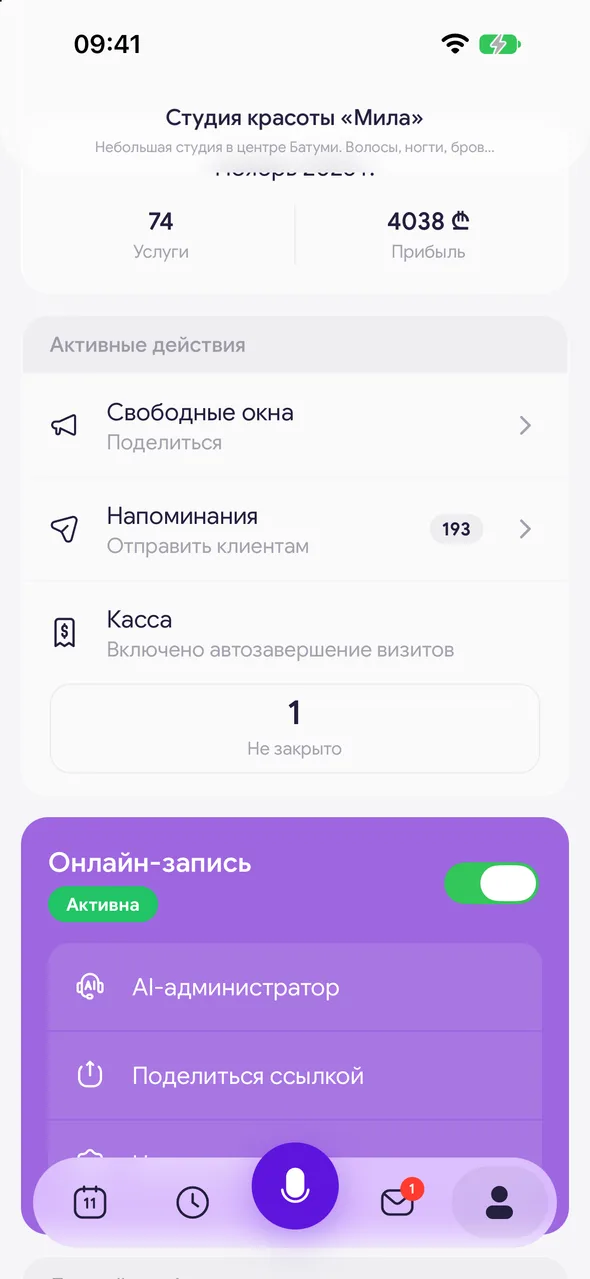
At the bottom of the screen, tap «Profile» and select the row «Cash register». The row itself shows how many visits are «Open» and how many are «To confirm» - tapping the number immediately opens the desired tab.
- 02
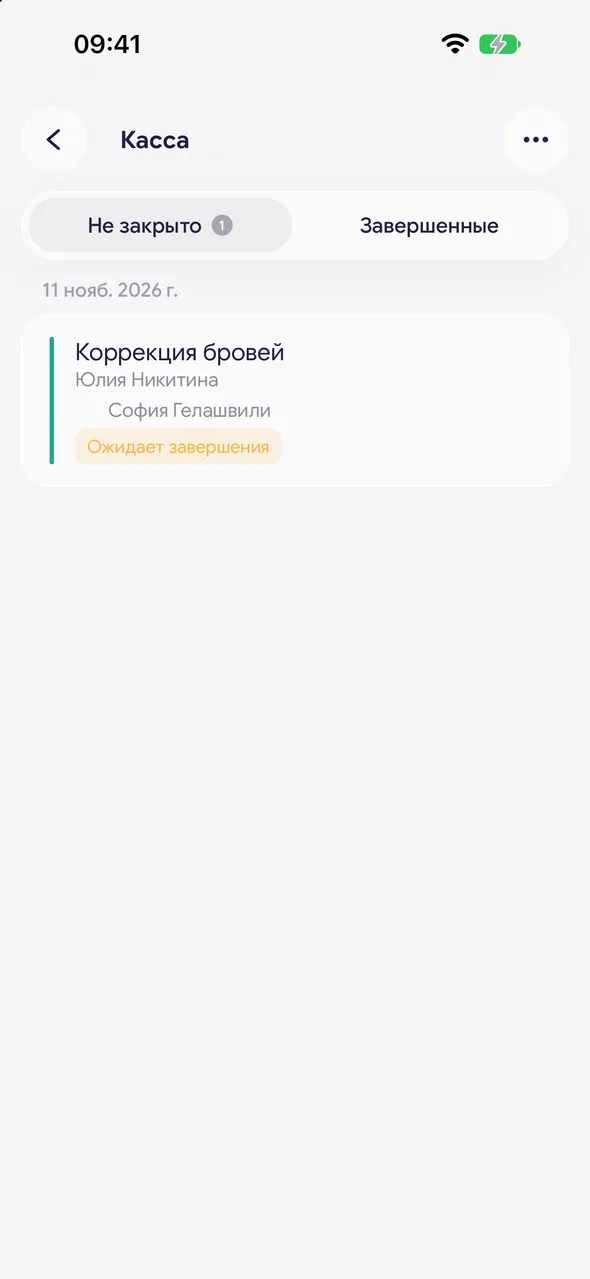
«Not closed»
Past visits that no one has closed yet. A red counter means visits assigned to you, a gray one means visits assigned to other masters. Tap the card to complete the visit.
- 03
«Confirmation»
Visits closed by masters that are awaiting your review. This tab is available to the owner and manager on the TEAM plan when masters work in the salon.
- 04
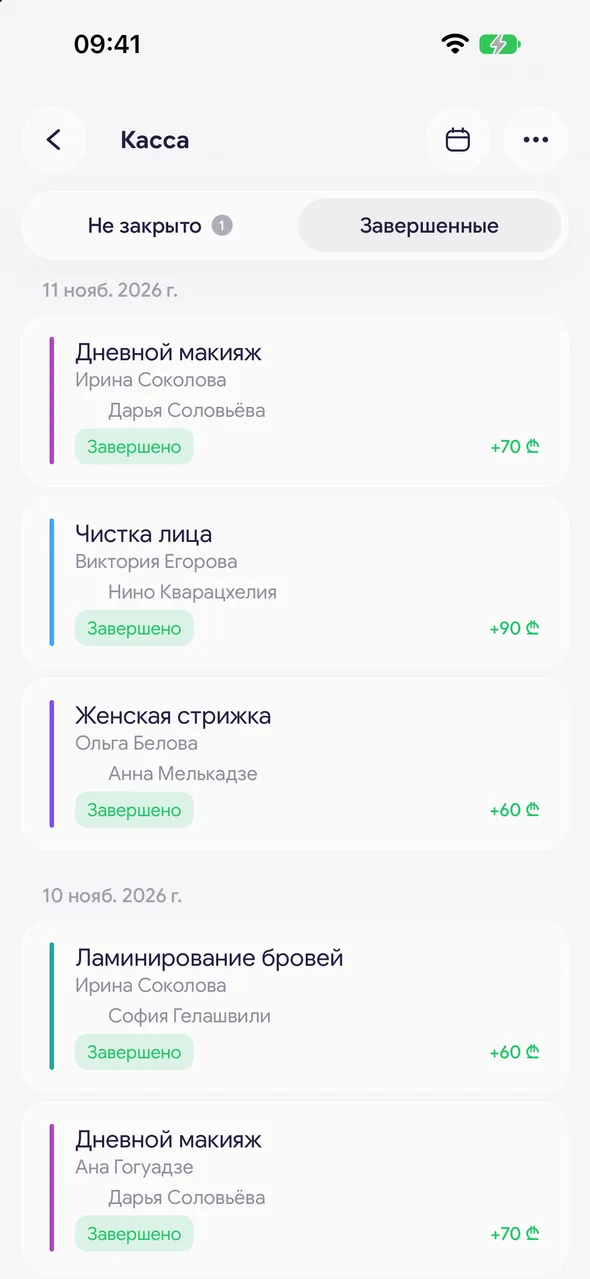
«Closed»
All closed and canceled visits by date, newest first. Each has a status and visit total. To go to a specific day, tap the calendar icon in the header and select a date.
Good to know
Tabs can also be switched by swiping left or right.
A future appointment cannot be completed - it can only be canceled or deleted.
The gear icon in the «Money» header opens money settings: «Calculation formulas» and «Card payment fee» (bank commission for card payments). In the cash desk's «⋯» menu, there is «Auto-close visits» (visible to the owner and manager).
For salons, there is an additional feature - cash shifts with cash and terminal reconciliation and a «Money» section - available upon request to support.
Questions and answers
FAQ
Why didn't the visit appear in finances?
Only completed visits go into finances and analytics. Check the «Not closed» tab in the cash desk: if the visit is there, it needs to be completed. If a master closed it, it is awaiting confirmation on the «Confirmation» tab.
Is the cash desk available without a subscription?
No, the cash desk works on the PRO and TEAM plans. Without a plan, a visit can only be canceled.
See also
Free for a solo master
Try Easy Beezy
Calendar, clients, services and an online booking page - with no time limit. For a salon with a team - 14 days of full access.


