 Easy BeezyApp StoreGoogle PlayRuStoreInstall
Calendar
Where to find notifications in the calendar
The bell in the calendar collects app notifications and announcements for the salon team.
Step by step
- 01
Open the bell
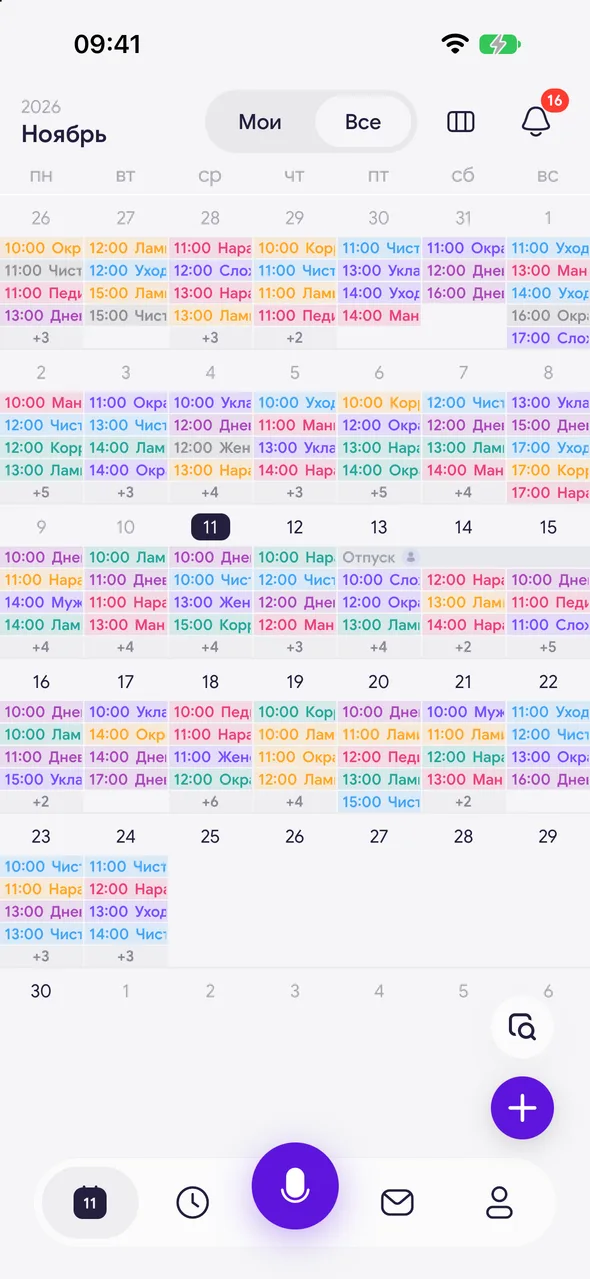
In month or week view, tap the bell in the top right corner. The number on it shows how many are unread. The «Notifications» screen will open.
- 02
Mark as read
Tap the checkmark at the top of the screen to mark all notifications as read and clear the counter.
Good to know
!
There is no bell in day view - go back to month or week view.
!
New online booking requests are collected separately - in the «Requests & messages» section.
See also
How to view the month calendarThe month is the app's main screen: each date shows appointments, days off and vacations. From here you can open any day and create an appointment.How to confirm or decline an online booking requestWhen a client books themselves through the booking page, a request comes in. Once confirmed, it becomes an appointment in the calendar.
Free for a solo master
Try Easy Beezy
Calendar, clients, services and an online booking page - with no time limit. For a salon with a team - 14 days of full access.


