 Easy BeezyApp StoreGoogle PlayRuStoreInstall
Bookings
How to add a personal event, a day off or vacation
A personal event blocks time in your calendar: lunch, study, a doctor's appointment. This is also where you set a day off for several days and vacation.
Step by step
- 01
Open "Personal"
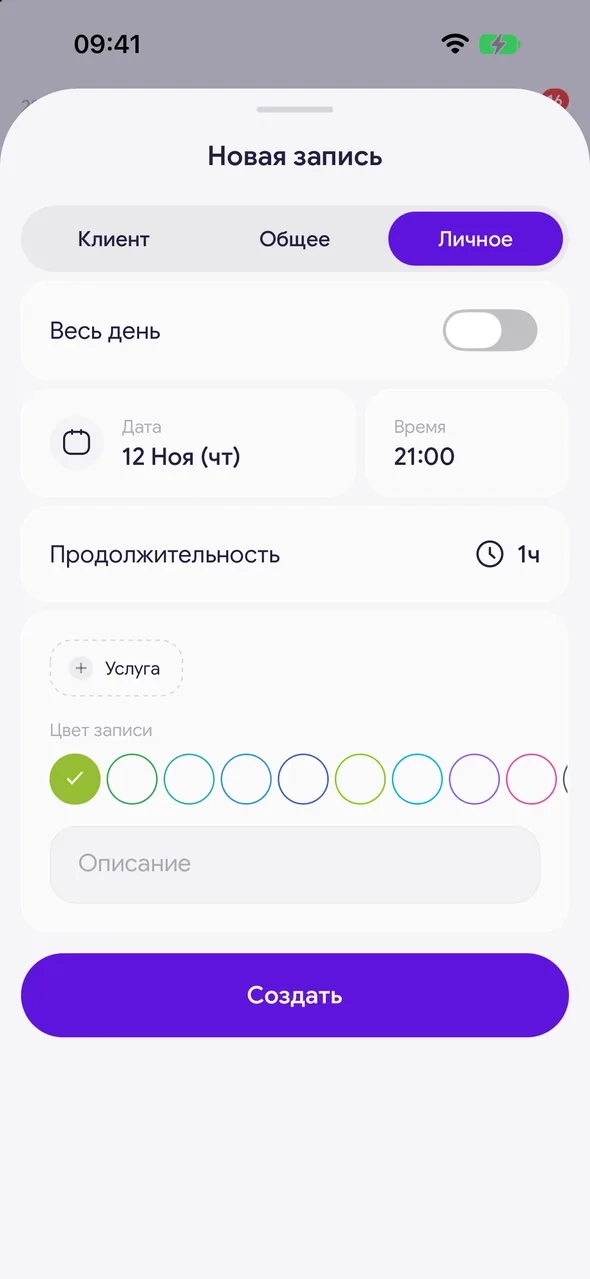
Tap "+" and at the top of the window choose «Personal».
- 02
A timed event
Enter «Description» or tap a ready-made suggestion («Lunch», «Study» and others). Set the date, start time and duration and tap «Create».
- 03
Day off
Turn on «All day» and select one or more days in the calendar.
- 04
Vacation
Turn on «All day», then «Set a period» and choose the first and last day.
Good to know
Colleagues at the salon only see that the time is busy: instead of the description they see "Personal", "Day off" or "Vacation".
You cannot set a day off or vacation on a day that already has a client booking - cancel it first. A long press on a date sets a day off even on a day with bookings, with a warning.
See also
Free for a solo master
Try Easy Beezy
Calendar, clients, services and an online booking page - with no time limit. For a salon with a team - 14 days of full access.


