 Easy BeezyApp StoreGoogle PlayRuStoreInstall
Settings and account
How to set up booking notifications
Push notifications let you know about new bookings and remind you of upcoming events. This is also where you choose how far in advance of a booking to be reminded.
Step by step
- 01
Open the settings
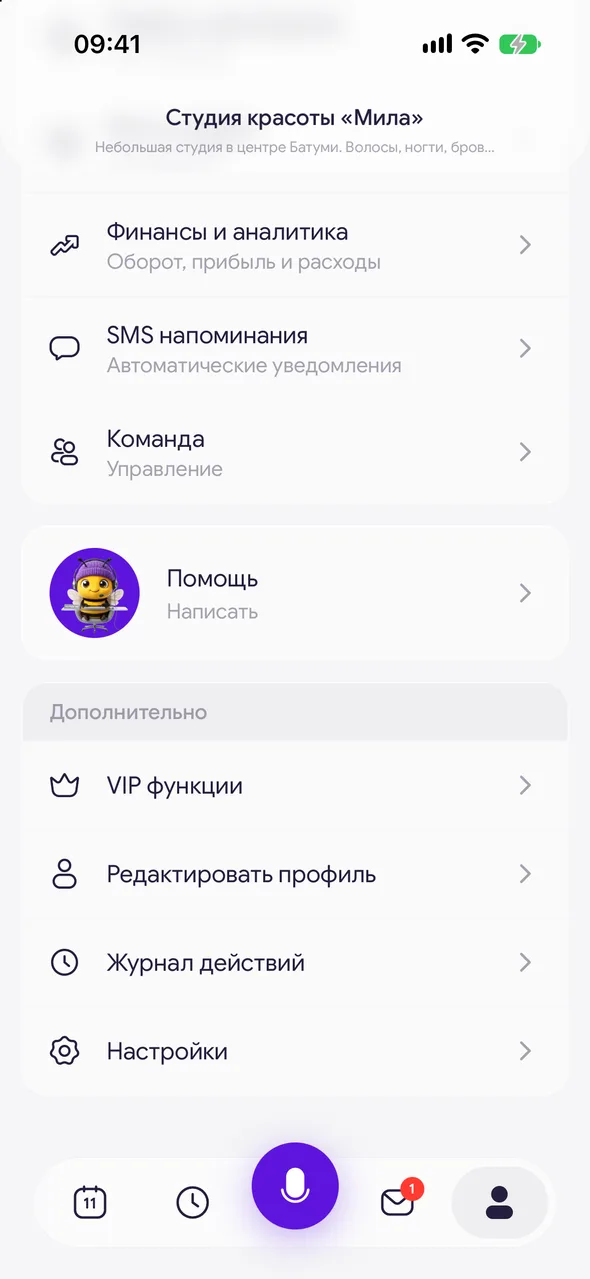
At the bottom of the screen, tap «Profile», scroll to the «More» block and tap «Settings».
- 02
Turn on notifications
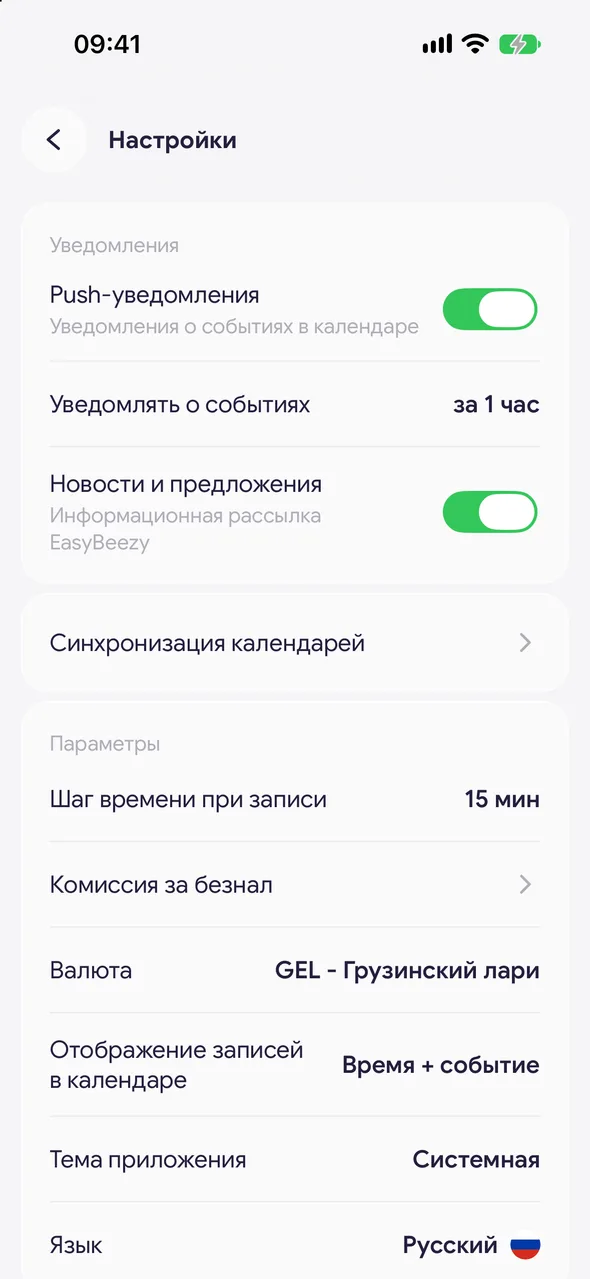
In the «Notifications» group, turn on the «Push notifications» toggle. Your phone will ask for permission - tap «Allow».
- 03
Choose when to be reminded
Tap «Notify before events» and choose: 15 minutes before, 30 minutes before, 1 hour before, 2 hours before or 3 hours before before the booking starts.
Good to know
The «Notify before events» row is only visible when notifications are on.
The «News and offers» toggle only controls news and offers from Easy Beezy. Booking notifications do not depend on it.
If notifications are blocked in your phone settings, the app cannot turn them on by itself - a hint and a «Open settings» button will appear under the toggle.
Reminders to clients about a visit are set up separately, in the reminders and client messages section.
Questions and answers
FAQ
I am not getting notifications about new bookings. What should I check?
Open «Settings» and check that «Push notifications» is on. If there is a hint under the toggle saying notifications are blocked, tap «Open settings» and allow notifications for Easy Beezy in your phone settings.
Free for a solo master
Try Easy Beezy
Calendar, clients, services and an online booking page - with no time limit. For a salon with a team - 14 days of full access.


