 Easy BeezyApp StoreGoogle PlayRuStoreInstall
Settings and account
How to view the activity log
The log is a feed of all changes in the calendar: who created, rescheduled or deleted an appointment, edited a client or closed a visit, and when.
Step by step
- 01
Open the log
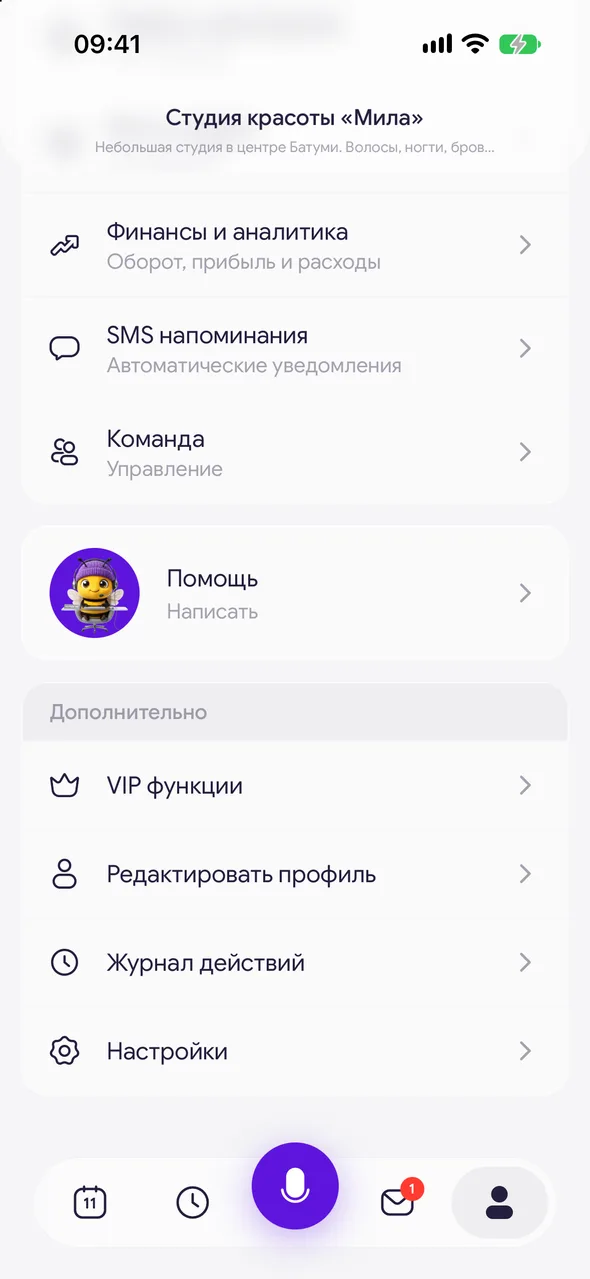
«Profile» - the «More» block - «Activity log». Actions are grouped by day, newest first.
- 02
Find what you need
Enter a client name, service or employee name in the «Search the journal» field. To view a single day, tap the clock icon at the top right and choose a date. To clear the filter, tap «clear».
- 03
Open an entry
Tap a row: an appointment opens as its card, a client opens as their card. Deleted appointments do not open.
Good to know
Other people's personal events, days off and employee vacations are not shown in the log.
You can see exactly what changed: the old and new value with an arrow, for example the time or the master.
Questions and answers
FAQ
How can I find out who deleted an appointment?
Open «Activity log» and find the appointment by client name. The row shows who deleted it and when.
Free for a solo master
Try Easy Beezy
Calendar, clients, services and an online booking page - with no time limit. For a salon with a team - 14 days of full access.


