 Easy BeezyApp StoreGoogle PlayRuStoreInstall
Finance and analytics
How to export a report to Excel
The report for the selected period is exported as a single file: summary, transactions, services, products, clients, and employees.
Step by step
- 01
Select the period
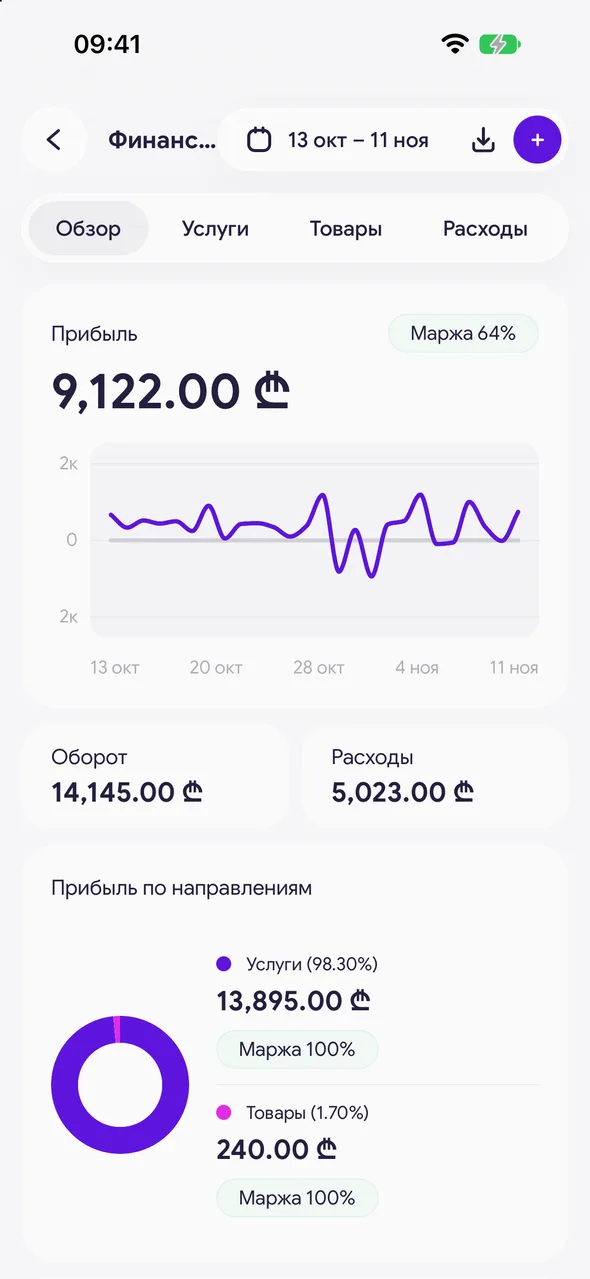
In the «Finance & analytics» section, tap the period in the header and select the desired one.
- 02
Tap «Export report»
The download icon next to the period. Choose the format: Excel (.xlsx) or CSV (.csv).
- 03
Save or send
The system «Share» window will open: save the file to «Files», send it to the accountant via messenger or email.
Good to know
There is one report for the entire section - all sheets in one workbook, regardless of the open tab.
Questions and answers
FAQ
Can I export finances for the accountant?
Yes: «Finance & analytics» - select the period - the «Export report» icon - Excel or CSV.
Free for a solo master
Try Easy Beezy
Calendar, clients, services and an online booking page - with no time limit. For a salon with a team - 14 days of full access.


