 Easy BeezyApp StoreGoogle PlayRuStoreInstall
Clients
How to add clients from phone contacts
If clients are saved in your phone book, you can transfer them to the app by checking the ones you need.
Step by step
- 01
Choose the source
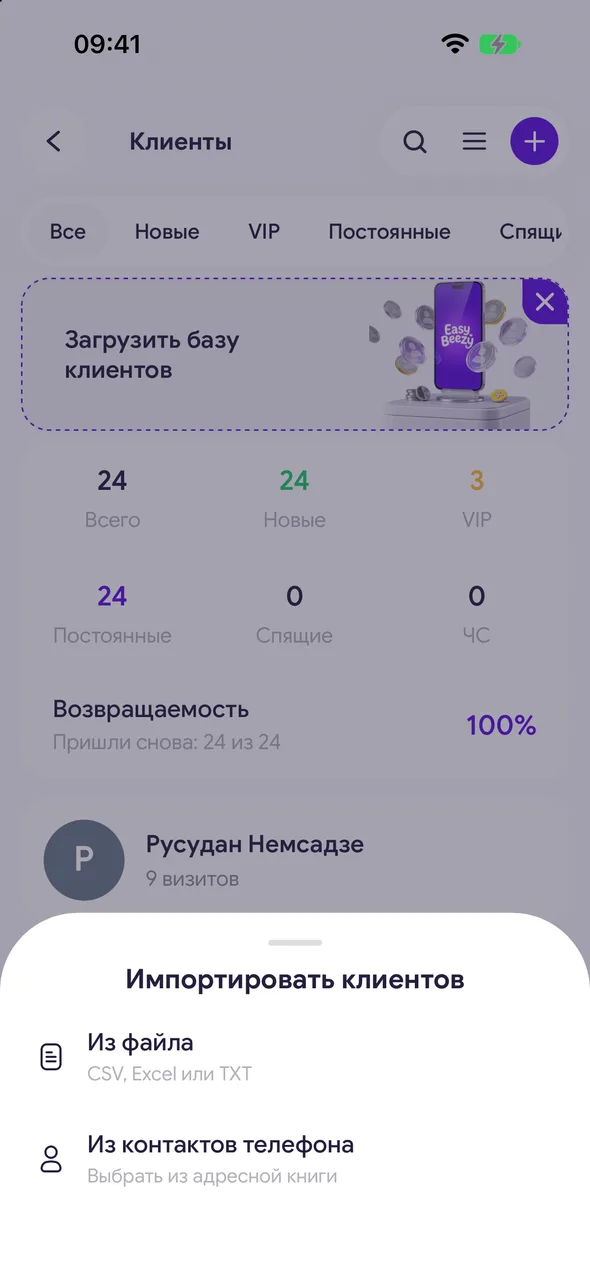
In the «Clients» section, open the menu in the header - «Import client base» - «From phone contacts». Allow the app access to contacts.
- 02
Select the ones you need
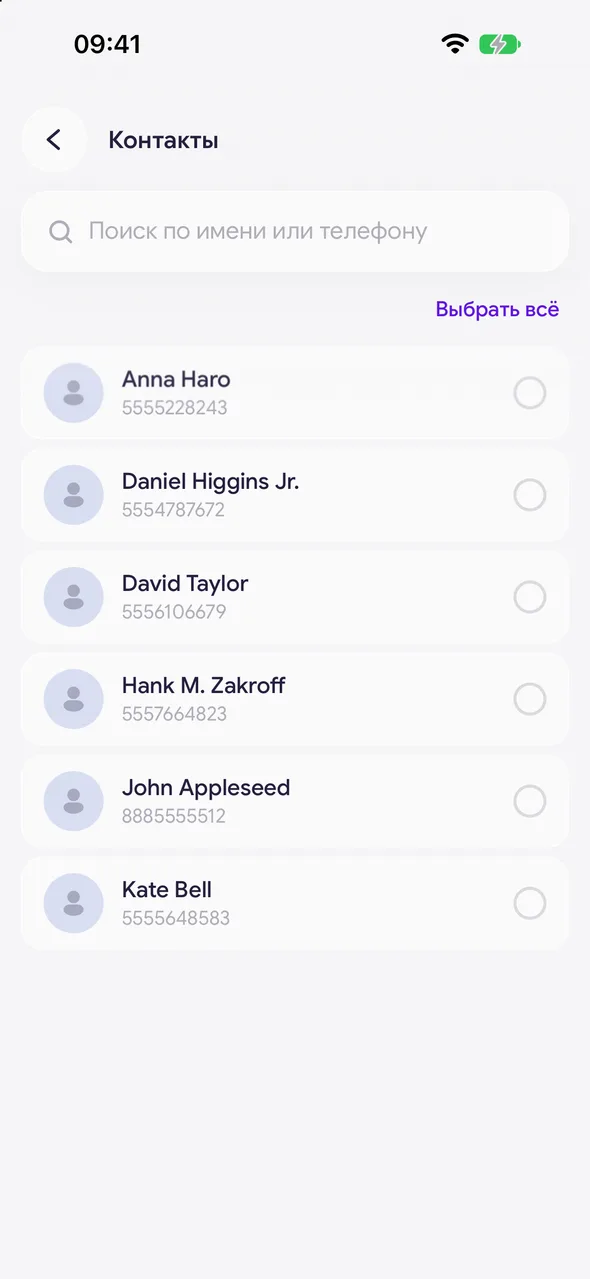
The «Contacts» list will open - only contacts with a phone number. Search by name or number, check the boxes, the «Select all» button selects all.
- 03
Add
Tap the «Add» button at the bottom - the number of selected is shown in parentheses. The clients will appear in the list.
Good to know
If access to contacts is denied, open your phone settings and allow it for the Easy Beezy app.
You cannot cancel a contact upload all at once - extra clients are deleted one by one.
Questions and answers
FAQ
Will duplicates appear if the client is already in the base?
A client with the same phone number is not created a second time.
Free for a solo master
Try Easy Beezy
Calendar, clients, services and an online booking page - with no time limit. For a salon with a team - 14 days of full access.


