 Easy BeezyApp StoreGoogle PlayRuStoreInstall
Cash desk and visits
How to cancel a visit and specify the reason
A cancelled visit stays in the history with a reason: the client did not show up, reschedule, cancellation by the client or by the master. Unlike deletion, it does not disappear.
Step by step
- 01
Open cancellation
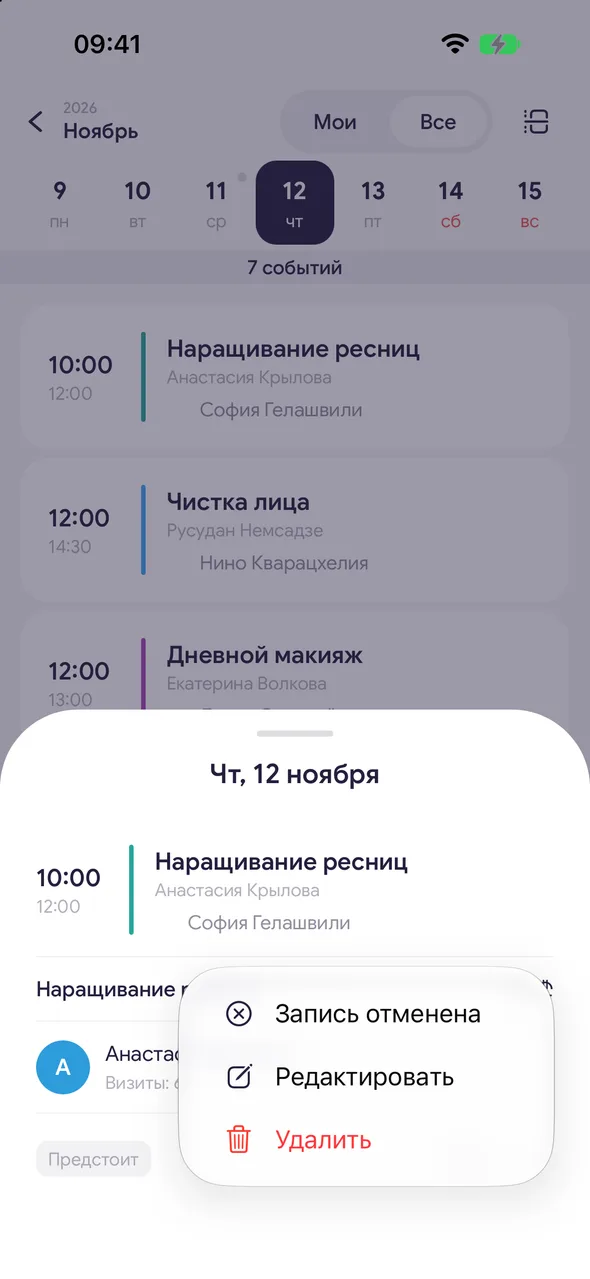
In the calendar, on the booking card tap «⋯» and choose «Cancelled». If the completion window is already open, switch to the «Cancelled» tab at the top.
- 02
Choose the reason
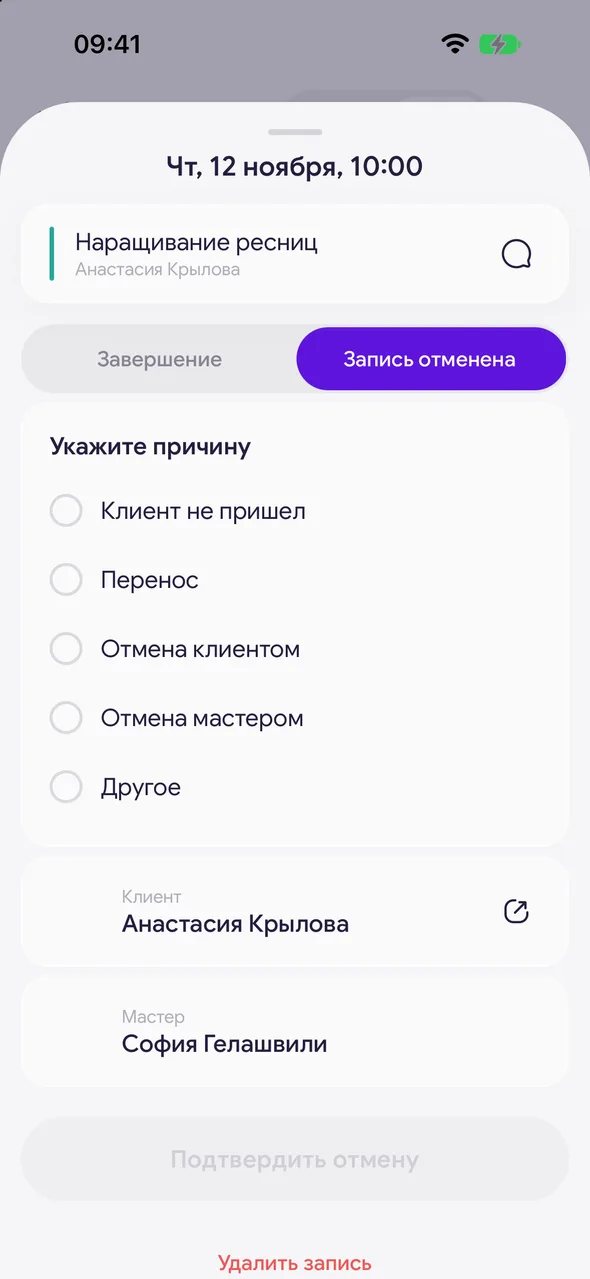
«Select a reason»: «Client didn’t show up», «Reschedule», «Cancelled by client», «Cancelled by master» or «Other» - for the last one a comment field appears.
- 03
Confirm
Tap «Confirm cancellation». The visit gets the status «Cancelled».
Good to know
Cancellation is available even without a plan - you will not have to delete the booking along with its history.
Cancelled visits are counted in analytics on the «Cancellations» line.
If the visit had a prepayment, on cancellation you need to choose whether to refund it to the client or keep it.
Questions and answers
FAQ
How is cancellation different from deleting a booking?
A deleted booking disappears completely. A cancelled one stays in the client's history and in analytics with a reason - you can see how many no-shows and cancellations there were.
See also
Free for a solo master
Try Easy Beezy
Calendar, clients, services and an online booking page - with no time limit. For a salon with a team - 14 days of full access.


