 Easy BeezyApp StoreGoogle PlayRuStoreInstall
Calendar
How to share free slots
The app creates an image with free time for stories and messengers. Clients see when they can book.
Step by step
- 01
Select slots
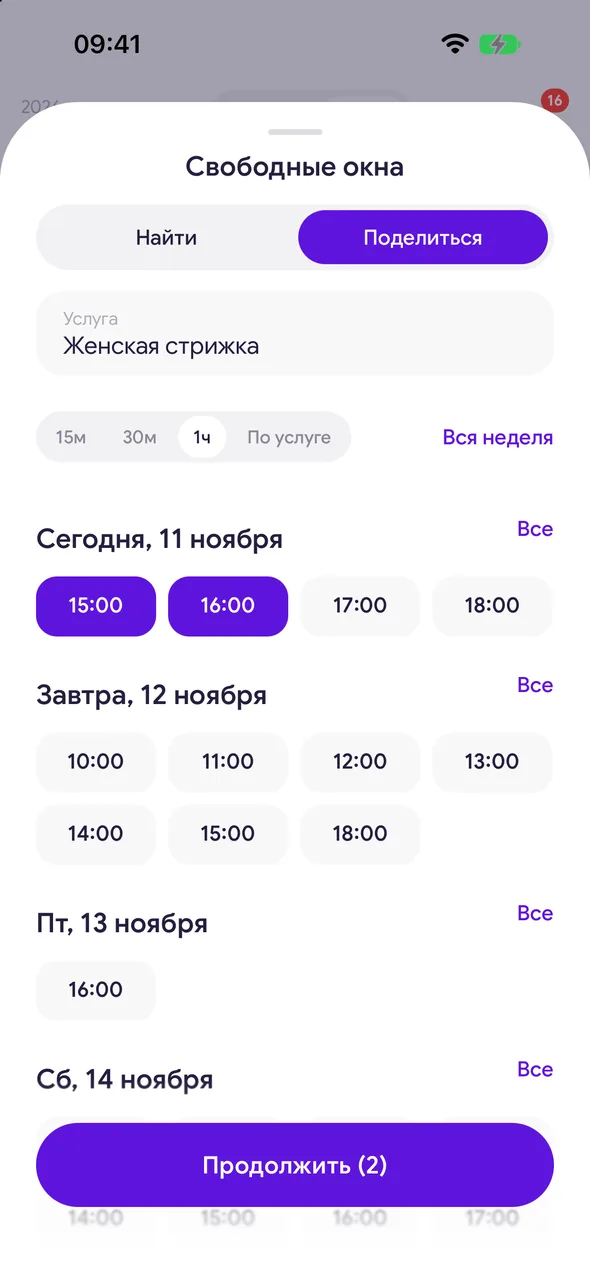
Tap the «Find a free slot» button above «+» and go to the «Share» tab. Choose a service and tick the times.
- 02
Select many at once
«All» for a day selects the whole day, «Whole week» - the whole week. The slot step («By service», 1h and others) removes unnecessary options.
- 03
Create the image
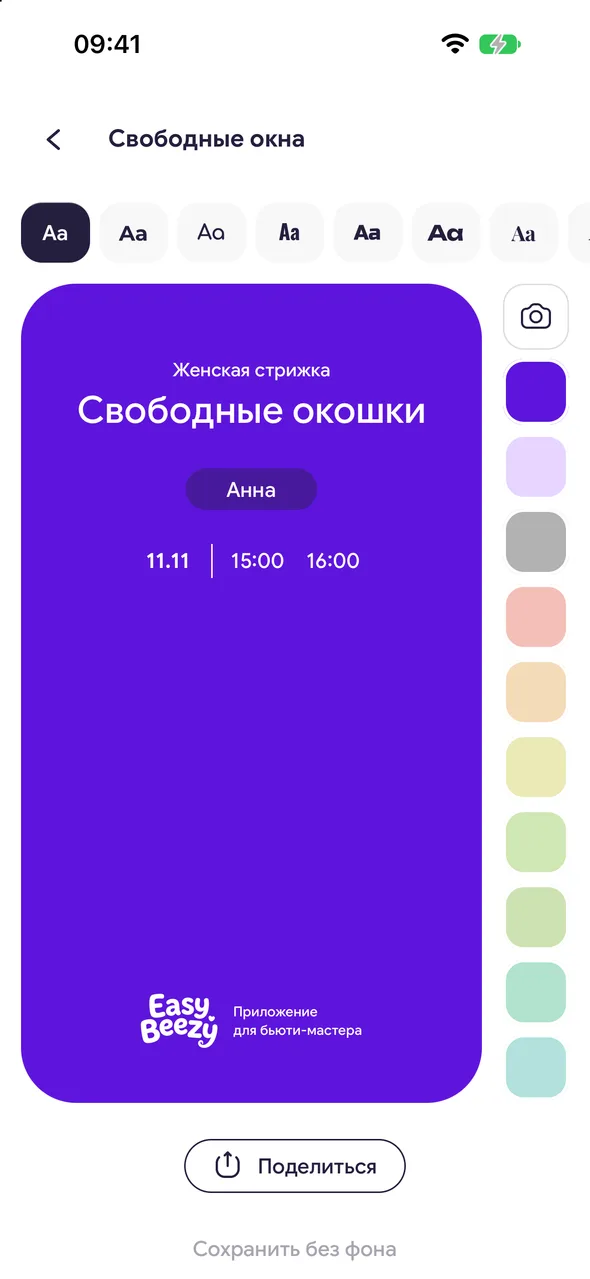
Tap «Continue». On the «Free slots» screen, everything changes directly on the image: tap the title or text to edit them, and tap the slots to return to selecting dates and times. The text style and color are above the image and to the right of it.
- 04
Send
«Share» - send the image to Instagram, a messenger, or save it. «Save without background» - save the slots without a background to place over your photo in stories.
Good to know
Quick path: «Profile» - «Free slots». Slots for the coming days will be selected automatically.
See also
Free for a solo master
Try Easy Beezy
Calendar, clients, services and an online booking page - with no time limit. For a salon with a team - 14 days of full access.


