 Easy BeezyApp StoreGoogle PlayRuStoreInstall
AI administrator
How to connect the AI administrator to Telegram
The assistant works through your own Telegram bot with your own name. Creating one takes a couple of minutes right in Telegram.
Step by step
- 01
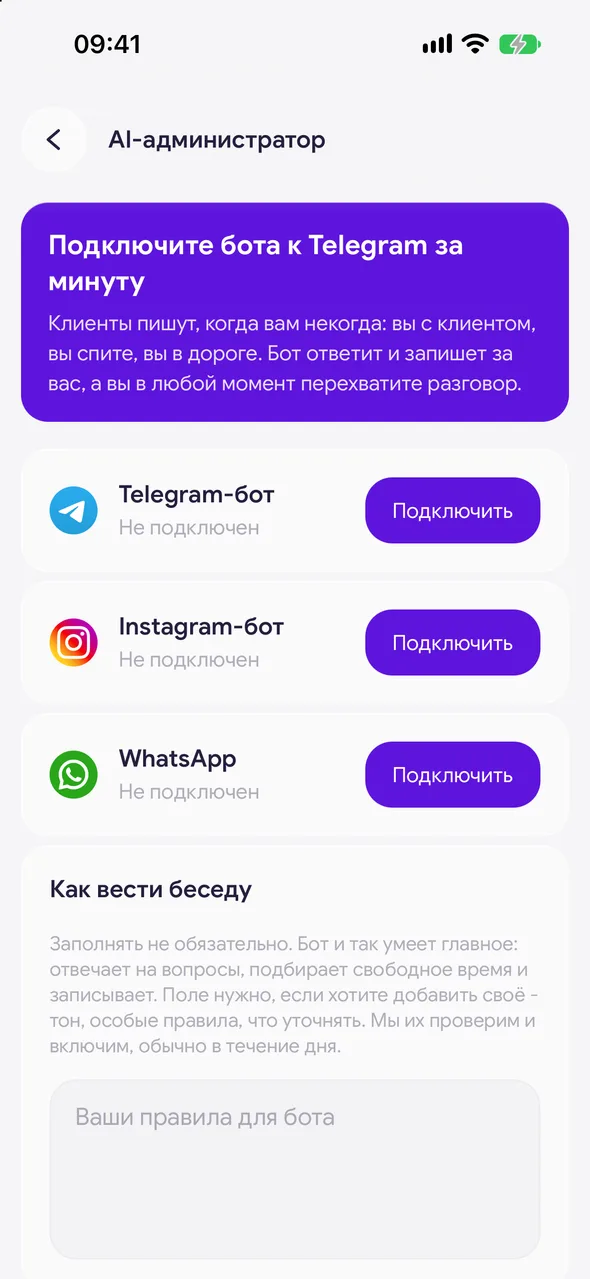
Tap «Connect»
«Profile» - «Online booking» - «AI administrator», the «Telegram bot» row. The «Connect Telegram» sheet will open.
- 02
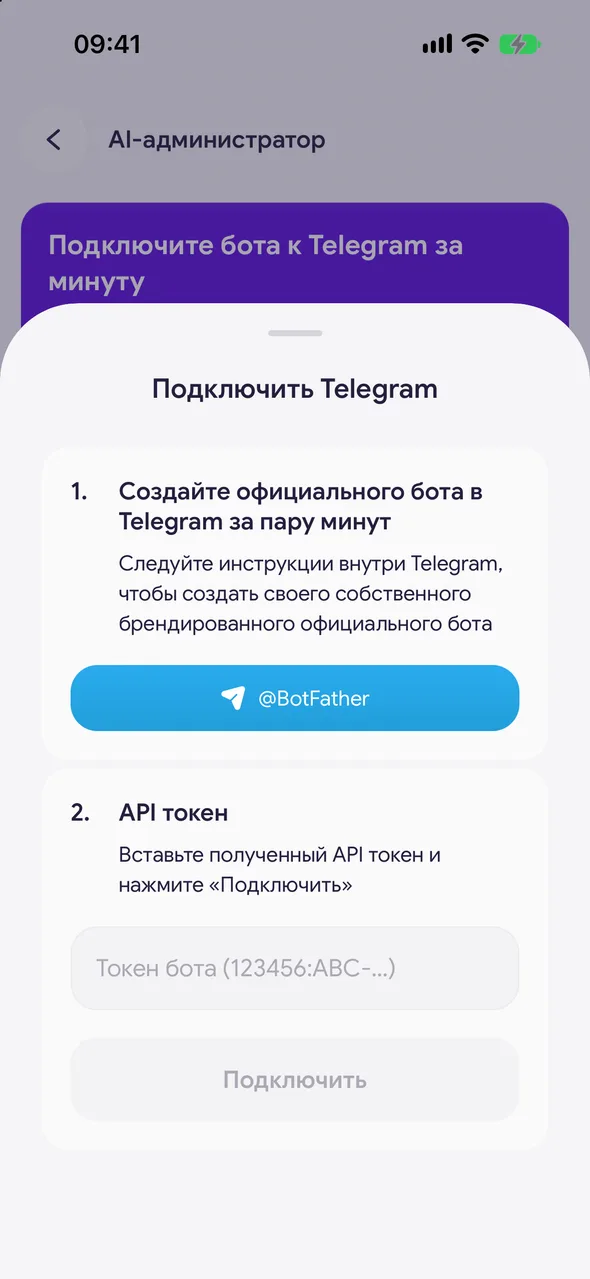
Create an official Telegram bot in a couple of minutes
Tap @BotFather in the sheet - Telegram will open. Send the /newbot command, come up with a bot name and its address ending in bot. In reply BotFather will send a token - a long string with a colon.
- 03
API token
Copy the token, return to the app, paste it into the field and tap «Connect». «Telegram connected» will appear, and the row will show your bot's address.
- 04
Turn on the operating mode
Right after connecting, the assistant is still silent. In the «Mode» block choose «Auto-booking» or «Advisor».
Good to know
The bot's name and photo are changed in Telegram itself, in @BotFather.
Do not show the token to anyone: it allows managing the bot.
Questions and answers
FAQ
I connected the bot, but it does not reply.
Check «Mode»: with «Off» the assistant stays silent. Also check «Work schedule» - outside the schedule it does not reply either.
It says the token is invalid.
Copy the token from the BotFather message in full, without spaces at the beginning or end. If in doubt, get a new one with the /token command in @BotFather.
See also
Free for a solo master
Try Easy Beezy
Calendar, clients, services and an online booking page - with no time limit. For a salon with a team - 14 days of full access.


