 Easy BeezyApp StoreGoogle PlayRuStoreInstall
Reminders and messages
How to add your own SMS messages to clients
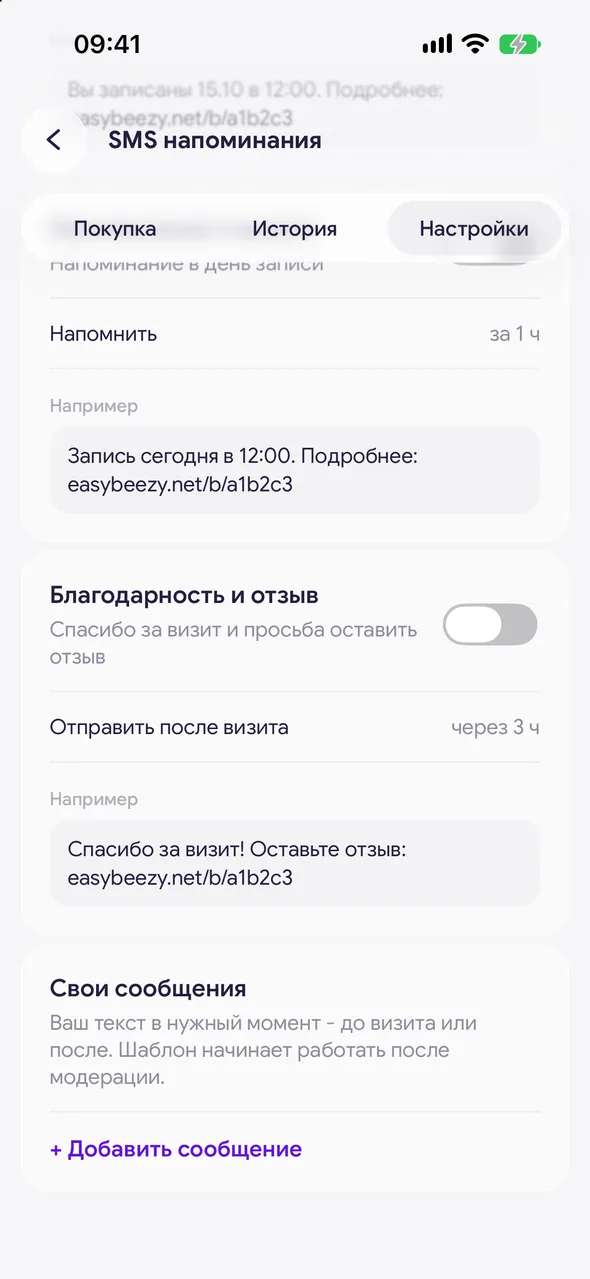
In addition to our notifications, you can add up to five of your own SMS: your own text at the right moment before or after a visit.
Step by step
- 01
Add a message
«Automatic notifications» - «Settings» - the «Custom templates» block - «+ Add message».
- 02
Write the text
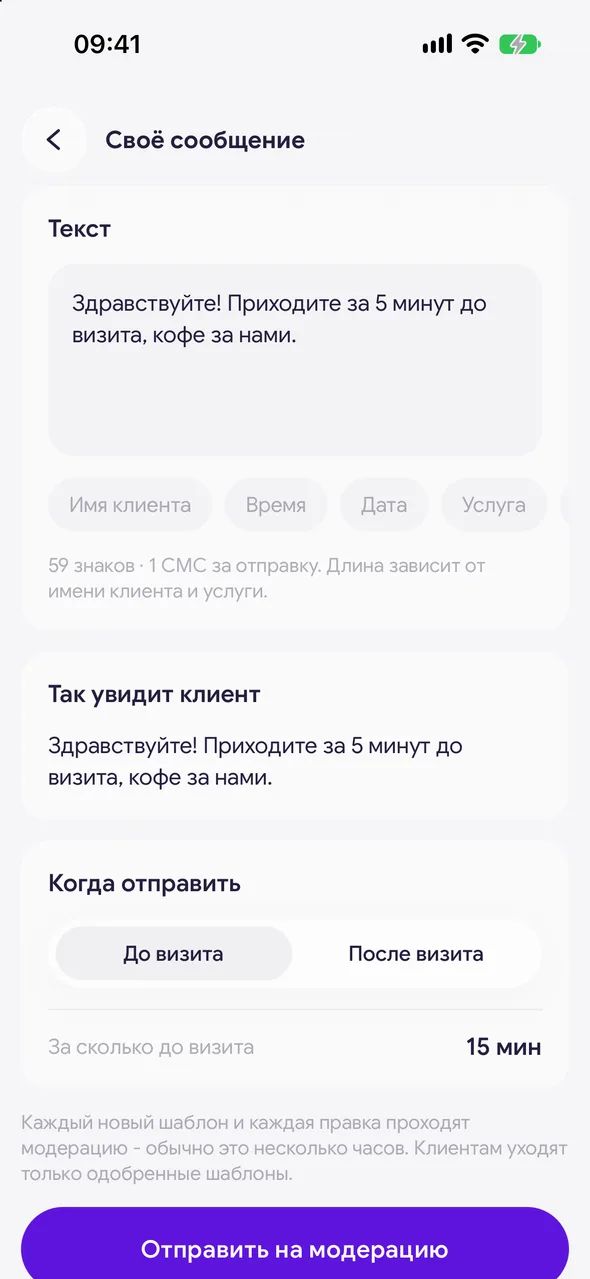
In the «Text» field, write your message. Below the field you will see the character count and how many SMS one send will take, and below that the «What the client sees».
- 03
Choose the timing
In the «When to send» block, choose «Before visit» or «After visit» and the time frame.
- 04
Submit for moderation
Tap «Submit for moderation». Moderation usually takes a few hours, and once approved the message will start going out to clients.
Good to know
Every text edit also goes through moderation. While the new text is under review, clients receive the previous approved one.
You can turn a message off without deleting it using the toggle in the list - no moderation needed for that. To delete it, use the «Delete message» button on the message screen.
Cyrillic allows 70 characters per SMS: a long text uses two or more messages per send.
Free for a solo master
Try Easy Beezy
Calendar, clients, services and an online booking page - with no time limit. For a salon with a team - 14 days of full access.


