 Easy BeezyApp StoreGoogle PlayRuStoreInstall
AI administrator
How to set your own rules for the assistant
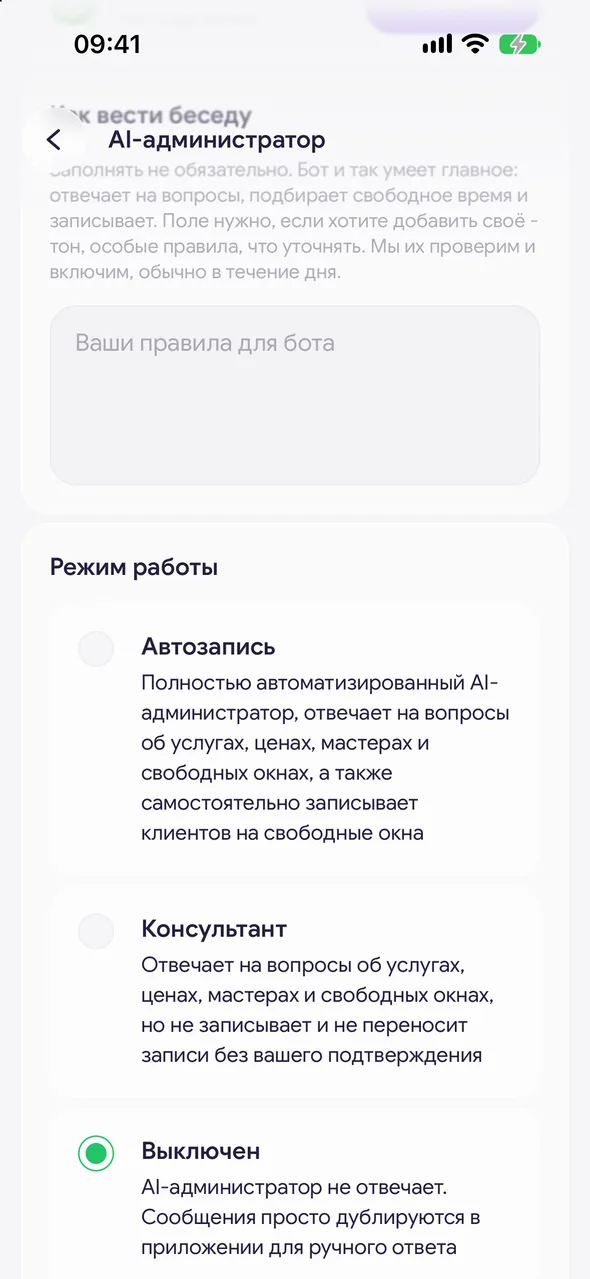
The «How to talk to clients» field is for your tone and special rules: what to clarify with the client, what to warn about. Filling it in is optional.
Step by step
- 01
Write the rules
The «How to talk to clients» block on the «AI administrator» screen. Write in plain language, for example: address the client formally, ask about allergies before coloring, do not promise discounts.
- 02
Save
Tap «Save» under the field - the button appears when the text has been changed.
- 03
Wait for review
We review the rules first, usually within a day. Under the field there is a status: «Under review. The bot still answers as before.», «Active.» or «Not approved.» with an explanation.
Good to know
Even without rules, the assistant already knows the essentials: it answers questions, finds a time and books.
You do not need to write prices, services, address or opening hours in the rules - the assistant takes them from the app.
Questions and answers
FAQ
Why do the rules not work right away?
The assistant speaks on behalf of the salon, so every change to the rules is reviewed first. While the review is in progress, it replies according to the previous rules.
Free for a solo master
Try Easy Beezy
Calendar, clients, services and an online booking page - with no time limit. For a salon with a team - 14 days of full access.


